
Building a strong resume can be a hard puzzle. You have the skills and experience. But fitting it all on one page is a big challenge. This guide gives you clear resume builder tips. It will help you create a document that recruiters notice. It will also help you pass automated screening systems. Think of your resume like a proposal for a business. Learning how to write good writing business proposals that win clients can help you attract employers.
Each tip here gives you a clear strategy. You can use it to make your resume better. We will cover how to use numbers to show your impact. We will also cover how to choose the right format. You will learn to change your resume for each job. You will learn to use professional endorsements. You will also learn to use modern tools to make your job search easier. A great resume is not just a list of your past jobs. It is a marketing tool that opens new doors. For a solid start, you can find professional templates at https://www.gainrep.com/resumes. Let's start building a resume that shows your real value.
1. Tailor Your Resume to Job Descriptions
Sending the same resume for every job is a big mistake. You need to tailor your resume for each job you apply for. This means you should highlight the skills and experience that match the job description. This small step shows recruiters you read their post carefully. It shows you are very interested in that specific job.

This strategy helps you pass Applicant Tracking Systems (ATS). These are software programs. They scan resumes for certain keywords. If your resume does not have the right words from the job post, it might get rejected. A person might never even see it. When you tailor your resume, you increase your chances of getting an interview.
How to Implement Resume Tailoring
Good tailoring needs a plan. You are not just changing a company name. You are making your whole resume fit what the employer wants. A data analyst might have one main resume. It lists all their skills. When they apply to a tech company, they should highlight experience with 'Python' and 'SQL'. When they apply to a finance company, they should highlight creating 'reporting dashboards' and 'financial modeling'.
Modern tools can help you do this faster. For example, GainRep’s AI-powered resume builder helps you manage many versions of your resume. Its AI Auto-Apply feature goes even further. It automatically tailors your application materials to fit job descriptions. This has helped users get three times more interview callbacks.
Actionable Tips for Effective Customization
- Analyze the Job Post: Use the job description as your map. List the key skills and requirements you see.
- Match Keywords Naturally: Try to use 60-70% of the keywords from the job description. Do not force them in. Make them sound natural in your bullet points.
- Prioritize Repeated Terms: Look for keywords that show up more than once. These are probably very important for the job.
- Update Your Skills Section: Change your skills section for each job. Add the specific tools and software mentioned in the job post.
2. Use Professional Templates and Formatting
Your resume's design is your first impression. A professional, ATS-friendly template looks good to recruiters. It is also easy for software to read. A good layout uses clear fonts and spacing. It guides the reader's eye and makes your skills easy to see.
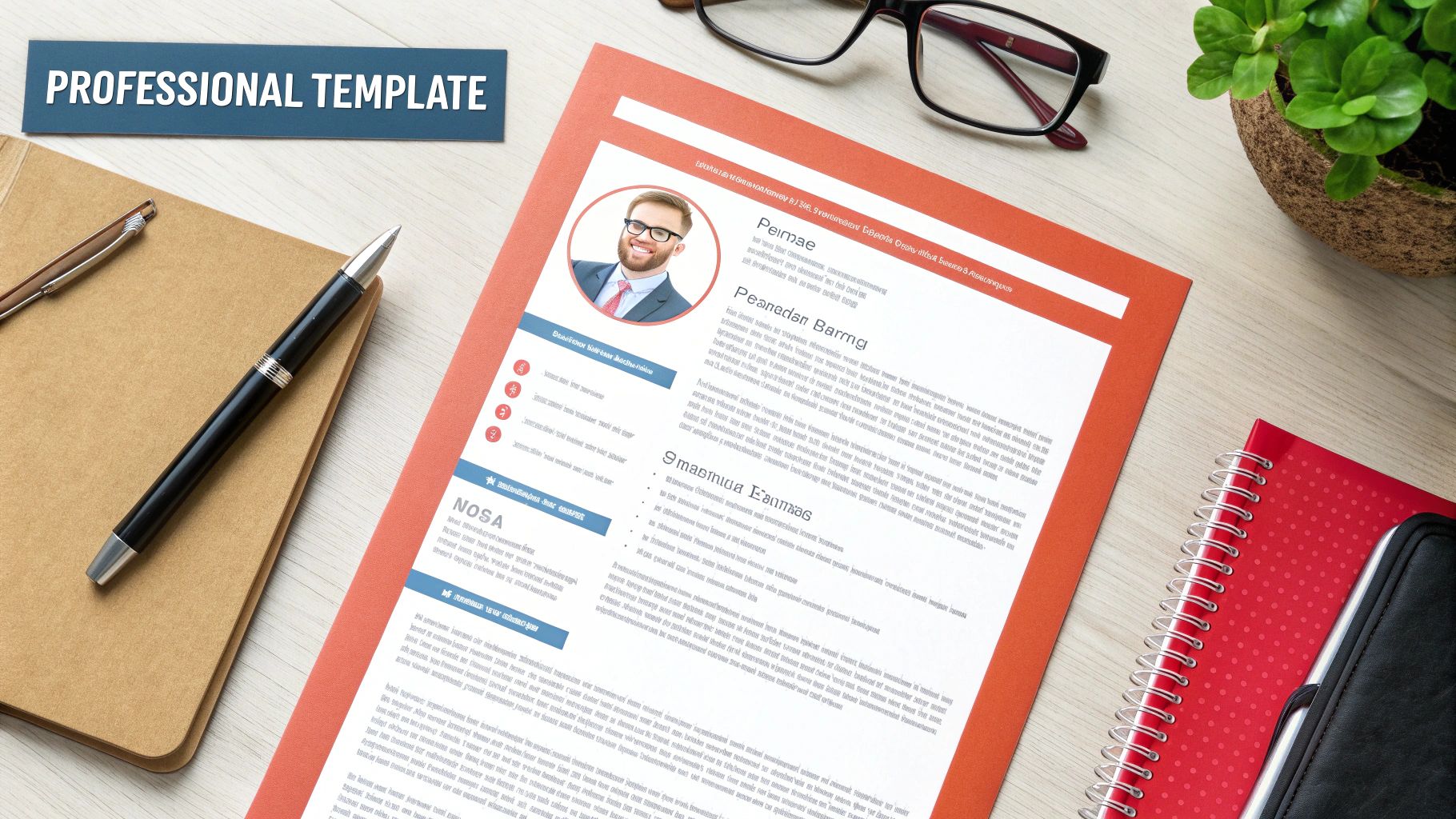
Many people do not think about formatting. A clean, professional template shows you care about details. A messy or strange design can get your application thrown out. The right template looks good but is also functional. It makes your skills and achievements stand out. This is one of the easiest resume builder tips to use.
How to Implement Professional Formatting
Choosing a template is not just about looks. A software engineer might pick a clean, single-column template. This helps show their technical skills clearly. A graphic designer might choose a template with a creative touch. It shows their design skills but still works with ATS. Your goal is to match the template to what your industry expects.
Platforms like GainRep's professional resume builder have templates made for this. They are designed to look good and work with screening software. Users of GainRep’s professional resume templates have reported a 25% improvement in ATS compatibility. This helps their applications get seen by hiring managers.
Actionable Tips for Effective Formatting
- Choose Clean Designs: Pick templates with clear section titles like "Experience," "Education," and "Skills." Use simple bullet points.
- Stick to Standard Fonts: Use easy-to-read fonts like Calibri, Arial, or Times New Roman. Keep the size between 10 and 12 points.
- Maintain Margins: Use margins of 0.5 to 1 inch on all sides. This keeps the page from looking crowded.
- Use Consistent Formatting: Keep your formatting for dates, places, and job titles the same everywhere on your resume.
- Download as a PDF: Always save and send your resume as a PDF. This keeps the formatting the same on any computer.
3. Highlight Quantifiable Achievements Over Duties
Recruiters want to know what you accomplished, not just what you were told to do. You should replace general job duties with specific, measurable results. This turns your resume from a boring list into a powerful story of your impact.

Using numbers, percentages, and money amounts proves what you can do. Do not just say you "managed social media." Say you "grew Instagram followers from 5K to 15K in 6 months." This gives real proof of your skills. This data-driven method helps you stand out and back up your claims.
How to Implement Quantifiable Achievements
Think about the results of your work. For every task you did, ask yourself: What happened? How did it help the company? For example, a customer service representative should not just list "answered customer emails." A better, quantified statement would be, "Reduced average response time by 75%, from 4 hours to 1 hour, improving customer satisfaction scores from 72% to 89%."
This is even more powerful when your achievements are proven by others. Platforms like GainRep let you list these accomplishments. They also let you get them verified and endorsed by coworkers and managers. GainRep users with quantified achievements on their profiles get 2.5 times more interview calls than those who use general descriptions.
Actionable Tips for Effective Quantification
- Start with Strong Action Verbs: Begin each bullet point with a power verb. Use words like Generated, Increased, Reduced, or Optimized. Follow it with a specific number.
- Focus on Business Impact: Connect your achievements to business goals. These can be things like making more money, saving money, or working faster. For example, "Generated $500K in new revenue, exceeding quarterly target by 25%."
- Provide Context with Time Frames: Adding a time frame makes your achievements more impressive. Use phrases like "in 6 months" or "per quarter."
- Get Your Numbers Verified: Make sure your numbers are correct before you add them. Use a platform like GainRep to get testimonials that prove your claims. This builds trust with recruiters right away.
4. Incorporate Relevant Skills and Endorsements
A good skills section does more than list what you can do. It shows your direct value to an employer. You should list skills that match the job you want. Adding professional endorsements to prove them makes your resume much stronger. This shows recruiters what you can do. It also shows that your colleagues trust your abilities.
This approach is key today. More companies are hiring based on skills. An endorsed skill is much better than one that is not. It gives social proof of your expertise. It turns a claim into a proven fact. This helps you stand out and makes your resume more convincing.
How to Implement Skills and Endorsements
Showcasing your skills requires careful choice and proof. You do not need to list every skill you have. Highlight the most relevant ones. Then, back them up with proof. A software developer listing Python, React, and AWS with over 15 endorsements from colleagues is a very strong candidate. This is much better than someone with the same skills but no endorsements. A project manager is more impressive when their skills in 'Agile/Scrum' and 'Stakeholder Communication' are validated by endorsements.
This is where special platforms are very helpful. Tools like GainRep are made to help you get and show these important validations. GainRep users who get 10 or more endorsements for their main skills see a 4.5 times increase in recruiter contact. You can use the platform to ask your professional network for endorsements. This creates a record of your expertise on your application materials.
Actionable Tips for Effective Skill Endorsement
- Curate a Targeted List: Limit your skills section to 10-15 key skills. Focus on the ones that match the job description.
- Balance Your Skill Set: Include a mix of hard skills and soft skills. Hard skills are technical things like coding. Soft skills are personal traits like leadership.
- Request Endorsements Strategically: Ask colleagues, managers, and mentors on a platform like GainRep to confirm your most important skills.
- Keep Your Skills Current: Check and update your skills section every few months. Add new tools you have learned or certificates you have earned.
5. Create a Strong Professional Summary or Objective
Your professional summary is the first thing a recruiter reads. It is a short pitch at the top of your resume. It should be 2-3 sentences long. A good summary quickly shows your best skills and value. It makes the hiring manager want to read more. It is a short introduction that sets the stage for the rest of your resume.
This section is different from an old "objective" statement. Objectives focused on what the candidate wanted. A modern professional summary focuses on achievements and what the employer needs. It quickly answers the question: "Why are you the best person for this job?" A good summary provides key details and makes a great first impression.
How to Implement a Powerful Summary
A strong summary is specific. It uses numbers and matches the job you want. Do not use a generic statement like "Seeking a position to use my skills." Instead, give a quick snapshot of your career. A marketing professional might write: "Results-driven marketing manager with 8 years of B2B SaaS experience. Proven track record of launching 5 products that generated $10M+ in revenue. Expert in data-driven strategy and team leadership."
Even new graduates can write good summaries. They can focus on skills and passion. For example: "Recent computer science graduate with internship experience in full-stack development. Proficient in React, Node.js, and AWS. Passionate about building scalable applications and collaborating with diverse teams." Using tools like GainRep’s resume builder can help you write personal summaries that get noticed. Users with tailored summaries like this get more interviews from their resumes.
Actionable Tips for an Effective Summary
- Lead with Expertise: Start with your years of experience or a key skill. This shows you are credible.
- Highlight Key Accomplishments: Include 2-3 major achievements or special skills. Make sure they are relevant to the job.
- Incorporate Keywords: Use keywords from the job description. This helps with both ATS and human readers.
- Avoid Clichés: Do not use vague words like "hardworking" or "team player." Show these traits through your achievements instead.
- Match the Industry Tone: Change your language to fit the industry. Be more formal for a finance job. Be more creative for a startup.
6. Organize Chronological Work History Clearly
How you structure your work experience is very important. A clear, reverse-chronological format is standard. This means you list your most recent job first. It lets recruiters quickly see your career path and growth. This layout is what recruiters and ATS software expect to see.
Presenting your career history in a logical way helps recruiters. They can easily connect your past jobs to the one you want. A well-organized work history shows you are professional and detail-oriented. It makes your resume easy to scan in the few seconds it gets.
How to Implement Clear Chronological History
Good organization is more than just listing jobs. Each job entry should be a clean, consistent block of information. Start with your job title. Then add the company name, dates you worked there, and location. Below this, use bullet points to describe your achievements. For example, show your growth by listing roles like Associate Product Manager, then Product Manager, and finally Senior Product Manager at the same company.
This method works for everyone, from executives to recent graduates. Resume-building platforms use this structure because it works so well. For instance, creating a resume on GainRep makes sure your experience is formatted in this recruiter-friendly way. This can lead to resume reviews that are twice as fast.
Actionable Tips for Effective Organization
- Be Consistent with Dates: Use the same format for all dates (e.g., "Jan 2020 – Present").
- Clarify Company Context: For smaller companies, add a short one-line description. For example, "A 50-person B2B SaaS startup."
- Use Standard Job Titles: Use job titles that are common in your industry. This helps recruiters and ATS understand your role.
- Show Progression: If you were promoted, list each role separately. This highlights your growth and new responsibilities.
7. Incorporate Relevant Certifications and Education
Your education and certifications prove your expertise. They show you are committed to growing in your career. Putting them on your resume builds your credibility. This is especially true in technical or specialized fields. A special section shows your formal training and ongoing learning. It proves you have the knowledge and skills for the job.
Where you put this section matters. For new graduates, putting education near the top is a good idea. For experienced professionals, it is often better to put it after your work experience. Including relevant certifications can really help your profile. Recruiters and ATS often use them to filter candidates.
How to Implement Certifications and Education
Listing your credentials should focus on what is relevant. A project manager with a Project Management Professional (PMP) certification shows a high level of skill. This often leads to a higher salary. A cloud developer with an AWS Certified Solutions Architect credential stands out from others. A data analyst who shows a Google Data Analytics Certificate shows they are actively learning new skills.
Using a resume builder can help you organize this information. The best resume builder tips suggest a clean, separate section for these qualifications. For example, GainRep's resume builder at https://www.gainrep.com/resumes provides professional templates. These make it easy to create sections for education and certifications. This ensures they are shown in the best way.
Actionable Tips for Listing Credentials
- Prioritize Relevance: List certifications in order of how important they are for the job you want. Put the most important ones first.
- Include Key Details: For each certification, list its official name, who issued it, and the date you got it.
- Show Ongoing Learning: Include certifications or degrees you are still working on. Add the date you expect to finish.
- Be Selective with GPA: Only include your GPA if you are a recent graduate and it is 3.5 or higher.
- Focus on the Role: Tailor the section by only including education and certifications that relate to the job.
8. Leverage AI Tools for Resume Optimization and Auto-Apply
The modern job search means applying to many jobs. Tailoring each application by hand takes a lot of time. AI tools can make this process much easier. They combine human skill with machine speed. These platforms check your resume against job descriptions. They suggest keywords to add. They can even automate the whole application process. This increases your output and your chances of getting an interview.
This is one of the most powerful resume builder tips. It lets you apply to more jobs without losing quality. AI can find important keywords that you might miss. This helps your resume pass through ATS. Automation frees up your time. You can then focus on networking, preparing for interviews, and other important tasks.
How to Implement AI in Your Job Search
Using AI well means treating it like a partner. Start by making a detailed "master resume." This document should list all your skills and achievements. The AI will use this as a base to create tailored applications. For example, a project manager using an AI tool would see their resume automatically highlight "Agile methodologies" for a tech startup. It would highlight "budget management" for a corporate job. All of this happens without manual work.
Advanced platforms like GainRep’s AI Auto-Apply go even further. The system finds relevant jobs for you. It customizes your resume and cover letter for each one. Then it submits the applications for you. Users often see a big increase in interview callbacks. Some see their rates jump from 2% to over 9% by using this automated approach.
Actionable Tips for Using AI Tools
- Build a Strong Foundation: Your AI is only as good as the information you give it. Start with a detailed and accurate master resume.
- Review Before Submitting: Always check AI-generated suggestions or applications. Make sure they sound like you and fit your personal brand.
- Set Clear Filters: Use job filters for location, salary, and industry. This stops the AI from applying to jobs that are not a good fit.
- Monitor Performance: Keep track of which jobs and companies reply to you. Use this information to improve your profile and search.
- Combine with Networking: Use AI to apply to many jobs. But also keep making personal connections. Using both technology and networking is a winning strategy.
8-Point Resume Tips Comparison
| Item | 🔄 Implementation complexity | ⚡ Resource / efficiency | 📊 Expected outcomes | 💡 Ideal use cases | ⭐ Key advantages |
|---|---|---|---|---|---|
| Tailor Your Resume to Job Descriptions | Moderate — manual effort per job; easier with automation | Time-intensive manually; AI reduces effort | Improved ATS pass rates and higher callbacks (notable lift) | Targeted applications for competitive or specialized roles | Better ATS match and role alignment |
| Use Professional Templates and Formatting | Low — plug-and-play templates | Low effort; saves formatting time | Fewer ATS formatting rejections; more consistent reviews | Broad applications, recent grads, cross-industry use | Clean, ATS-friendly presentation |
| Highlight Quantifiable Achievements Over Duties | Moderate — requires collecting and verifying metrics | Moderate time investment with high ROI | Stronger recruiter impact; more memorable resumes | Mid-to-senior hires and roles measured by outcomes | Demonstrates measurable business impact |
| Incorporate Relevant Skills and Endorsements | Low–Moderate — organize skills and request endorsements | Low upkeep; outreach needed for endorsements | Higher recruiter outreach and better ATS keyword matches | Skills-based hiring, technical and networking-heavy roles | Third-party credibility and quick fit assessment |
| Create a Strong Professional Summary or Objective | Low — concise writing and tailoring | Quick to create; occasional adjustments per role | Faster recruiter recognition; improves conversion rates | All applicants; especially career changers and senior roles | Immediate value proposition and focus |
| Organize Chronological Work History Clearly | Low — straightforward formatting rules | Efficient to implement; requires accurate dates | Clear career progression; ATS-friendly parsing | Traditional career paths and hiring managers who prefer clarity | Trusted format that highlights experience progression |
| Incorporate Relevant Certifications and Education | Low — list and order credentials; placement decision | Low maintenance; obtaining certs can be time/costly | Increases credibility; may meet job requirements | Regulated, technical, and entry-level roles | Validates expertise and unlocks qualified roles |
| Leverage AI Tools for Resume Optimization and Auto-Apply | Moderate — initial setup and review of AI suggestions | High efficiency; saves hours and scales applications | Greater application volume and improved callback rates | Active job seekers seeking scale or faster results | Automated tailoring, job matching, and tracking |
Your Next Steps to a Better Resume and More Interviews
Building a resume is not just about listing old jobs. It is about creating a marketing tool that tells your professional story. The strategies here are more than just general advice. They give you a clear plan to make a resume that gets results. From tailoring content to using hard numbers, each tip is an important part of the puzzle. These are the modern resume builder tips that make a resume great, not just okay.
Your resume needs to show your value in just a few seconds. This means you must focus on being clear, impactful, and relevant. A professional template gives you the structure. But your content is what really makes a difference. By focusing on achievements instead of duties, you change the story. You show what you accomplished, not just what you did. This is what hiring managers want to see. Your resume is your first impression. Make it a strong one by showing real results and proven skills.
Key Takeaways to Implement Today
To change your job search, focus on these main ideas:
- Be a Chameleon, Not a Statue: A single resume for all jobs does not work. You must adapt your resume for every application. Read the job description and use its language and skills. This shows you are interested and a good fit.
- Numbers Speak Louder Than Words: Replace vague phrases with hard numbers. Instead of "managed social media," use "grew social media engagement by 45% over six months." Numbers give real proof of your skills and impact.
- Validation is Your Superpower: Anyone can list skills. You can prove them. Including endorsements and recommendations provides powerful social proof. It shows that your colleagues and managers value your work. To build your collection of powerful testimonials, explore the tools available at https://www.gainrep.com/.
Turning Your Resume into a Proactive Tool
With a polished, achievement-driven resume, your next step is to show it to the right people. Being proactive often works better than just applying on job boards. Once your resume is ready, think about finding hiring manager emails to send a personal introduction. This direct approach, with a great resume, can make you much more visible.
You can also use technology to make the whole process easier. The best resume builder tips are the ones that save you time and make you more effective. Automated tools can help you apply to more good jobs faster. This frees you up to focus on networking and interviews. Use modern tools to speed up your search, like the AI-powered auto-apply features at https://www.gainrep.com/ai-auto-apply.
This journey is about taking control of your career story. Each resume you send is a chance to show your talent and potential. By using these detailed resume builder tips, you are not just hoping for a reply. You are making one happen.
Ready to build a standout resume and streamline your job search? Gainrep provides the tools you need to create a professional resume, gather powerful endorsements, and even automate your job applications. Transform your approach and get seen by top employers with Gainrep today.
