
Building a great resume can be a challenge. Your resume must impress two audiences. First, the Applicant Tracking Systems (ATS) that screen applications. Second, the human recruiters who make the final decision. A resume builder makes this job easier. It gives you the structure to tell your professional story. This guide offers actionable resume builder tips. These tips will help you create a document that stands out.
We will cover choosing the best template for your industry. We will also discuss how to write content that hiring managers like. You will learn to use the right keywords. You will see how to show your achievements with data. You will also learn to customize your resume for each job. These steps are key to getting noticed. A strong resume is your most important job search tool. It is the first step to your next great opportunity.
Using a tool like the GainRep resume builder makes the process simple. It lets you focus on what matters most. That is showcasing your skills, experience, and value. We will explore how to make every part of your resume work for you. This list breaks down the steps to turn a basic resume into a powerful tool. Let’s look at the tips to help you build a resume that opens doors.
1. Choose the Right Resume Template for Your Industry
Choosing the right resume template is the first step. It is the foundation of your job application. A template is not just about looks. It shows your professionalism and knowledge of your industry. Recruiters notice this before they read a word. Different fields have different expectations. Your choice of layout can help you fit in or stand out for the wrong reasons.
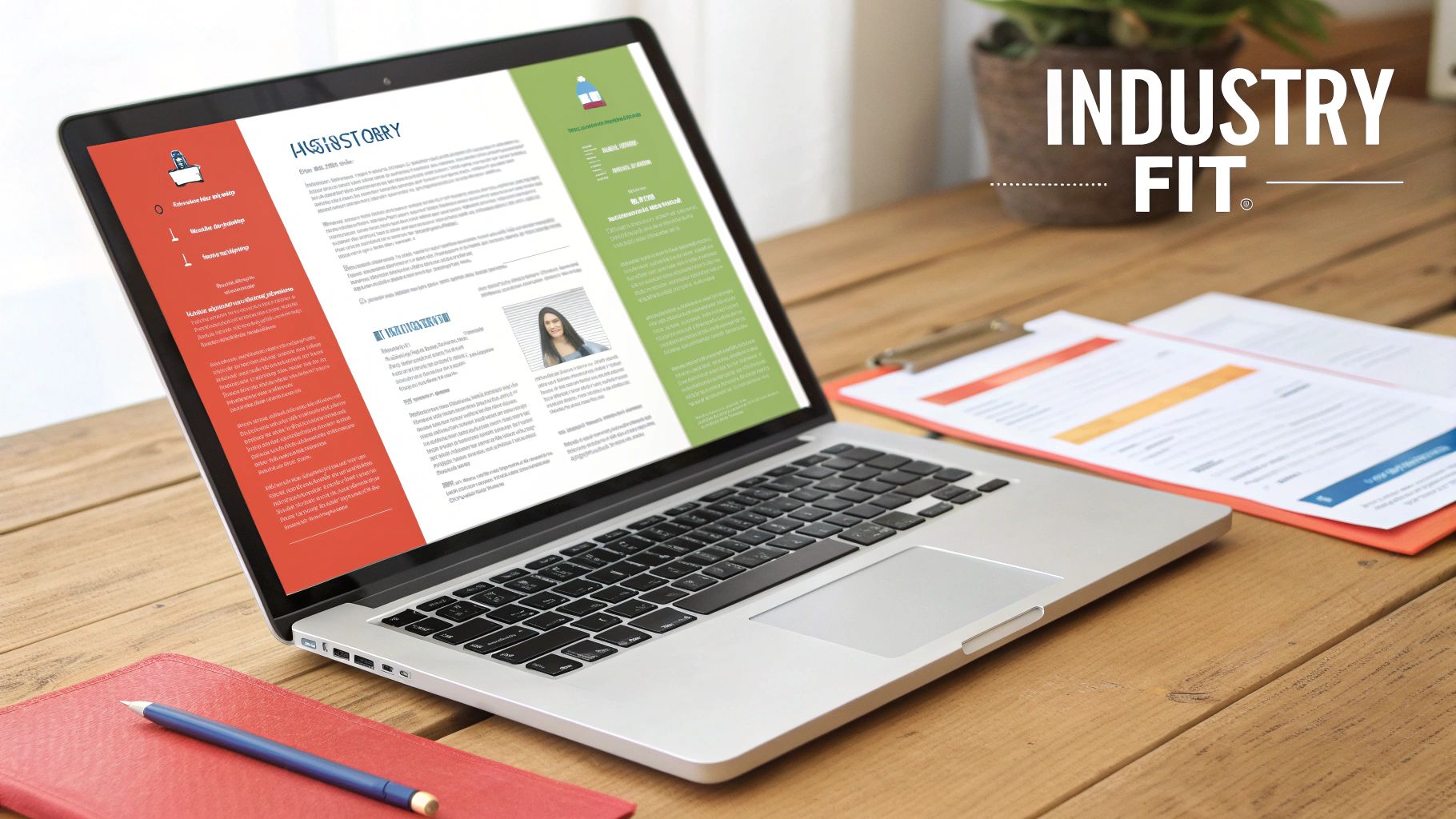
A resume builder makes this first step simple. For example, the professional templates on GainRep are made for specific industries. This ensures your resume is ready for both applicant tracking systems (ATS) and human hiring managers.
Match Your Template to Your Field
Your resume's look should match the job you want. A template that doesn't fit sends the wrong message.
- Corporate & Finance: People in these fields should use clean, traditional layouts. These templates focus on clarity and data. They use classic fonts and a simple chronological format.
- Tech & Engineering: A modern, organized template is best here. Look for layouts with clear sections for technical skills and projects. Include links to GitHub or portfolios. The design should be clean with a modern feel.
- Creative & Marketing: Looks are more important in these fields. Choose a template with engaging design elements. A unique layout or a portfolio section can help. The goal is to show your design sense.
Actionable Tips for Template Selection
When you use a resume builder, do not just pick the first template. Choosing a template is a critical resume builder tip. Use this checklist to make a good choice:
- Prioritize ATS Compatibility: Choose templates with a clear, simple structure. Use standard headings like "Work Experience," "Education," and "Skills." Avoid complex designs with tables or columns that can confuse software.
- Check Section Hierarchy: Does the template put your most important information first? Your recent experience and key skills should be easy to find.
- Incorporate Key Sections: Make sure the template has space for modern resume parts. Look for sections for a professional summary and skills. Platforms like GainRep let you gather and show endorsements.
- Test File Formats: Download your resume in both PDF and .docx formats. Make sure the formatting looks right in both versions. Some employers ask for a specific file type.
2. Optimize Your Resume for Applicant Tracking Systems (ATS)
Most large companies use Applicant Tracking Systems (ATS). These systems scan resumes before a person reads them. This software is the first gatekeeper. You must optimize your resume to pass its test. An ATS scans for specific keywords and a logical structure. A great resume could be rejected just because a machine can't read it.

Using a resume builder designed for ATS is a big help. For example, the resume builder on GainRep uses ATS-friendly formatting. This works well with their AI Auto-Apply feature. This feature tailors your resume's keywords to match each job. This improves your chances of passing the first scan.
Match Your Keywords to the Job Description
An ATS matches the words in your resume to the words in the job post. Using the employer's exact terms is the best way to get a high score.
- Software Engineer: Do not just list "coding." Use specific keywords from the job description like "Python," "AWS," "microservices," and "RESTful APIs."
- Product Manager: Use phrases from the job post. Include "product lifecycle management," "cross-functional leadership," and "metrics-driven decision making."
- Healthcare Professional: Include industry terms an ATS will look for. Use words like "patient care," "EHR systems," and "HIPAA compliance."
Actionable Tips for ATS Optimization
Passing the ATS scan is a science. These resume builder tips will help you master it. Use this checklist to make your resume ready for the software.
- Use Standard Section Headers: Use common titles like "Work Experience," "Education," and "Skills." Avoid creative headers like "My Journey." The software may not understand them.
- Choose a Simple Layout: Do not use tables, columns, headers, or footers. These items can confuse ATS software. Your information might be read wrong or skipped.
- Select Standard Fonts: Use common fonts like Arial, Calibri, or Times New Roman. Fancy fonts can be hard for the software to read.
- Integrate Keywords Naturally: Add keywords from the job description to your summary and work experience. Don't just list them in a skills section. Show how you used them.
- Save and Submit as a PDF: When you can, submit your resume as a PDF file. This format keeps your formatting the same on different systems.
3. Highlight Quantifiable Achievements and Metrics
You should include specific, measurable results in your resume. This is better than just listing job duties. Employers want to see the impact you made. Highlighting numbers gives real proof of your value. It makes your work credible and interesting.

Using a resume builder from a platform like GainRep can help you structure these achievements. The templates often have sections for accomplishments. This ensures your best results stand out. This data-first approach works well for both ATS scans and human recruiters.
Turn Responsibilities into Results
Recruiters have seen thousands of resumes with generic duties. To stand out, you must show the result of your work. Describe your experience based on what you accomplished.
- Sales Professional: Instead of "Responsible for account management," write "Increased quarterly revenue by 35% ($2.3M) through targeted account management strategies."
- Project Manager: Instead of "Managed a project team," write "Led a cross-functional team of 8 to deliver a key project two weeks ahead of schedule, saving the company $150K."
- Marketing Specialist: Instead of "Handled social media," write "Grew social media engagement by 400% (from 50K to 250K followers) in 12 months through a new content strategy."
- Software Developer: Instead of "Worked on database optimization," write "Reduced API response time by 60% (from 800ms to 320ms) by optimizing database queries."
Actionable Tips for Quantifying Achievements
Adding metrics is one of the best resume builder tips to show your impact. Use this checklist to add powerful data to your experience section.
- Use the PAR Formula: Structure your bullet points using the Problem-Action-Result model. This tells a complete story of your accomplishment.
- Quantify Everything Possible: Include percentages, dollar amounts, time saved, or volume increases. You can even quantify soft skills. For example, "Trained a team of 15 new hires" or "Managed a $500K annual budget."
- Focus on Business Impact: Connect your work to business goals. These goals could be increasing revenue, reducing costs, or improving efficiency.
- Validate with Endorsements: Strengthen your claims with endorsements from peers. You can use platforms like GainRep to gather endorsements from colleagues.
4. Customize Your Resume for Each Job Application
Sending a generic resume is a common mistake. Recruiters and Applicant Tracking Systems (ATS) look for specific keywords. These should match the job description. Tailoring your resume for each application is essential. It shows you are the right fit for the role.
Resume builders make this process fast. You can copy and change a "master" version in minutes. This is even better with a tool like GainRep's AI Auto-Apply. It can automatically tailor your resume and cover letter. It matches the requirements of each job, making you more relevant.
Match Your Experience to the Job Description
Customizing is more than changing the company name. You must highlight the skills and achievements the employer wants. A tailored resume speaks to the hiring manager’s needs.
- For Accountants: For a corporate finance role, focus on SOX compliance, financial reporting, and internal controls. For a small business job, highlight skills in bookkeeping and tax planning.
- For Product Managers: For a data-focused company, list your achievements in A/B testing and data analytics first. For a startup, lead with your successes in user research.
- For Designers: Your portfolio and resume should match the company's style. Show work that fits their brand. It could be a simple tech interface or a bright brand design.
Actionable Tips for Resume Customization
Using a resume builder makes customization simple. This is one of the most effective resume builder tips. Create a master resume, then copy and change it for each application. Use this checklist.
- Mirror Job Description Keywords: Read the job post for key terms. Examples are "agile methodologies," "client relationship management," or "SEO strategy." Add these exact phrases to your summary and experience.
- Reorder Your Skills Section: Move the most relevant skills to the top of your skills list. If the job needs Python and SQL, put them first.
- Prioritize Relevant Achievements: In your work experience, reorder the bullet points under each job. Put the accomplishment that best matches the new role's main duty at the top.
- Adjust Your Professional Summary: Rewrite your summary for the specific role and company. Mention the job title you want. Highlight 2-3 key qualifications from the job description.
- Save Smartly: Save each version with a clear file name. For example, "Resume_JohnDoe_SeniorAccountant_CorpX.pdf." This keeps you organized.
5. Strategically Use Skills and Endorsements Sections
Your skills section is more than a list. It is a tool for keyword optimization. It is also a quick summary of your qualifications. A good skills section tells recruiters that you have the needed skills for the job. It proves you have the abilities to get results.
Modern resume builders help you organize this section. The real benefit comes from adding social proof. Adding verified endorsements from a platform like GainRep turns your skills into proven expertise. This gives hiring managers confidence. This is one of the most effective resume builder tips.
Match Your Skills to the Role
A generic list of skills is easy to ignore. You must tailor it to the job description. Show a mix of technical (hard) and personal (soft) skills.
- Data Scientist: Python, R, SQL, Machine Learning, Statistical Analysis, Data Visualization (Tableau), and A/B Testing. Endorsements from former managers on these skills provide proof of your abilities.
- Project Manager: Agile Methodologies, Scrum, Project Planning, Budget Management, Risk Assessment, Team Leadership, and Stakeholder Communication. Endorsements from team members can validate your leadership skills.
- UX Designer: Figma, User Research, Wireframing, Prototyping, Usability Testing, and Accessibility Standards (WCAG). Endorsements from product managers or developers confirm your design skills.
Actionable Tips for Your Skills Section
Use your resume builder to create a skills section that is easy to read and believable. A smart approach makes your best skills stand out.
- Focus on Relevance: List only 10-15 of your most relevant skills for the job. Read the job description and use its language and keywords.
- Categorize for Clarity: Group your skills into categories like "Programming Languages" or "Marketing Tools." This makes the section easier for recruiters to read.
- Prioritize with Endorsements: Put skills with endorsements at the top of their categories. This draws attention to your proven strengths.
- Request Specific Endorsements: Use a platform like GainRep to ask for endorsements. Ask colleagues for endorsements for the skills most important to your career goals.
- Include Both Skill Types: A strong candidate has both hard skills (like software) and soft skills (like communication). Make sure to show both.
6. Write Compelling Professional Summaries and Objectives
Your professional summary is your resume's elevator pitch. It is the first section a recruiter reads. It decides if they keep reading your application. A good summary quickly shows your value. A generic one can get your resume thrown out.
Resume builders often have guides or examples to help you write this part. The prompts on GainRep help you focus on achievements, not clichés. This makes your summary strong and tailored to the job.
Match Your Summary to Your Career Stage
The goal of this opening statement changes with your experience level. Choose the right format to show your skills well.
- Professional Summary (Mid-Career): This is for people with work experience. It highlights your biggest achievements and key skills. For example: “Results-driven Software Engineer with 7+ years developing scalable cloud solutions. Expert in Python, AWS, and microservices. Improved system performance by 40% across 3 enterprise projects.”
- Career Changer Summary: If you are changing industries, your summary should connect your past to your future. Focus on transferable skills. For example: “Marketing professional moving to Product Management with 8 years of project leadership, data analysis, and customer-focused strategy.”
- Objective (Entry-Level): For recent graduates, an objective states your career goals. It highlights relevant skills and your desire to contribute. For example: “Recent Business graduate with internship experience in financial analysis, strong Excel skills, and proven ability to manage multiple projects.”
Actionable Tips for Crafting Your Summary
Use your resume builder to customize this section for every application. It is important to know how to write a good professional summary that gets attention. Follow these resume builder tips for a strong opening.
- Keep it Concise: Aim for 2-4 lines or 30-50 words. Recruiters scan resumes fast, so your summary must be direct.
- Lead with Your Title and Experience: Start with your professional title and years of experience. For example, "Senior Project Manager with 10+ years of experience…"
- Quantify Your Achievements: Include 1-2 specific, number-based accomplishments. For example, "…increased sales by 15%" or "…reduced costs by $50K."
- Integrate Keywords: Add 2-3 important keywords from the job description. This helps your resume pass ATS scans.
- Avoid Generic Phrases: Do not use clichés like "hardworking professional" or "team player." Use strong action verbs and specific words that show your skills.
7. Maintain Consistent Formatting and Professional Design
Bad formatting can make a good resume look unprofessional. Mixed fonts or uneven spacing can distract a hiring manager. It can suggest a lack of care. Consistent, professional formatting is important. It helps both people and Applicant Tracking Systems (ATS) read your resume.
Using a resume builder is one of the best resume builder tips for consistency. Templates on platforms like GainRep are pre-formatted. They have professional fonts and spacing. This lets you focus on your content while the tool handles the design. It prevents formatting mistakes that can hurt your application.
The Impact of Inconsistent vs. Clean Design
The difference between a polished resume and a messy one is clear. A messy layout makes it hard for recruiters to find key information. A clean design directs their eyes to your most important skills.
- Poorly Formatted Example: A resume with multiple fonts, different bullet point styles, and inconsistent date formats ('Jan 2020', '02/2021', 'March, 2022'). The spacing between sections is also uneven.
- Professionally Formatted Example: A resume with one font family, one bullet style, and the same date format (MM/YYYY) for every entry. The result is a clean, credible, and easy-to-read document.
Actionable Tips for Professional Formatting
Follow these design rules to make your resume look professional. A resume builder automates many of these steps, but it helps to know the basics.
- Stick to 1-2 Professional Fonts: Use one readable font like Calibri or Arial. If you use a second font for headers, make sure it is clean and professional.
- Standardize Date Formats: Choose one format, like Month YYYY or MM/YYYY, and use it for every date.
- Use Uniform Margins: Keep margins between 0.5 and 1 inch on all sides. This creates a balanced look.
- Maintain Consistent Spacing: Make sure the spacing between sections and entries is the same everywhere.
- Left-Align Your Text: Do not justify or center large blocks of text. Left alignment is standard and easier for ATS bots to read.
- Check Capitalization: Be consistent with how you capitalize your section headers and job titles.
8. Leverage Multiple Resume Versions for Different Career Goals
A single resume for all jobs is not effective anymore. Different careers or roles need a different focus on your skills. Creating multiple resume versions lets you show your best qualifications for each opportunity. This greatly increases your chance of success.
Using a resume builder makes this advanced strategy easy. You can clone your main resume and change it for different goals. Platforms like GainRep let you save and manage multiple versions. This ensures you always have the perfect resume ready.
Match Your Resume Version to Your Goal
The best resume speaks directly to a specific audience. Customizing your resume for different jobs is a great way to stand out.
- For the Career Changer: One version can be a skills-based resume that highlights your transferable skills. A second version can be a chronological resume for roles that match your past experience.
- For the Software Engineer: You might have three versions. One focused on full-stack development. Another for data engineering roles. A third for management opportunities that emphasizes leadership.
- For the Freelancer or Consultant: Create separate resumes for different clients. One version could focus on project management. Another on strategic consulting. A third on technical project work.
Actionable Tips for Managing Multiple Resumes
Managing different documents can be hard. A system makes it one of the most effective resume builder tips. Use this checklist to stay organized.
- Create a "Master Resume": Start with one document that includes every job, skill, and achievement from your career. This will be your main source.
- Develop 2-3 Targeted Versions: Use your master resume to create versions for your top career paths. Pull only the most relevant information for each one.
- Use Clear Naming Conventions: Save each file with a descriptive name. Use names like
JohnDoe_Resume_DataEngineer.pdfto avoid sending the wrong version. - Update All Versions Systematically: When you get a new skill or finish a project, add it to your master resume first. Then, update each targeted version where it is relevant.
- Test Each Version for ATS Compatibility: Make sure every version is optimized. Run each resume through an ATS check to ensure it is read correctly.
8-Point Resume Tips Comparison
| Item | Complexity 🔄 | Resources ⚡ | Expected Outcomes ⭐ | Ideal Use Cases 📊 | Key Advantages 💡 |
|---|---|---|---|---|---|
| Choose the Right Resume Template for Your Industry | Low — pick and tweak industry-fit templates | Low — template library; minimal time | Improved ATS pass rate and professional appearance | Industry-specific applications (creative vs. corporate) | Saves formatting time; ATS-ready; consistent layout |
| Optimize Your Resume for Applicant Tracking Systems (ATS) | Medium — requires keyword strategy and clean formatting | Medium — keyword tools, testing, periodic updates | Higher screening pass-rate and more recruiter views | Large employers and automated screening processes | Increases visibility; reduces parser errors; enables Auto-Apply |
| Highlight Quantifiable Achievements and Metrics | Medium — needs data collection and precise wording | Medium — time to gather metrics and validate claims | Stronger credibility and higher callback rates | Roles with measurable impact (sales, PM, engineering) | Differentiates candidates; shows concrete impact |
| Customize Your Resume for Each Job Application | High — create and maintain multiple tailored versions | High — time or automation (AI Auto-Apply) | Significantly higher interview rates (3–4x) | Competitive roles, diverse job targets, targeted hiring | Better ATS match; demonstrates fit; maximizes relevance |
| Strategically Use Skills and Endorsements Sections | Low–Medium — organize skills and request endorsements | Medium — networking to gather endorsements | Improved scannability and third-party credibility | Skill-focused positions and searchable resume databases | Peer validation; clearer skill signaling; ATS keyword match |
| Write Compelling Professional Summaries and Objectives | Medium — concise, targeted writing required | Low — templates or AI assistance; small time investment | Quick recruiter attention and contextual framing | Career changers, senior roles, entry-level applications | Highlights unique value early; customizable per role |
| Maintain Consistent Formatting and Professional Design | Low — automated by builders; attention to detail | Low — template/tools ensure uniformity | Better readability and ATS parsing accuracy | All applicants; high-volume submissions | Polished appearance; fewer formatting errors; device-compatible |
| Leverage Multiple Resume Versions for Different Career Goals | High — requires disciplined version management | Medium–High — time, organization, and storage | Broader opportunity capture and targeted fit | Freelancers, career changers, multi-role applicants | Enables A/B testing; strategic emphasis; tailored outreach |
Turn Your Resume into an Interview Magnet
Your resume is your professional handshake. It is your first impression and your most powerful job search tool. It is the document that gets you a career-changing interview. We have explored the strategies that turn a basic resume into a strong career story. Mastering these resume builder tips is not just about listing duties. It is about showing your value, proving your impact, and creating a document that gets attention.
Building a great resume is an act of smart communication. It requires you to think like a recruiter. You must anticipate their questions and provide clear answers. The path from a blank page to a polished resume depends on the key ideas we have covered.
Key Takeaways for a Recruiter-Ready Resume
Here are the most important points in a final checklist. Use this before you send your next application.
- Customization is Non-Negotiable: The biggest mistake is sending a generic resume. Each application needs a unique document tailored to the job description. This shows real interest and makes it clear why you are the right fit.
- Data Drives Decisions: Numbers are the language of achievement. Replace vague phrases like "improved sales" with hard data like "Increased quarterly sales by 17%." Quantified results set top candidates apart.
- ATS is Your First Hurdle: An Applicant Tracking System (ATS) will likely scan your resume first. This means using a clean template and optimizing for keywords from the job description. Avoid complex formatting that can confuse the software.
- Consistency Creates Credibility: Every detail matters, from date formats to font choices. A consistent, professional design shows you are detail-oriented and care about your professional brand.
Your Actionable Next Steps
It is time to use these ideas to build a resume that opens doors.
First, review your current resume. Go through it section by section. Compare it to the tips in this guide. Where are the gaps? Are your achievements quantified? Is it optimized for your target role? Be honest.
Next, build a "master resume" in a powerful resume builder like GainRep. This master document should list all your skills, projects, and achievements. From there, you can quickly copy and customize it for each job application. This saves time and ensures a tailored approach. It's also helpful to review advice on crafting resumes that get noticed for remote roles, which often require a focus on different skills.
Finally, apply with confidence. Don't just apply; apply smartly. Use tools that help you, such as GainRep's AI Auto-Apply, to manage many applications. This lets you focus on networking and preparing for interviews. Your career is worth the effort. A well-made resume is the most important investment you can make in your future.
Ready to stop just applying and start getting interviews? Let Gainrep provide the tools you need. Use our intuitive resume builder to create a professional, ATS-friendly resume in minutes, then supercharge your job search with our AI-powered application platform at Gainrep.
