


A great resume can open doors. It is your first chance to impress a hiring manager. Creating one from scratch is hard. You need the right format and a professional look. Your content must also pass through hiring software called Applicant Tracking Systems (ATS). This guide shows you a list of professional resume template examples to make it easier.
We will show you different styles for many jobs and career levels. Each example comes with useful tips. You will learn who should use it and why it works. You will also learn how to make it your own. We give you advice to make your resume stand out to recruiters. A good template can make a big difference if you are a recent graduate, a creative person, or an experienced manager.
This list is a practical resource. You will find pictures for each template and links to get them. You will also get insights into what makes each one successful. Our goal is to help you find the best platform for your needs. We want you to build a resume that gets results. Using a good template saves time and helps you get that important interview.
Ready to build a resume that hiring managers will love? A trusted tool is the fastest way to create a polished, effective document. You can find the perfect template for your career goals. Explore your options and build a professional resume with GainRep Resumes.
1. The All-in-One Professional: Gainrep Resume Builder
GainRep is more than a place to find professional resume template examples. It is a full career platform to manage your job search. It goes beyond a simple document creator. It combines resume building with reputation management and expert advice. It also has powerful AI tools for applying to jobs. This all-in-one approach is great for professionals who want one system for their career path.
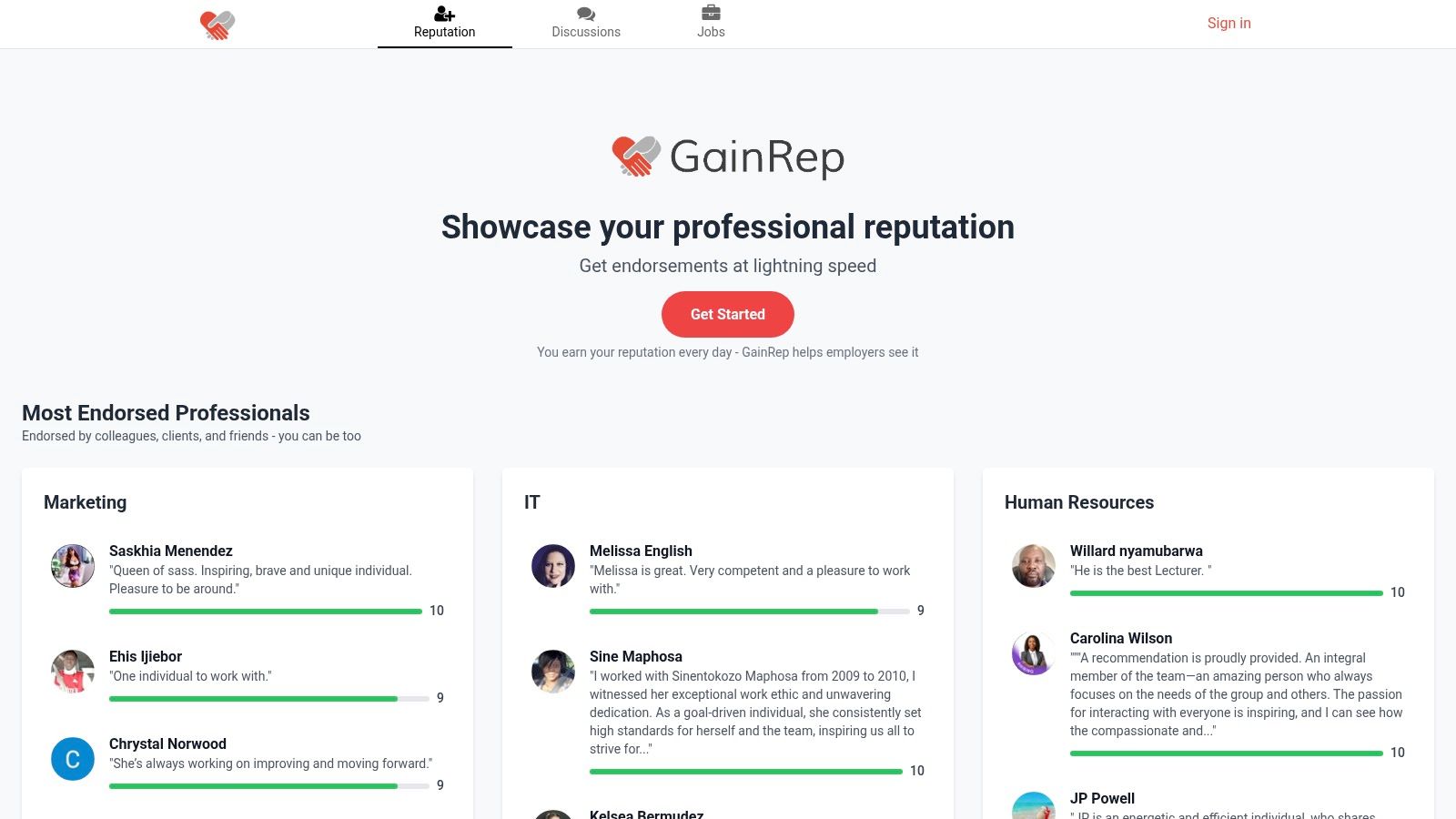
The platform is built on an idea. A resume is just one piece of your professional story. It lets users build and show their credibility. It uses a unique social proof system. Peers can leave endorsements and ratings. This feature provides real proof of your skills. It adds a layer of trust that a normal resume cannot offer.
Strategic Analysis: Beyond the Template
GainRep’s main strength is its ecosystem. You can create a polished, ATS-friendly resume with its builder. The real value comes from what happens next. The platform connects your new resume to its job application tools. This creates a smooth workflow that saves time and works well.
Key Strategic Insight: GainRep combines a resume builder with an AI job application tool. It also has a reputation management system. This turns the job search from separate tasks into a unified plan. This workflow helps get your resume seen and helps you get hired faster.
Core Features and Practical Benefits
GainRep's features are designed for action. Each tool solves a specific problem in the job search. It offers practical solutions for today's professionals.
- Integrated Resume Builder: Create a professional resume with templates made for Applicant Tracking Systems (ATS). The builder is easy to use. It ensures your final document looks good and can be read by machines. Explore templates at GainRep Resumes.
- AI Auto-Apply: This is a powerful feature. The tool uses your resume to find good job openings. It then automatically applies for you. It even includes an AI-generated, tailored cover letter. This saves a lot of time spent searching and applying. Learn more at GainRep AI Auto-Apply.
- Social Proof and Endorsements: Your GainRep profile shows a live feed of endorsements. These come from colleagues and clients. This credibility helps you stand out to recruiters. They are looking for proven talent.
Use Cases and Who It's Best For
GainRep’s platform helps a wide range of professionals:
| User Profile | How GainRep Helps |
|---|---|
| Experienced Professionals | Use the AI Auto-Apply feature to explore new jobs quietly. You do not need to spend hours on manual applications. |
| Freelancers & Consultants | Use the endorsement system to build a portfolio of client reviews. This adds powerful social proof to your proposals. |
| Students & Recent Grads | Access career Q&A forums and professional templates. Build a strong resume and get guidance on starting your career. |
Access and Pricing
GainRep uses a freemium model. Core features like creating a profile and joining career talks are likely free. Details about premium features might require you to sign up. These features include the full AI Auto-Apply tool or advanced resume analytics. You should create an account to see all the services. This will help you understand any limits or costs.
Website: https://www.gainrep.com
2. Microsoft Create (official Microsoft Word resume templates)
Microsoft Create has a large library of free resume templates. These are designed by Microsoft. This platform is a great start for anyone who uses Microsoft Word. It provides a familiar editing experience. Its main advantage is reliability. These templates work perfectly in Word. They avoid formatting problems common with other templates.
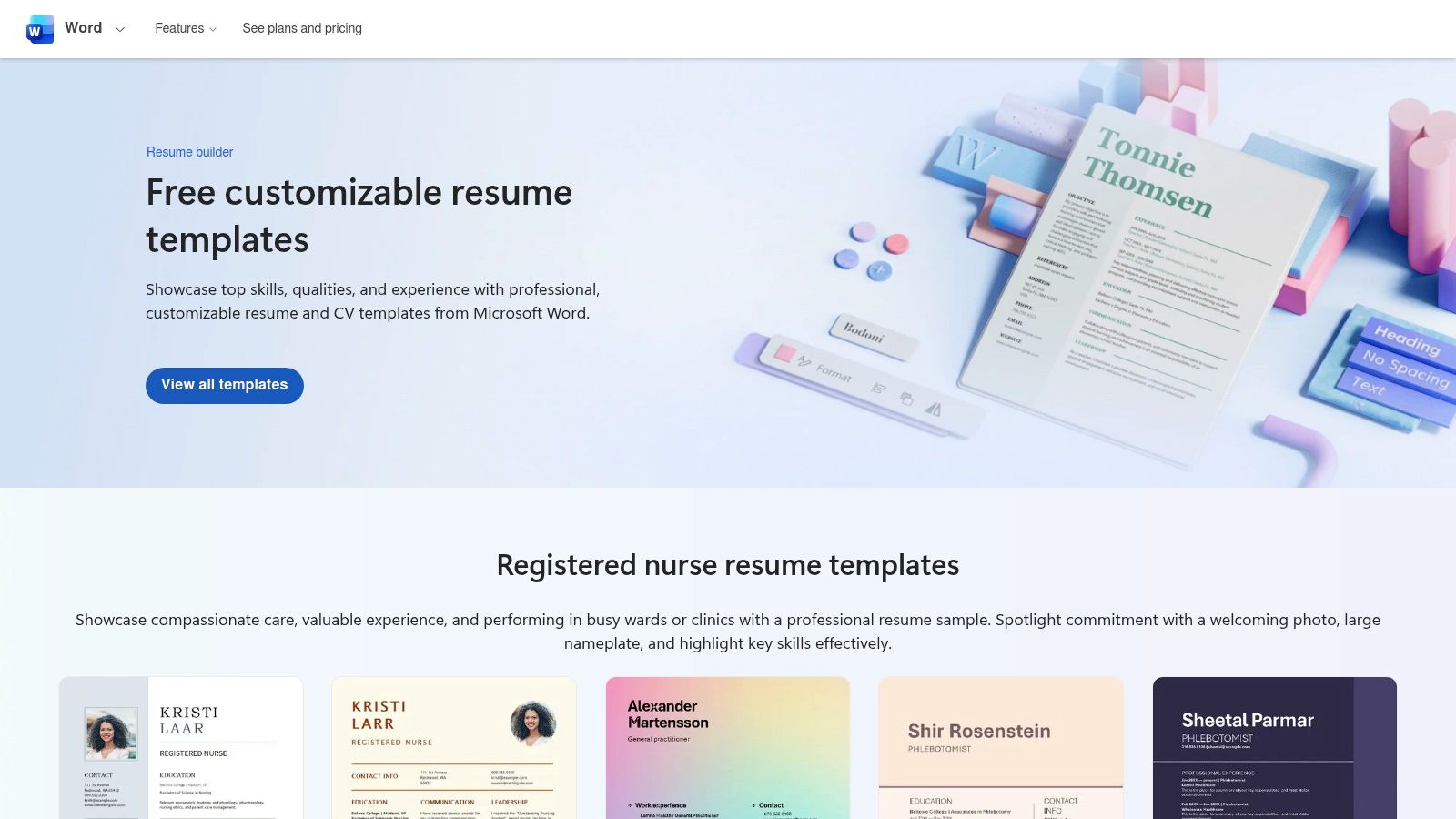
The platform offers a special collection of "ATS-friendly" resume templates. This selection helps job seekers create documents that pass through modern hiring software. This focus on ATS compatibility is a big benefit. It helps solve a major concern for job applicants.
Key Features and User Experience
Microsoft Create works directly with the Word application. You can browse templates on the website. Then, you can open them in Word to start editing. The interface is clean and simple. It focuses on finding and using the right document for you.
- Cost and Access: All templates on Microsoft Create are 100% free. A paid Microsoft 365 subscription offers the best editing. Users can still use the free web version of Word to edit templates.
- Template Quality: The designs are professional and clean. They focus on readability and structure. This is ideal for corporate and traditional jobs. Many templates also come with a matching cover letter design.
- Unique Offerings: The "ATS-friendly" category is a key feature. Microsoft’s official approval gives users confidence. They know their resume’s structure will not stop it from being seen by a recruiter.
Pros and Cons
| Pros | Cons |
|---|---|
| Completely free to access and use templates. | Designs are more traditional and less creative than paid options. |
| Curated ATS-friendly templates for modern job applications. | The full editing experience requires a Microsoft 365 subscription. |
| Familiar editing environment within Microsoft Word. | Lacks advanced features found in dedicated resume builders. |
| Official support and reliability from Microsoft. | Customization is limited to Word's built-in tools. |
For those wanting to build a resume or customize a template, the Gainrep resume builder at https://www.gainrep.com/resumes offers advanced tools to create a standout document.
Website: https://create.microsoft.com/en-us/templates/resumes
3. Canva
Canva is a powerful design tool. It offers thousands of creative and modern resume templates. It uses an easy drag-and-drop editor. It is a good choice for job seekers in creative fields. It also works for anyone who wants a polished, well-designed resume without special software. Canva makes complex design simple. Users can create impressive documents in minutes.
Canva has a large variety of templates. Many come in sets with matching cover letters and presentations. This allows for consistent personal branding. Its strength is visual appeal. Users must be careful to choose layouts that are also functional. Some designs can be hard for applicant tracking systems (ATS) to read.
Key Features and User Experience
Canva’s platform is web-based and easy to use. You can pick a template and customize fonts and colors with one click. You can drag elements on the page and upload your own photos. The experience is smooth on desktop and mobile. Changes are saved automatically.
- Cost and Access: Canva uses a freemium model. A large number of templates and design elements are completely free. A Canva Pro subscription unlocks premium templates and advanced features. These include the AI-powered Magic Write tool.
- Template Quality: The design quality is very high. Templates range from simple and professional to bold and artistic. They work for almost any industry. They are a great source for professional resume template examples that are not traditional.
- Unique Offerings: The integrated design system is Canva’s biggest plus. You can work with a friend on your resume in real time. The platform’s AI tools can help rephrase bullet points or check for errors. It also has many export options, including PDF and PNG.
Pros and Cons
| Pros | Cons |
|---|---|
| Huge library of free, visually appealing, and modern templates. | Some creative designs are not ATS-friendly due to text boxes. |
| Extremely easy-to-use drag-and-drop editor for non-designers. | The best templates and features require a paid Canva Pro plan. |
| Works seamlessly on web and mobile for editing on the go. | Exporting to an editable DOCX format can sometimes alter formatting. |
| Collaboration features allow for real-time feedback and edits. | Can be overwhelming with too many choices for some users. |
For those who want creative freedom with features made for resumes, the Gainrep resume builder at https://www.gainrep.com/resumes provides a focused tool to craft a perfect document.
Website: https://www.canva.com/resumes/templates/
4. Etsy
Etsy is a global online marketplace. Independent designers sell unique goods there. This includes a large collection of downloadable professional resume template examples. This platform offers a different approach. It is a creator-driven model, not a dedicated builder. Buyers can find creative templates for Microsoft Word, Google Docs, and Apple Pages. They often come with matching cover letters and reference pages.
The platform has a huge variety of styles and is affordable. You are buying from individual sellers. The designs range from simple and corporate to bold and artistic. They fit almost every industry and personality. Many sellers say their templates are "ATS-friendly." It is smart to check that the designs are simple, single-column layouts to be sure. The instant download feature makes it a fast option.
Key Features and User Experience
Using Etsy is like shopping at a large digital market. Users can search for "resume template." They can use filters to find results by file format, price, and style. The user review system is very important. It helps buyers find high-quality products and good sellers.
- Cost and Access: The templates are very affordable. Most digital packs cost between $5 and $15. This is a one-time purchase for the digital files. You can then edit and reuse them forever. Access is instant after you buy.
- Template Quality: Quality can be different from shop to shop. Top-rated sellers often provide well-designed templates. They include detailed instructions and customer support. It is important to read descriptions and reviews carefully.
- Unique Offerings: The biggest difference is the creative variety. You can find special designs for creative fields like graphic design. You can also find polished templates for corporate jobs. The matching documents provide a complete branding package.
Pros and Cons
| Pros | Cons |
|---|---|
| Very affordable with many high-quality options under $10. | Quality and support vary depending on the seller. |
| Huge variety of designs for all industries and aesthetic tastes. | Buyers must check "ATS-friendly" claims themselves. |
| Instant digital download for immediate use. | Lacks the guided experience of a resume builder. |
| Reviews and seller ratings help in choosing reliable creators. | Customization is limited to your software's features (Word/Docs). |
For those who want to build a resume or customize a template, the Gainrep resume builder at https://www.gainrep.com/resumes offers advanced tools to create a standout document.
Website: https://www.etsy.com/market/resume_template
5. Envato Elements
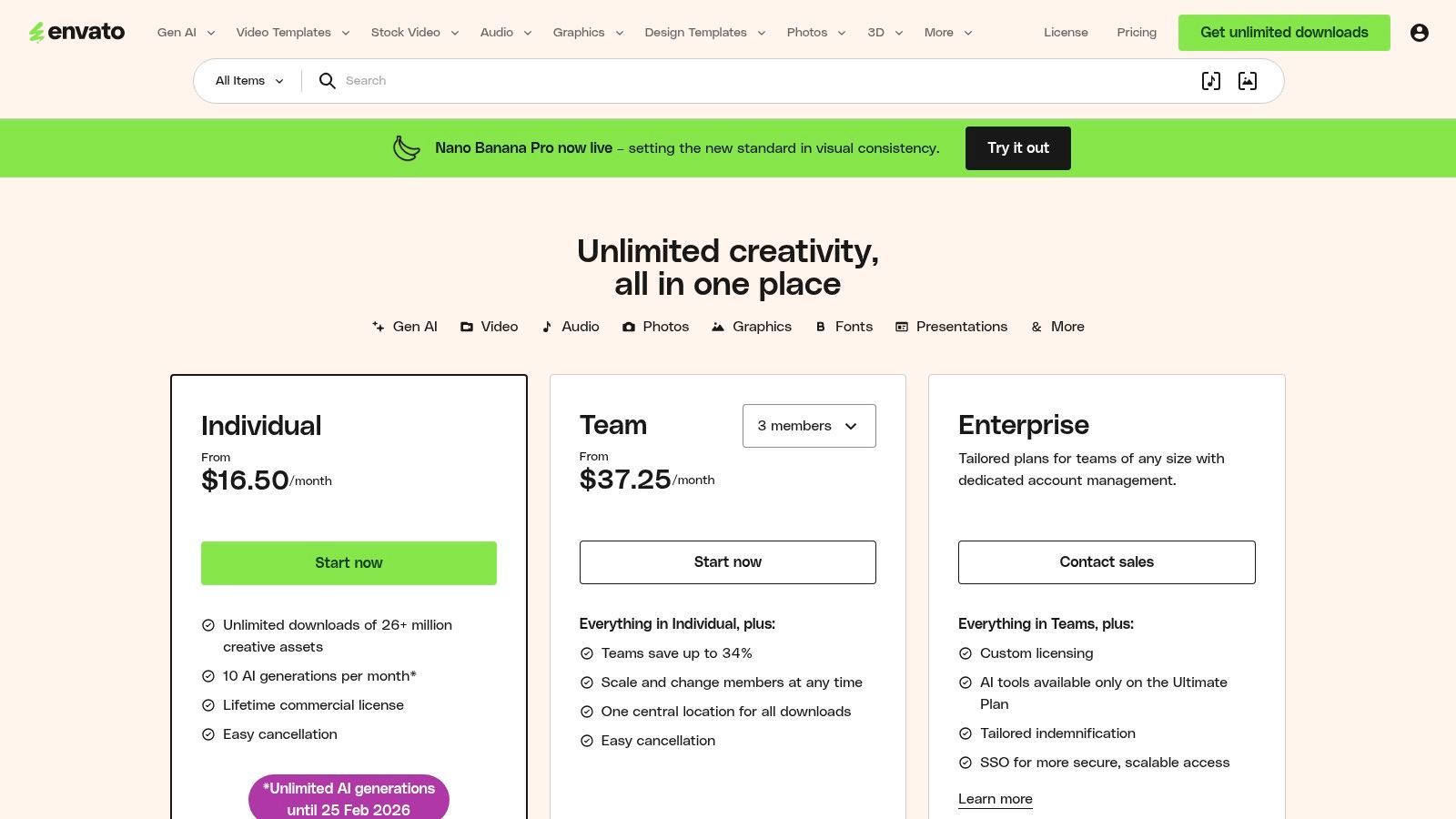
Envato Elements is a large subscription library for creative assets. It offers thousands of premium and striking resume templates. This platform is ideal for designers, marketers, and creative professionals. They want a resume that stands out with great design. Envato Elements provides unlimited downloads. This makes it a powerful resource for freelancers or job seekers who need many professional resume template examples.
The platform’s key advantage is its large volume and professional quality. The templates are available in multiple formats. These include Microsoft Word, Adobe InDesign, and Photoshop. This gives users complete creative control. It allows for more customization than standard resume builders offer. It’s perfect for those who know design software and want a unique application.
Key Features and User Experience
Envato Elements uses a simple subscription model. One fee gives you access to its entire library of over 26 million assets. The user interface is clean and searchable. It has powerful filters to find templates by file type, style, or color. Downloading and licensing a template is a simple process.
- Cost and Access: Access requires a subscription. It is cheaper when billed annually. A monthly plan is also available at a higher rate. The subscription includes a simple commercial license for all downloaded items.
- Template Quality: The design quality is very high. The templates are made by professional designers from around the world. They range from simple and clean to bold and creative. They often include matching cover letters and business cards.
- Unique Offerings: The "all-you-can-download" model is a major plus. Besides resumes, a subscription includes stock photos, icons, and fonts. This allows you to build a complete and professional brand for your job search.
Pros and Cons
| Pros | Cons |
|---|---|
| Huge library of high-quality, professional designs. | Subscription can be costly for a one-time resume update. |
| Unlimited downloads of templates and other creative assets. | Requires knowing design software like Word or Adobe Suite. |
| Templates available in multiple formats (Word, InDesign, etc.). | Lacks built-in editing tools or an online resume builder. |
| Includes a simple commercial license for all assets. | No item-specific support beyond the provided documentation. |
For those who want to build a resume or customize a template, the Gainrep resume builder at https://www.gainrep.com/resumes offers advanced tools to create a standout document.
Website: https://elements.envato.com/pricing
6. Creative Market
Creative Market is a large online marketplace. Independent designers sell premium digital assets there. This includes a vast collection of professional resume template examples. It operates on an à la carte model. You can buy individual templates for a one-time fee. This is a great choice for job seekers who want a unique design without a recurring payment.
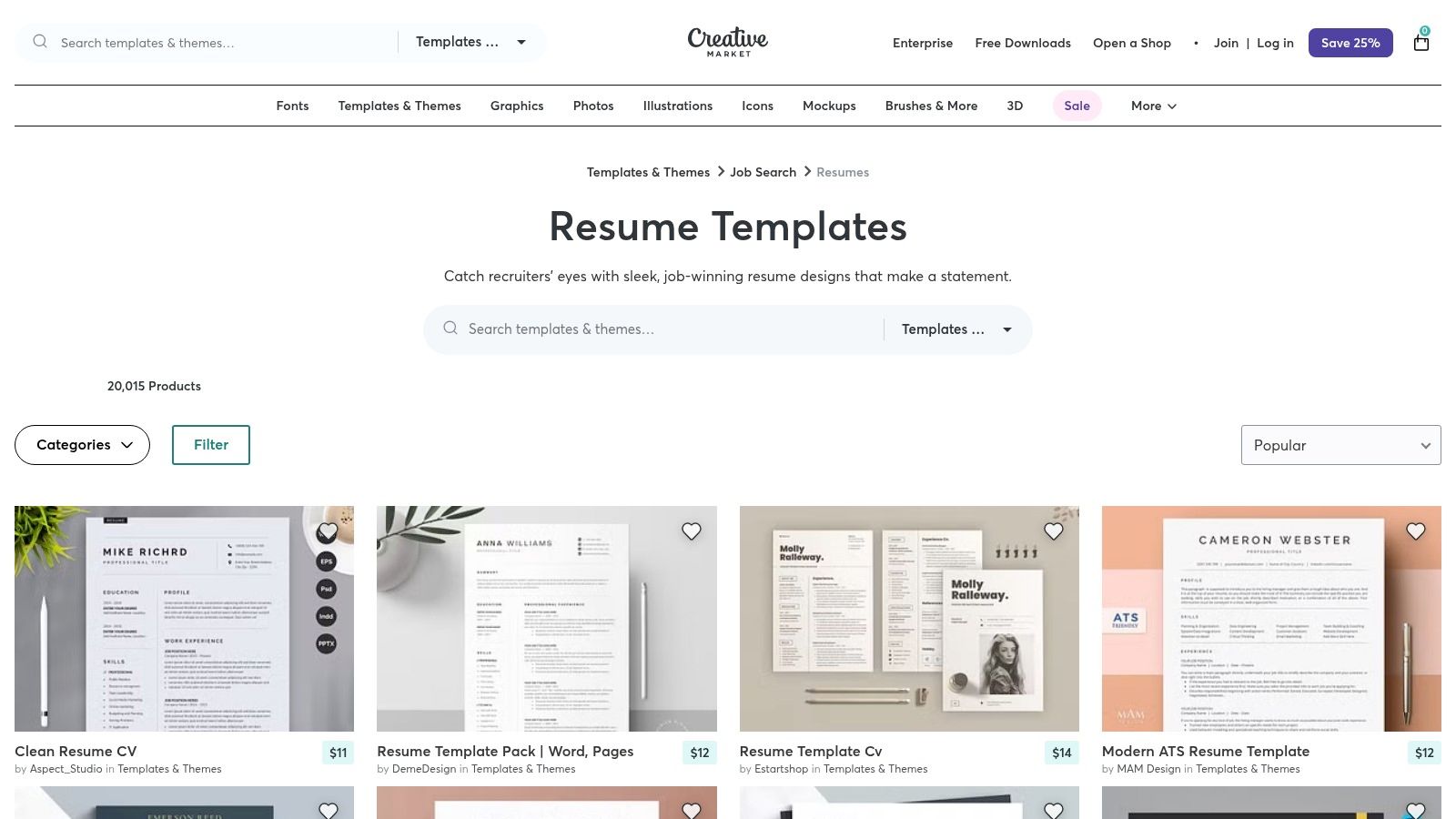
The platform offers a great diversity of styles. These range from simple and corporate to highly creative designs. Templates are available in multiple formats. These include Microsoft Word, Google Docs, and Adobe InDesign. This suits users with different software skills. Many designers also bundle their templates with matching cover letters and business cards.
Key Features and User Experience
Creative Market's interface is made for easy discovery. You can browse its large resume category. You can use filters to narrow options by file type, software, and price. Each product page has detailed descriptions and user reviews. This helps you make a good decision before buying. Once bought, the files are ready for immediate download.
- Cost and Access: Pricing is set by individual creators. Most purchases involve a one-time fee. This gives you a license to use the design. It is important to read the license terms. They can be different between sellers.
- Template Quality: The quality is usually very high. Templates are created by professional designers. You can find everything from clean, ATS-friendly layouts to stunning designs. These are perfect for creative industries like graphic design or marketing.
- Unique Offerings: The marketplace model means you get unique designs. You will not find these on other template sites. The inclusion of full packages (resume, cover letter) in one purchase is a big advantage for building a professional brand.
Pros and Cons
| Pros | Cons |
|---|---|
| Buy exactly what you need with a one-time purchase. | Pricing and license terms vary by seller; requires careful reading. |
| Huge variety of unique designs from indie creators. | Support and updates depend on the individual seller. |
| Many templates are explicitly designed for ATS readability. | Some highly stylized designs may not be suitable for all industries. |
| Items often include cohesive sets (resume, cover letter, etc.). | Requires you to have and know how to use the specified software. |
For those who want to build a resume or customize a template, the Gainrep resume builder at https://www.gainrep.com/resumes offers advanced tools to create a standout document.
Website: https://creativemarket.com/templates-themes/job-search/resume-templates
7. Google Docs (Template Gallery)
Google Docs offers a collection of free, built-in resume templates. They are perfect for job seekers who need a simple and fast solution. It is a web-based platform. This means you do not need to install software. Users can create and edit their resumes from any device with an internet connection. Its main advantage is its connection to the Google ecosystem. It is easy to save, share, and work on your resume with others.
The platform is known for its simplicity and collaboration features. The templates have clean, modern, and often ATS-friendly layouts. They serve as excellent starting points. The editor is familiar to millions of users, so it is easy to learn. You can quickly copy a template, fill in your information, and export it as a PDF file.
Key Features and User Experience
You can access the templates on the Google Docs homepage. Browse the "Template Gallery" to find them. The user interface is the standard Google Docs editor. It is known for its clean design and simple tools. The experience is designed for quick edits and easy sharing.
- Cost and Access: The templates are 100% free for anyone with a Google account. All features are available without any hidden costs. This includes editing, storage in Google Drive, and exporting.
- Template Quality: The designs are professional and simple. They focus on clear information and readability. They have less variety than dedicated resume builders. They provide solid, ATS-compatible foundations. They are ideal for corporate roles, students, and early-career professionals.
- Unique Offerings: The real-time collaboration feature is a key difference. You can share your resume draft with a mentor. They can leave comments and edits directly in the document. This makes the feedback process very efficient.
Pros and Cons
| Pros | Cons |
|---|---|
| Completely free with a standard Google account. | Limited selection of templates compared to specialized platforms. |
| Simple, web-based editor requires no software installation. | Designs are functional but offer minimal creative flair. |
| Real-time collaboration makes getting feedback easy. | Customization is restricted to Google Docs' standard features. |
| Clean, ATS-friendly layouts suitable for most industries. | Template gallery can be less prominent in some account views. |
For those who want to build a resume or customize a template, the Gainrep resume builder at https://www.gainrep.com/resumes offers advanced tools to create a standout document.
Website: https://docs.google.com/
Top 7 Professional Resume Template Providers Comparison
| Tool | 🔄 Implementation Complexity | ⚡ Resource Requirements & Speed | ⭐ Expected Quality / 📊 Results | 💡 Ideal Use Cases & Key Advantages |
|---|---|---|---|---|
| GainRep | Moderate — account setup, build endorsements, AI Auto-Apply configuration | Medium resources; freemium model; automates applications for time savings | ⭐⭐⭐⭐ — strong visibility lift when endorsements/AI match perform well | Job seekers, grads, freelancers — integrated reputation + resume + automated applications |
| Microsoft Create (Word) | Very low — open template and edit in Word | Low resource; free templates but best with Word access; fast export to PDF/DOCX | ⭐⭐⭐ — reliable ATS-friendly output for standard roles | U.S. applicants and HR-focused roles — stable, familiar, ATS‑curated templates |
| Canva | Low — drag‑and‑drop editor, minimal learning curve | Low (free)/Medium (Pro); very fast for visual results | ⭐⭐⭐⭐ — polished visuals; potential ATS issues with complex layouts | Visual resumes, non‑designers, collaborative teams — modern designs and quick iteration |
| Etsy | Low — purchase and download, edit in Word/Docs/Pages | Very low cost per item; instant download; support varies by seller | ⭐⭐⭐ — quality inconsistent; depends on seller and template specs | Budget buys for distinct styles; many niche aesthetics; verify ATS compatibility |
| Envato Elements | Moderate — subscription, varied file formats (AI/INDD/Word) may need design apps | Subscription cost; unlimited downloads good for multiple assets; moderate setup time | ⭐⭐⭐⭐ — high design quality and licensing for heavy use | Professionals needing many templates and matching collateral under one license |
| Creative Market | Low–Moderate — one‑time purchase, editable in preferred tool | Pay‑per‑item; no subscription; immediate access | ⭐⭐⭐⭐ — professional, often ATS‑aware options available | Buyers who prefer single purchases and premium, ready‑to‑use templates |
| Google Docs (Template Gallery) | Very low — copy template and edit in Docs | Free with Google account; instant collaboration and exports | ⭐⭐⭐ — clean, simple, ATS‑friendly when kept minimal | Students and quick collaborative edits; straightforward, no‑install solution |
Your Next Step: From Template to Interview
You have now explored many professional resume template examples. They range from Gainrep's efficiency to the creative options on Canva. We have looked at choices for every career stage. The right template does more than make your resume look good. It provides a strategic frame that guides the hiring manager’s eye to your best qualifications.
Each template we reviewed serves a specific purpose. A simple design from Google Docs might be perfect for a new graduate. A data-heavy layout from Envato Elements could be ideal for an experienced manager. The first step is to pick a foundation that matches your personal brand. A template is your starting point, not the whole race.
Turning a Template into a Job-Winning Document
Once you choose your template, the real work begins. Your goal is to turn a visual shell into a powerful marketing tool. It should tell your unique professional story. Remember, the content you add is what gets you interviews.
Here are the most important actions to take:
- Tailor for Every Application: A generic resume gets generic results. Customize your skills and experience to match keywords in the job description. This shows you are a serious candidate.
- Quantify Your Achievements: Vague statements are easy to forget. Do not just say "managed social media." Write "Increased social media engagement by 45% over six months." Numbers provide clear proof of your value.
- Use Strong Action Verbs: Start each bullet point with a powerful verb. Use words like "Orchestrated," "Engineered," or "Launched." This creates a dynamic tone. It shows you as a person who achieves things.
- Proofread Relentlessly: A single typo can hurt your credibility. Read your resume out loud. Use a grammar checker. Ask a friend to review it. A flawless document signals professionalism.
Leveraging Your New Resume for Maximum Impact
Your perfected resume is a powerful asset. It needs to be seen. How you share it is as important as how you create it. Once your resume is perfectly crafted, learning how to present it digitally is vital. Discover how to effectively add your resume to LinkedIn to increase your visibility to recruiters.
The final piece is to streamline your job search. Applying to many jobs can be tiring. Modern tools can give you a big advantage. You can automate the process instead of spending hours on application forms. This frees you to focus on preparing for interviews. A great resume is the first step. The journey from a template to a job offer is within your reach.
Ready to build a professional resume in minutes and put your job search on autopilot? Gainrep offers powerful, ATS-friendly templates and an AI-powered system that finds and applies to relevant jobs for you. Stop formatting and start interviewing with Gainrep.
