Your profile photo and banner are your digital handshake. They are the first things a recruiter sees. Getting them right is key to a profile that gets remembered.
A professional, high-quality photo is not optional. It makes your profile feel real. It helps people connect with you before they read a word. The numbers show that LinkedIn users with a professional photo get 14 times more profile views. This is a small detail with a big impact.
Your Digital Handshake: Profile Photo and Banner
You are also 7 times more likely to appear in search results. Fully optimized profiles can get 40 times more opportunities. If you are serious about your career, be serious about your photo. You can find more LinkedIn profile statistics here to confirm this.
Perfecting Your Profile Photo
Your photo should look like you on a good day at work. You do not need a professional photographer. Your smartphone is probably good enough. But it does need to meet a few key points. The goal is to look competent, friendly, and easy to work with.
Here’s what to focus on:
- Use a High-Resolution Image: A blurry photo signals a lack of effort. Make sure the image is sharp and clear.
- Keep the Background Simple: A busy background is a distraction. A neutral wall or a blurred outdoor scene keeps the focus on you.
- Frame Your Face: Your face should fill about 60% of the frame. Think of a classic headshot, from the shoulders up.
- Dress the Part: Wear what you would wear to an interview in your field. It shows you understand the culture.
To make it easier, use this quick checklist for your photo.
Profile Photo Quick Checklist
Use this list to make sure your photo meets professional standards. This will help you get noticed.
| Checklist Item | Best Practice | Why It Matters |
|---|---|---|
| High Resolution | Image is sharp and clear, not blurry. | A clear photo looks professional and shows you pay attention to detail. |
| Simple Background | Neutral, non-distracting background. | Keeps the focus on you, not what is behind you. |
| Appropriate Framing | Head and shoulders shot; face takes up ~60% of the frame. | Makes your face easy to see, even in a small thumbnail. |
| Professional Attire | Dressed for your target industry. | Shows you fit into the professional environment. |
| Good Lighting | Face is well-lit, no harsh shadows. | Natural light is best; it makes you look more friendly. |
| Current Photo | Taken within the last 1-2 years. | Ensures people will recognize you in person. |
This simple check can be the difference between a profile that is ignored and one that gets a click.
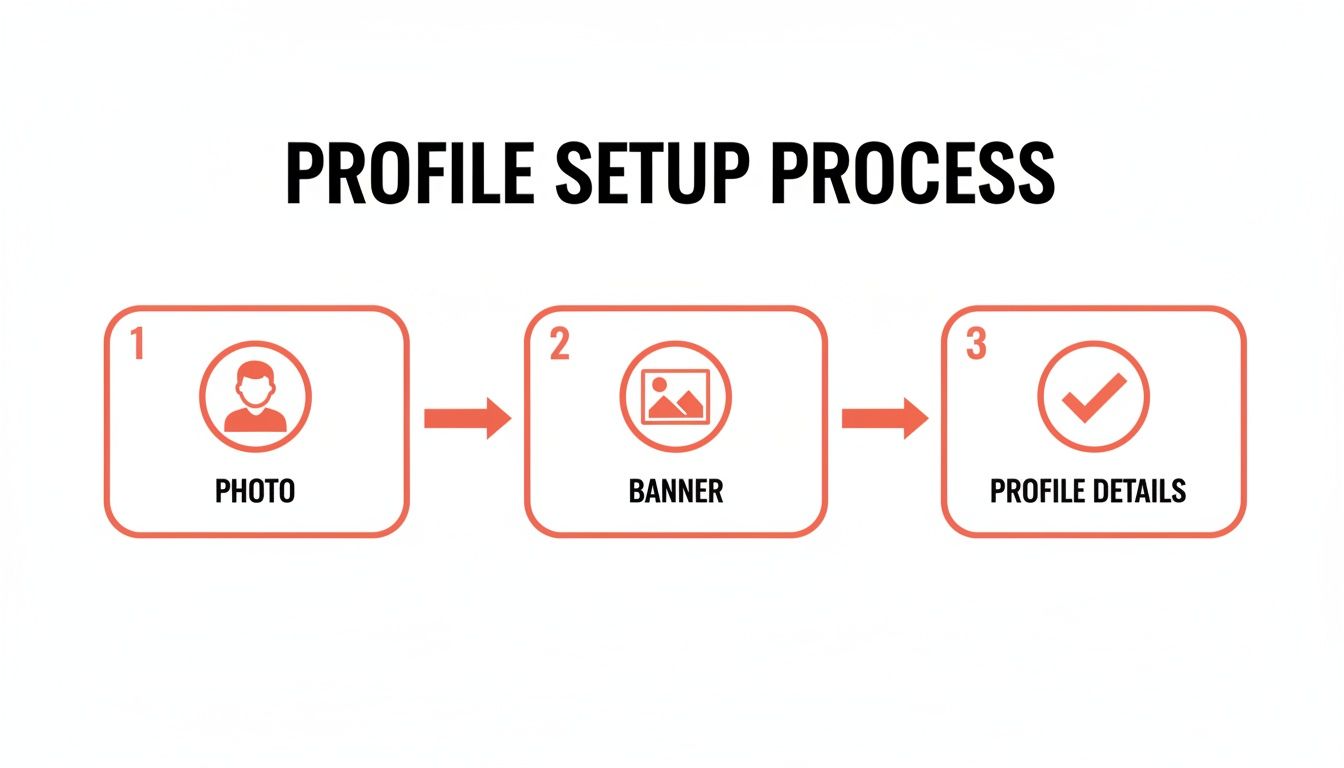
This process shows that strong visuals are the starting point. Before anyone reads your headline or summary, they see your photo and banner.
Designing a Banner That Tells Your Story
That big, empty space at the top of your profile is your banner. It is very valuable space. Leaving the default blue banner is a big mistake. A custom banner is your chance to show your personal brand.
Your banner is a billboard for your career. Use it to show your value, skills, or a key achievement. It is a visual summary of who you are as a professional.
A good banner gives context. It makes your profile memorable. A software developer could show a clean piece of code. A graphic designer could make it a mini-portfolio. A sales leader might feature a powerful quote.
You do not need to be a design expert. Tools like Canva have many free templates for LinkedIn banners. You can easily add text, icons, and images. It is a small effort that makes your profile look complete.
Writing a Headline and Summary That Attracts Recruiters
Your photo and banner make the first impression. Next, a recruiter will look at your headline. Think of it as your personal tagline. It follows you everywhere on LinkedIn. It shows up in search results and on connection requests. It must be more than just your job title.
A great headline tells people what you do and the value you bring. It is also a key place for keywords. Hiring managers use these keywords to find people like you. Getting this right is very important.

Crafting a Keyword Rich Headline
You have 220 characters for your headline. This is enough space to make a strong pitch. A good formula is to blend your role, your specialty, and your results. Avoid generic titles that say nothing about what you can do.
Instead of just "Marketing Manager," be descriptive. A great headline grabs attention. It makes someone want to click on your profile. It combines a clear title with specific skills and results.
Here are a few examples:
- For a Software Engineer: "Senior Software Engineer | Python & AWS Specialist | Building Scalable FinTech Solutions for Global Enterprises"
- For a Job Seeker: "Aspiring Product Manager with a UX Design Background | Passionate About Creating User-Centric Mobile Apps"
- For a Freelance Writer: "B2B Content Writer for SaaS & Tech | Helping Brands Drive Organic Traffic and Generate Leads Through SEO Blog Posts"
These headlines are specific. They are full of keywords that recruiters actually search for.
Writing an Engaging About Summary
Your "About" summary is where you tell your professional story. This is where you connect your jobs and show your personality. It should build on your headline. It gives recruiters a clearer picture of who you are.
The first few lines are very important. That is all anyone sees before they click "see more." Start with a strong hook that shows your main value.
A great summary does not just list what you've done. It explains why it matters. It answers the question, "Why should I care?" It connects your skills to the problems you can solve for an employer.
Your summary must be easy to read. Use short paragraphs and bullet points to break up the text. This makes it easy for busy hiring managers to scan. The effort is worth it. Optimized LinkedIn profiles are 40 times more likely to get good opportunities. You can read the full research on LinkedIn profile engagement here.
A Simple Structure for Your Summary
Think of your summary as a mini-cover letter. It needs a clear beginning, middle, and end.
Here is a simple framework to follow:
- The Hook (1-2 sentences): Start with a powerful opening that defines you professionally. State your main expertise and value right away.
- Your Background (2-3 sentences): Briefly mention your key experiences. Highlight 2-3 of your proudest accomplishments. Use numbers to show your impact.
- Your Specialties (Bulleted List): List your core skills or areas of expertise. Using bullet points makes this section easy to scan and helps you include keywords.
- The Call to Action (1 sentence): End by telling people what you want them to do. This could be an invitation to connect, a link to your portfolio, or a statement that you are open to new jobs.
For example, a project manager might end their summary with: "I'm looking for new opportunities in the tech industry where I can lead teams to deliver great products. Feel free to connect with me here." This directness makes it easy for a recruiter to act.
Turning Your Experience Section Into Proof of Your Skills
Your headline and summary got their attention. Now, the Experience section is where you prove you can do the work. This is the core of your professional story. You back up your claims with evidence of what you have accomplished. Recruiters spend a lot of time in this section.
Many people treat this part like a list of job duties. That is a missed opportunity. Instead of saying what you were responsible for, show what you achieved. Moving from tasks to outcomes is the most important thing you can do.

From Tasks to Triumphs
Think about your last performance review. What were your big wins? Those are the stories you need to tell here. Every bullet point should answer the question, "So what?" What happened because of what you did? This approach shows your value.
The secret is using numbers to show your impact. Metrics are your best friend. Percentages, dollar amounts, and time saved are powerful. They provide clear proof of your work. They make your achievements easy for a busy manager to understand.
Your Experience section should be a collection of your greatest hits, not a job description. Each bullet point is a chance to show a specific success story with a clear result.
For instance, do not just say you "Managed social media accounts." Instead, try something like, "Grew social media engagement by 40% in six months by creating a new content strategy." The first is a task; the second is a great achievement.
Crafting Achievement-Focused Bullet Points
A simple formula can help you write powerful bullet points. Think: Action + Result + Context. You start with a strong action verb. Then you describe the measurable result. Finally, you add some context about how you did it.
Let's look at some real examples.
Task vs. Achievement Examples
This table shows how to change standard job tasks into metric-driven achievements.
| Standard Task Description | Achievement-Oriented Description |
|---|---|
| Responsible for email marketing campaigns. | Increased email open rates by 22% and click-through rates by 15% by A/B testing subject lines. |
| Wrote blog posts for the company website. | Authored 12 SEO-focused articles that ranked on the first page of Google, driving a 30% increase in organic traffic. |
| Assisted with customer support tickets. | Reduced average customer ticket resolution time from 24 hours to 8 hours by creating a new triage system. |
| Participated in sales calls. | Contributed to a 10% increase in quarterly sales by developing custom pitch decks for key clients. |
See the difference? This method makes your work specific, memorable, and much more impressive.
Aligning Your Profile With Your Resume
This is very important. Your LinkedIn profile and your resume must match. Recruiters will compare them. Big differences can be a red flag. Both documents need to tell the same core story.
Think of your LinkedIn profile as the extended version of your resume. Your resume is often tailored for a specific job. Your profile can go into more detail. But the core information—job titles, dates, and key achievements—must be the same.
Using the right tools makes this easier. For example, a professional resume builder helps you create a polished document. It will line up perfectly with your LinkedIn details. You can use tools to build a powerful, professional resume. This alignment shows recruiters you are organized and detail-oriented.
Building Trust with Skills and Recommendations
Your headline, summary, and experience are your pitch. The Skills and Recommendations sections are where you prove it. This is your social proof.
This part of your profile is third-party validation. It shows recruiters that your colleagues trust your abilities. It gives a stamp of approval from people who have seen your work.
Think of it this way. Your profile tells a story. Endorsements and recommendations are the testimonials that make it believable. They turn your profile into a trusted professional portfolio. A profile with this validation builds confidence. It can shorten the path from a profile view to an interview.
Choosing and Showcasing Your Core Skills
Your Skills section is more than just a list. It is a big part of your profile’s SEO. Recruiters search for candidates using specific skill keywords. You need to have the right skills on your profile to show up in those searches.
LinkedIn gives you 50 slots for skills. You should use as many as are relevant.
Start by looking at job descriptions for roles you want. Look for patterns. If every "Product Manager" role lists "Agile Methodologies," you must have that on your profile.
Once you have your list, it is time to organize.
- Pin Your Top Three: LinkedIn lets you feature your three most important skills at the top. These should be your main areas of expertise.
- Group by Category: The platform sorts your skills into categories like Industry Knowledge. Make sure you have a good mix that shows your full range.
- Prune Regularly: Your skills change over time. Review this section every few months. Remove old skills and add new ones you have learned.
Getting Endorsements That Actually Matter
Endorsements are quick, one-click validations from your connections. They do not have the same weight as a written recommendation. But a high number of endorsements for your top skills provides powerful visual proof.
Seeing "99+" next to a key skill tells a recruiter that many people vouch for you in that area.
The best way to get endorsements is to give them. When you endorse a connection, they get a notification. They are often prompted to return the favor. It is a simple, effective act of professional goodwill.
Do not be shy about asking for endorsements. A quick, polite message to a trusted colleague can make a big difference. Say something like: "Hi [Name], I'm updating my LinkedIn and was hoping you could endorse my skill in 'Project Management.' I'd be happy to do the same for you!"
This direct approach works well with people you know.
The Power of a Genuine Recommendation
A recommendation is a written testimonial. It comes from a former manager, colleague, or client. It is the most powerful form of social proof on your profile.
A detailed, positive recommendation is like a public reference check working for you 24/7. Your goal should be to get at least two or three quality recommendations.
When you ask for one, make it easy for the other person. Never send a generic request. Instead, send a personal message. Remind them of your shared successes.
Here is a simple formula for your request:
- Start with a warm, genuine opening.
- State your request clearly and politely.
- Remind them of a specific project or accomplishment you shared. This is the key part. It helps them remember and gives them something to write about.
- Offer to write one for them in return.
For example: "Hi [Manager's Name], I'm working on my LinkedIn profile. Would you be willing to write a brief recommendation about our time at [Company]? I was proud of our work on the [Project Name], where we increased efficiency by 20%. Any thoughts you could share would be great. I would be happy to write one for you as well."
This method helps you get a specific, impactful recommendation.
Using Content to Boost Your Visibility and Credibility
A polished LinkedIn profile is a great start. But it is only half the battle. To stand out, you have to be an active part of the conversation. Creating and sharing content turns a static profile into a dynamic hub of expertise. It shows the LinkedIn algorithm and recruiters that you are an engaged voice in your industry.
Think of your profile as your home base. Your content is the invitations you send out. Every post, comment, or article is a chance to reach new people. This activity is a powerful driver for visibility. More activity means more profile views. It is that simple.
What Kind of Content Should You Post?
You do not need to be a professional writer to create valuable content. The point is to share helpful insights with your network. Consistency is more important than trying to create a viral post. Just start small and find a rhythm.
Here are a few simple but effective ideas:
- Share an industry article with your thoughts. Do not just hit the share button. Add a few sentences explaining your key takeaway or asking a question.
- Write about a project you recently finished. Talk about the challenge, your approach, and the result. This brings your experience section to life.
- Celebrate a team win or a colleague's success. This shows you are a team player. It also builds goodwill with your network.
- Ask a thoughtful question. Starting a conversation is a great way to engage. A marketer might ask, "What's one marketing tool you can't live without and why?"
A strategic content plan often starts with a calendar. This guide on creating a LinkedIn content calendar can help you organize your efforts. A plan removes pressure and makes it easier to be consistent.
The Impact of Visuals on Your Content
In a fast-scrolling feed, text alone can get lost. Visuals are your secret weapon for grabbing attention. Posts that include a relevant, high-quality image perform better than those without one.
The data is clear. Posts with images get 2 times more engagement than simple text updates. Posts with larger images get a 38% greater click-through rate. If you write long-form articles, pair them with multiple images. Posts with eight images get the best visibility.
Your content strategy must be visual. Every time you post, ask yourself: "Can I add an image, chart, or graphic to make this pop?" This one habit can expand your reach.
You do not need a graphic designer for this. Simple charts, a relevant stock photo, or a good photo from your phone can make a difference.
Engaging With Others to Expand Your Reach
Creating your own content is only half the work. Joining conversations on other people's posts is just as important. When you leave a thoughtful comment, you become visible to their entire network.
This is a powerful way to get noticed by industry leaders and hiring managers. But the quality of your engagement matters.
Here is how to do it right:
- Avoid generic comments. A simple "Great post!" adds no value and is ignored.
- Add your own insight. Build on the original post by adding a related thought, a question, or a personal experience.
- Tag people when it makes sense. If a post reminds you of a colleague's expertise, tag them in a comment. This brings more people into the conversation.
Consistent, thoughtful engagement positions you as an expert. It works with your own content to build a credible and visible professional brand.
Applying Final Touches to Your LinkedIn Profile
You have built a strong foundation. Your profile is looking great, but we are not done yet. It is time for the final touches. These are small but crucial details that add polish. They make your profile work for you behind the scenes.
Think of it like proofreading a document one last time. These quick changes can impact how you are seen and found on LinkedIn. They control your visibility and make you easier to connect with.
Customizing Your LinkedIn URL
When you first join LinkedIn, you get a generic URL. It is usually your name followed by random numbers. It does not look good. A custom URL is clean, professional, and easy to add to your resume.
Fixing this takes about five minutes. It immediately makes your profile look more professional.
- Go to your profile page.
- Click "Edit public profile & URL" on the top right.
- Find the pencil icon under "Edit your custom URL."
- Change the end of the URL to something simple, like your first and last name.
A custom URL is your digital business card. It should be clean and professional. For example,
linkedin.com/in/john-smithis much better thanlinkedin.com/in/john-smith-a5b1c834.
If you have a common name, you might need to be creative. Try adding a middle initial or a keyword tied to your profession.
Adjusting Your Profile Settings for a Job Search
Your profile settings control your information. They decide who sees what and how recruiters find you. If you are looking for a new job, you need to use these settings. Two settings are very important.
First, let recruiters know you are available. LinkedIn’s “Open to Work” feature lets you signal that you are interested in new opportunities. You can add the green banner to your photo. Or, you can make it visible only to recruiters. This is perfect if you are currently employed.
Second, check your public profile visibility. If your profile is private, you are invisible to people outside your network. This includes hiring managers. Go into your settings and make sure your public profile is on. Key sections like your photo, headline, and experience should be visible to everyone.
Putting Your Optimized Profile to Work
With every section polished, your LinkedIn profile becomes a powerful career tool. It is now ready to make a great first impression. This is especially important when you start applying for jobs.
A fully optimized profile ensures that recruiters see a professional candidate. This is where tools that help with the application process can be very helpful. For example, using an AI-powered service to apply to jobs can save you a lot of time.
A strong profile gives these tools the best material to work with. When a service like GainRep’s AI Auto-Apply submits your information, it presents a top-tier candidate. This increases your chances of getting noticed and landing an interview.
After your profile is complete, focus on a proven framework on how to grow on LinkedIn. This will amplify your professional presence.
Common LinkedIn Questions
Even after you have polished every section, you might still have questions. That is normal. Let's answer some of the most common ones.
How Often Should I Update My Profile?
Think of your LinkedIn profile as a garden. It needs regular care. For most people, a quick check every three to six months is enough. This is your chance to add new skills, projects, or accomplishments.
But, if you are actively job hunting, you should check it more often. You should look at your profile at least weekly. A weekly review ensures your profile is aligned with the jobs you are targeting. You never know when the right recruiter will visit.
Is LinkedIn Premium Worth It for Job Seekers?
This is a common question. LinkedIn Premium can be a powerful tool. But it is not a magic fix for a bad profile. The real value for job seekers is seeing who viewed your profile. You also get InMail credits to message recruiters directly.
These benefits are most useful when you are deep in a job search. They can give you a small advantage. But the foundation of your success will always be a strong profile. You can build that with a free account.
The decision to pay for Premium depends on your budget and how urgently you need a new job. A fully optimized free profile will always do better than a weak profile with a premium subscription.
Should I Connect With People I Don’t Know?
Yes, but do it with a strategy. Connecting with people you do not know can be a smart move. But do not just randomly click "Connect." The goal is to build a network that helps you reach your professional goals.
So, who should you connect with?
- Recruiters and hiring managers at companies you want to work for.
- Professionals who are in the industry or role you want.
- Thought leaders who post insightful content in your field.
Here is the most important part: always add a personalized note to your connection request. A short message explaining why you want to connect makes a big difference. Maybe you admire their work or read an article they wrote. A generic request is easy to ignore, but a thoughtful one starts a real conversation.
A fully optimized profile is your most powerful asset in a job search. Let GainRep help you find jobs that match your skills. We can automatically apply for you. Our AI-driven approach increases your chances of landing interviews. Explore our AI Auto-Apply service today.
