



Your resume is your first impression on a hiring manager. A professional template looks good. It also organizes your skills and experience. This makes it easy for recruiters to scan. The right structure helps your resume pass automated screening software. This software is called an Applicant Tracking System (ATS). Many companies use it to filter candidates. A clean, well-organized resume can increase your chances of getting an interview.
This guide helps you find the best free resume templates. You will not have to search for hours. We reviewed options from top platforms. These include Microsoft Word, Google Docs, Canva, and resume builders like GainRep. Each item on our list has screenshots and direct links. It also has a clear list of pros and cons. We will cover different styles. These range from modern and creative to simple and traditional. You can find a perfect match for your job and career level.
Choosing the right format is important. Some jobs need detailed, multi-page documents. But many recruiters prefer short summaries. Platforms offering efficient formats like 1-page CV solutions are valuable. Our list will help you pick a template that shows your skills well. It will also meet the expectations of employers. We will give you tips on how to customize your template for the best results.
1. GainRep – Free Resume Builder
GainRep’s Resume Builder is a top choice for professionals. It is more than just a document tool. It is a career platform. It offers some of the best free resume templates. It also has unique tools to build your credibility. The platform helps streamline your job search. Other services may have a surprise paywall. GainRep is truly free. It provides unlimited PDF downloads. There are no hidden costs or watermarks.
The platform is clean and easy to use. You can pick from many modern, professional templates. You can customize colors to match your personal brand in just a few clicks. The process is simple. It guides you section by section. This makes sure all important information is included.
Key Strengths and Features
GainRep’s real power is its unique system. One of its best features is adding verified endorsements to your resume. You can ask for recommendations from colleagues or managers. Once approved, these powerful testimonials show up on your resume. They offer proof of your skills.
Another big advantage is its connection to other career tools. Your finished resume profile connects with GainRep’s system. This includes:
- Career Discussions: A community forum to ask for advice from industry professionals.
- AI Auto-Apply: A smart tool that finds relevant jobs. It also helps tailor your applications. This makes your job hunt much faster.
This all-in-one approach changes your resume from a simple document. It becomes an active part of your career plan.
Practical Considerations
GainRep has excellent templates. However, the layout customization is not as detailed as design software like Adobe InDesign. The platform is made for speed and a professional look. It is not for detailed design control. To get the most from features like endorsements and AI Auto-Apply, you need to use your profile. You should also network in the GainRep community. The more you engage, the more value you get.
Best for: Job seekers who want a powerful, free tool. This tool should combine resume building with networking and automated job applications. It works well for people who want to add credibility with endorsements.
Pros:
- Completely Free: No paywalls or download limits. You get unlimited PDF exports with no surprise fees.
- Built-in Endorsements: Show verified recommendations on your resume to build trust with recruiters.
- All-in-One Platform: Connects your resume to a job application tool and a professional community.
- Modern Designs: Clean, professional templates with easy-to-use color customization options.
Cons:
- Limited advanced layout customization compared to desktop design software.
- Full platform benefits (endorsements, AI) require active engagement and profile setup.
Website: GainRep Resume Builder
2. Microsoft Create (Word resume templates)
Microsoft Create offers a trusted source for resume templates. They are great for people who like using Microsoft Word. It is the official template gallery from Microsoft. This means it is reliable and professional. You can browse dozens of designs. They range from classic to colorful and modern. There is an option for almost every industry.
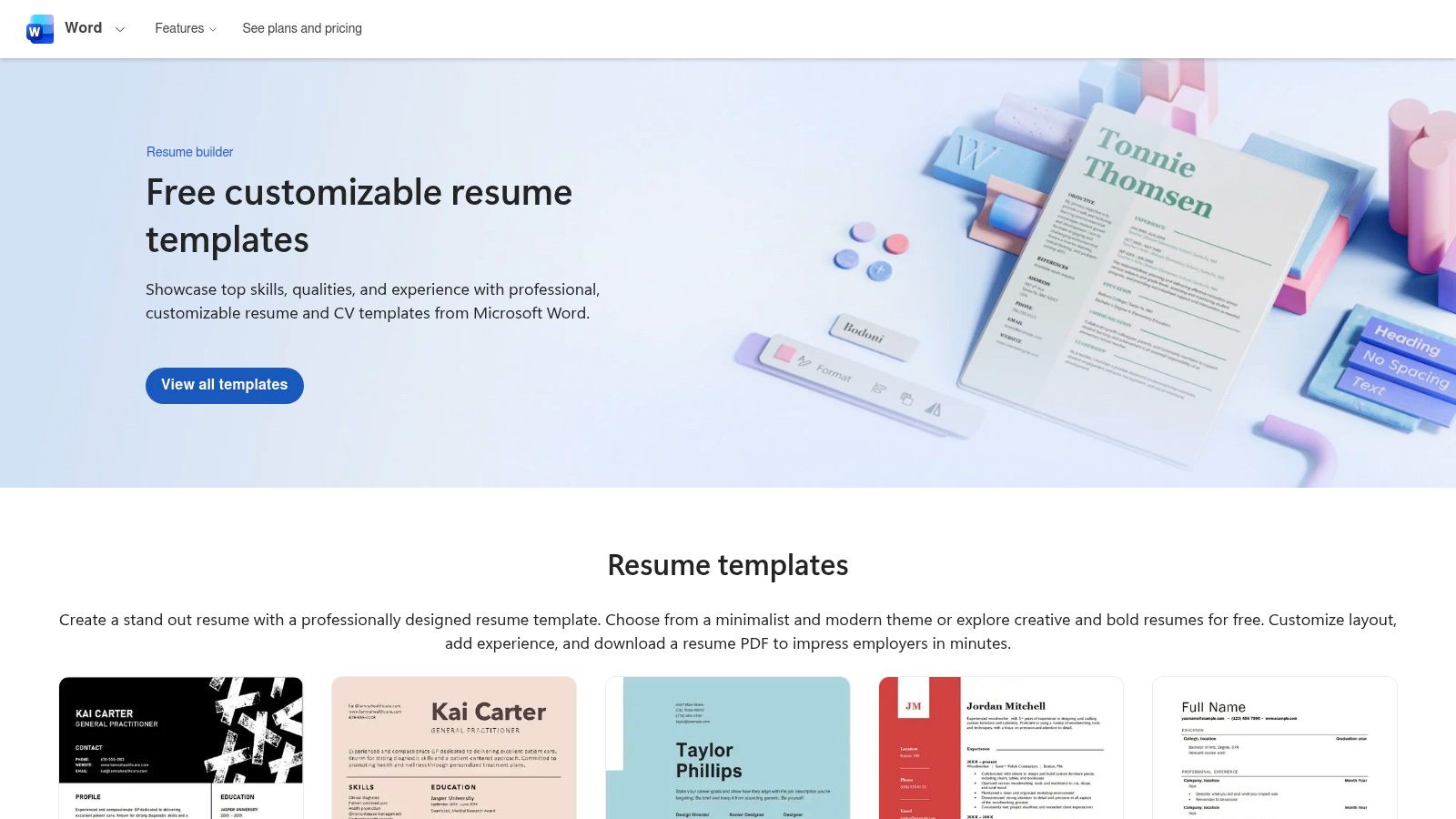
This platform works well with Microsoft products. With one click, you can open a template in Word. You can use the desktop or the free web version. This avoids compatibility problems. It also allows for easy offline editing. The user experience is simple. Exporting your final document as a PDF is a built-in function. PDF is the standard format for most job applications.
Key Features and Usage Tips
Microsoft’s gallery has a special category for ATS-friendly resume templates. These are designed with simple formatting. They ensure that applicant tracking systems can read them easily. This is very important for online applications.
- Best For: Professionals who prefer the familiar tools of Microsoft Word.
- Pro Tip: After downloading your template, customize the theme colors and fonts in Word. This quickly aligns it with your personal brand without messing up the layout.
Pros:
- Completely free and from a trusted source.
- Excellent variety, including ATS-optimized and modern designs.
- Works seamlessly offline in Word and integrates with Microsoft 365.
Cons:
- Requires Microsoft Word (desktop or web) for the best experience.
- Designs can be more conservative than those from design platforms.
You can access these templates directly at the Microsoft Create website.
3. Google Docs Template Gallery
Google Docs provides a convenient and free way to create a resume. You do not need any special software. Its built-in template gallery offers a selection of clean designs. Templates like "Serif" and "Swiss" are perfect for many industries. The platform is cloud-based. You can access and edit your resume from any device with an internet connection. This makes it a very flexible option.
The best feature of Google Docs is real-time collaboration. You can easily share your resume with a mentor for feedback. They can leave comments directly on the document. Everything saves automatically. You will not lose your work. When you are done, you can export to PDF or .docx format in two clicks. Your resume is then ready for any application system.
Key Features and Usage Tips
Google Docs’ templates are designed to be simple and easy to read. This makes them ATS-friendly. The clean layouts avoid complex formatting like tables. This helps automated screening software read your information correctly.
- Best For: Job seekers who need a quick, no-install solution and want to get feedback from others.
- Pro Tip: Use the "Version history" feature to track changes. You can go back to an older version of your resume if you need to undo edits.
Pros:
- 100% free and accessible from any web browser without software installation.
- Excellent for real-time collaboration and feedback with auto-save.
- Simple, ATS-friendly designs that are easy to customize and export.
Cons:
- The selection of templates is much smaller than dedicated resume builders.
- Designs are functional but may lack the creative style found on other platforms.
You can find these templates by opening Google Docs and navigating to the Template Gallery.
4. Canva
Canva is a great tool for creative professionals. It helps you make visually striking resumes. This popular design platform uses an easy drag-and-drop editor. You can create a polished resume in minutes. Its large library has hundreds of free, modern designs. These are perfect for jobs in marketing, design, and other creative fields. A standard black-and-white resume might not work in these areas.
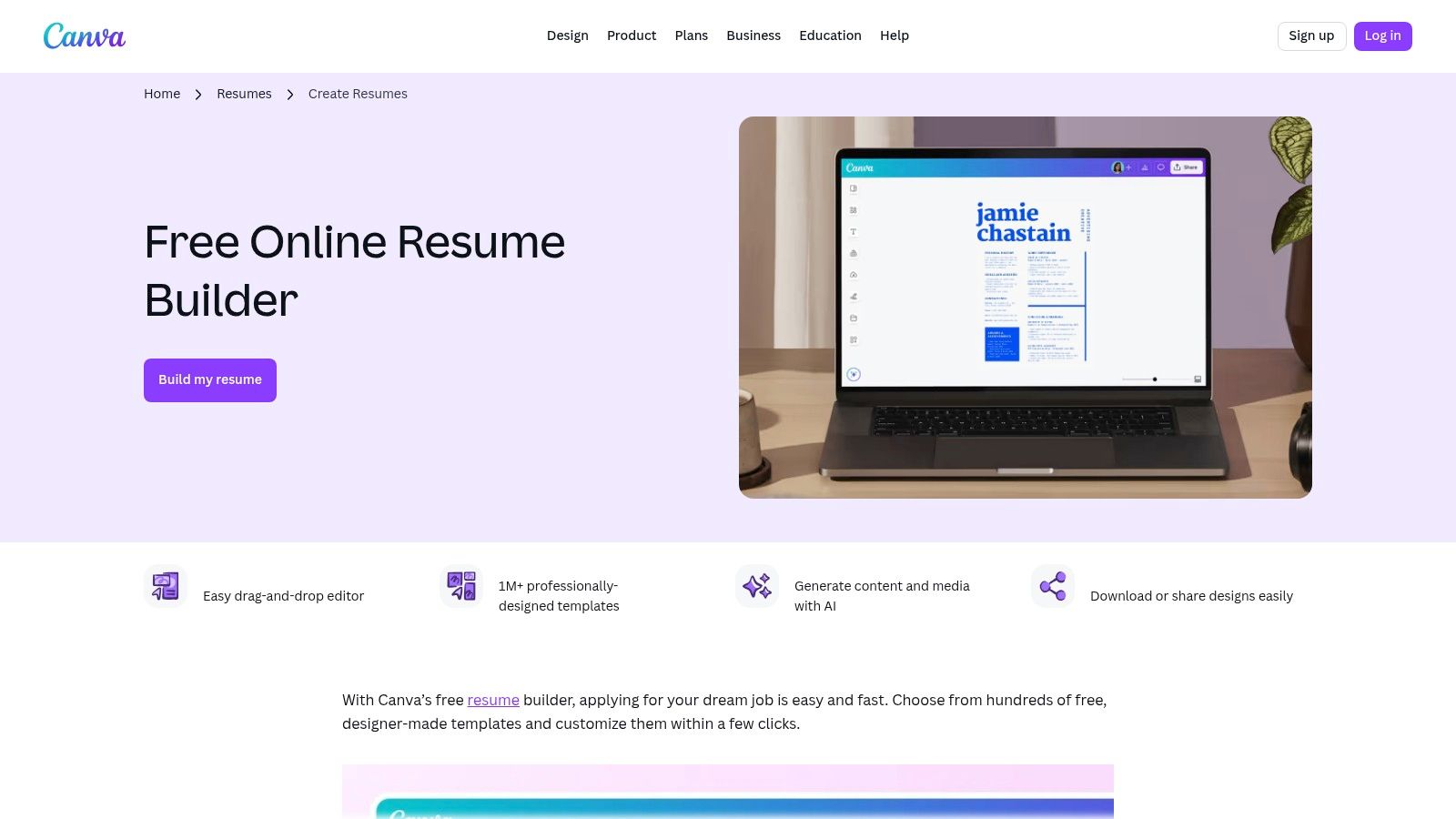
Canva offers great design flexibility. Users can easily add icons, photos, and custom colors. This makes their resume stand out. The platform also has modern features. You can share links to get feedback. You can also export to a high-quality PDF with one click. The free version has more than enough options to create a professional document.
Key Features and Usage Tips
Canva is good at creating resumes that show your design sense. The drag-and-drop customization lets you move, resize, and replace any element. This gives you full creative control over the layout.
- Best For: Creative professionals, marketers, and anyone in a visual industry needing a design-focused resume.
- Pro Tip: Use Canva’s "Styles" feature. It applies a consistent color palette and font pairing to your resume with one click. This ensures a professional look.
Pros:
- Vast library of stylish and modern free resume templates.
- Extremely user-friendly drag-and-drop interface.
- Allows for high levels of visual customization with icons and graphics.
Cons:
- Many of the most attractive design elements require a paid Canva Pro subscription.
- Highly stylized or multi-column layouts may not be ATS-friendly.
You can browse and create your own design at the Canva website.
5. Adobe Express
Adobe Express offers the quality of Adobe in a simple, free tool. It is browser-based. It has some of the best free resume templates for a polished, modern look. You do not need complex design software. The platform provides a selection of minimalist, creative, and job-specific designs. They look professionally made. This is ideal for creative industries or anyone wanting a visually appealing resume.
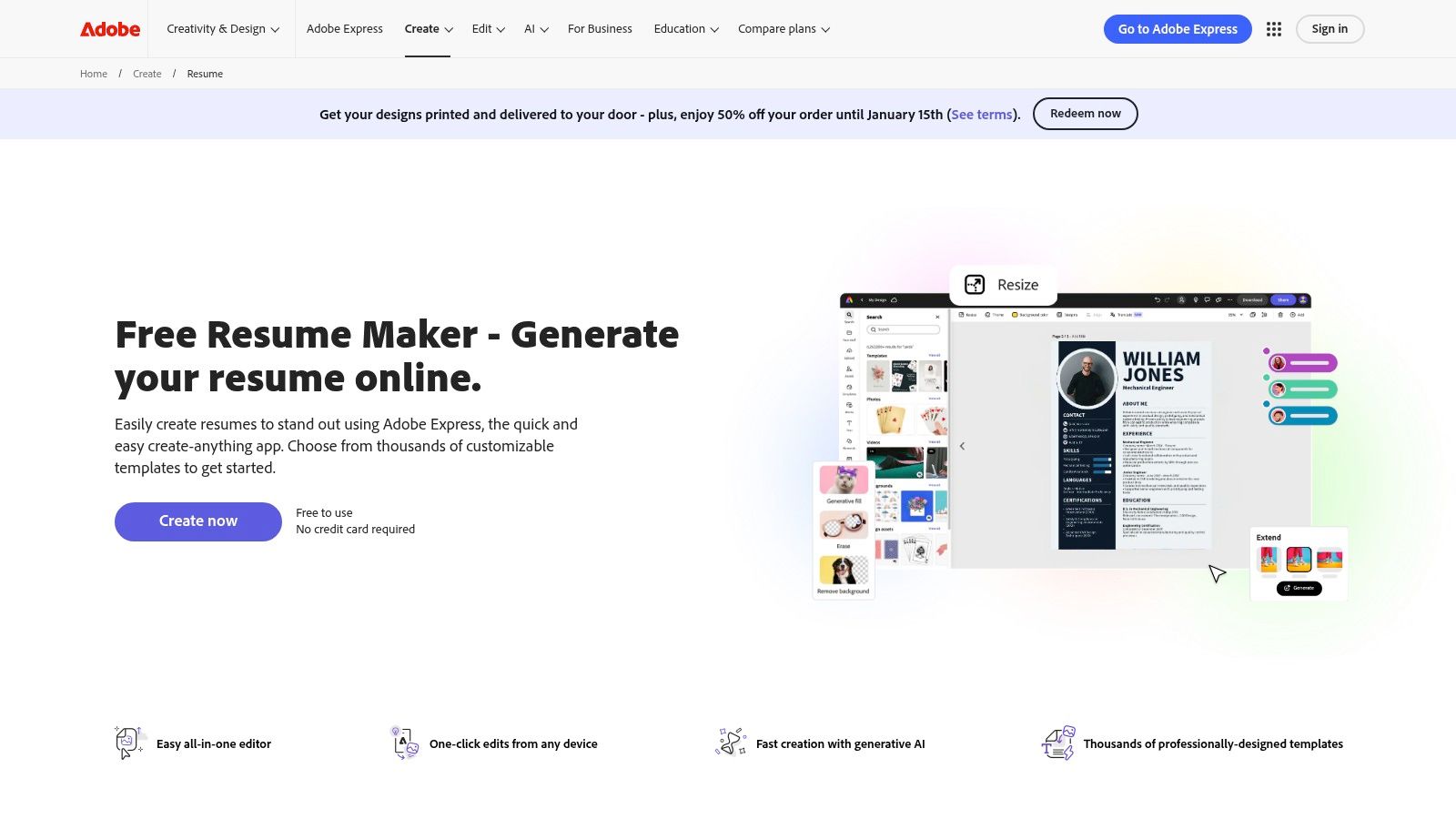
Adobe Express has a user-friendly online editor. You do not need to install software. The interface is easy to use. It offers smart suggestions for font pairings and layout adjustments using AI. This helps you maintain a high-quality design while you customize. When you are done, you can quickly download your resume as a high-resolution PDF, JPG, or PNG.
Key Features and Usage Tips
A unique strength of Adobe Express is its integrated design system. Many resume templates also have matching cover letter templates. This lets you create a consistent brand across all your application documents. This attention to detail can make a stronger impression on hiring managers.
- Best For: Creatives and professionals who want a high-end look without a big learning curve.
- Pro Tip: Use the "Remix it" feature. It shows you how your content looks in different template styles instantly. This helps you find the perfect layout quickly.
Pros:
- Highly polished designs from a trusted name in creative software.
- Completely browser-based, making it accessible from any computer.
- AI-powered suggestions help non-designers create balanced documents.
Cons:
- A free Adobe account sign-in is required to use the service.
- Some premium templates and design assets are locked behind a paid subscription.
You can browse the collection directly on the Adobe Express website.
6. Hloom
Hloom is a resource with a large library of resume templates. It offers both free and premium options. It mainly provides files in Microsoft Word and Google Docs formats. This is a great choice for users who want a traditional, easy-to-edit document. The site is useful for its guidance on different resume formats. These include chronological, functional, and combination formats. This helps job seekers choose the right layout for their career.
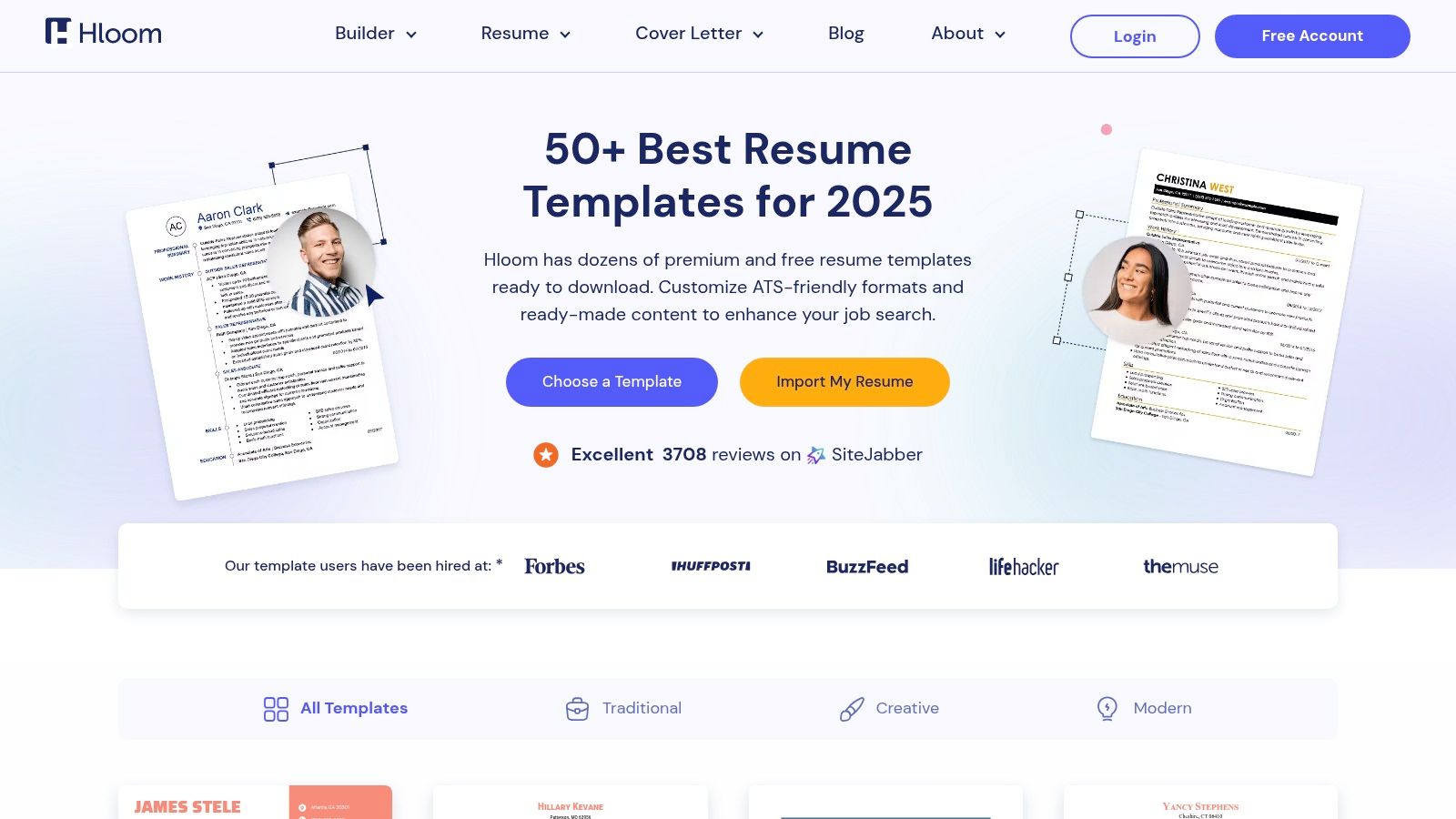
Hloom has a straightforward approach. It provides professional, often ATS-friendly designs that recruiters like. The templates are available for direct download. You do not need a web-based editor. This simplicity is ideal for anyone who wants to find a template quickly. You can download it and start customizing it in Word or Google Docs.
Key Features and Usage Tips
Hloom clearly labels its templates as "Free" or "Premium." You can easily filter for the options that do not require payment. Many of the free designs are optimized for readability and ATS compatibility. They feature clean layouts and standard fonts. This helps hiring systems read them without errors.
- Best For: Job seekers who want direct Word or Google Docs downloads and clear guidance on resume formats.
- Pro Tip: Pay close attention to the "Free" label on templates before you download. The site mixes free and paid options, so checking first will save you time.
Pros:
- Many ATS-friendly and traditional layouts favored by recruiters.
- Direct downloads for Word with clear compatibility notes for Google Docs.
- Helpful format guidance and FAQs for job seekers.
Cons:
- Free and premium templates are intermixed, requiring careful selection.
- The website contains ads that can sometimes clutter the experience.
You can browse the collection directly on the Hloom website.
7. Novorésumé
Novorésumé offers a refined online resume builder. It focuses on professionally designed templates that recruiters like. The platform guides you through the writing process. It provides content suggestions and a structured editor. This ensures every section is clear and impactful. It offers templates categorized by role and seniority. This helps you choose a layout that fits your career level and industry.
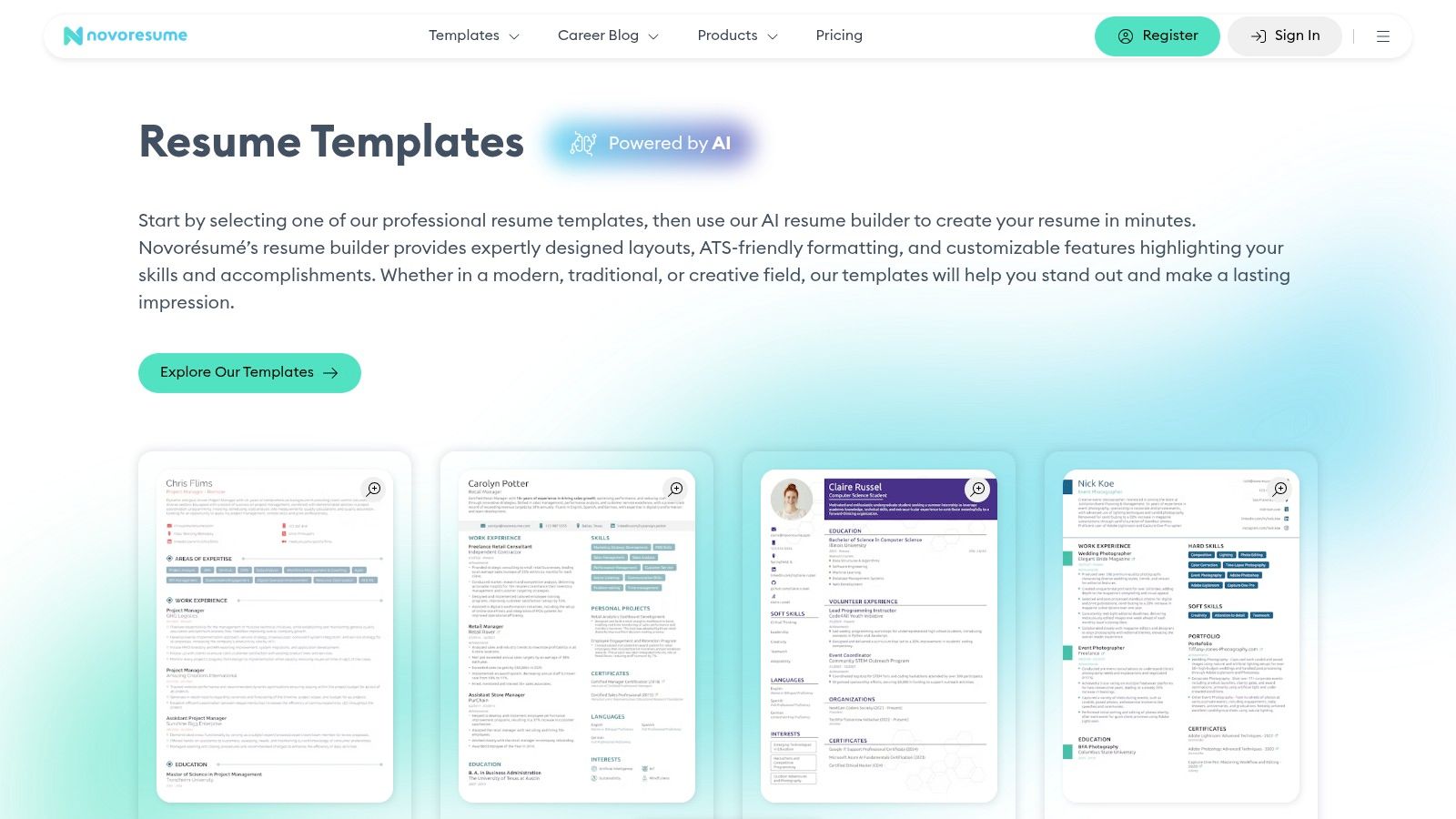
This platform balances creative design and professional standards. The free templates are sleek and modern. They are built to pass through applicant tracking systems. The user experience is smooth. The interactive editor lets you see your changes in real-time. You must sign in to an account. But the quality of the free designs makes it worth it.
Key Features and Usage Tips
Novorésumé’s strength is its integrated content optimizer. It provides suggestions and feedback as you write. This feature helps you use stronger action verbs. It also helps you tailor your resume’s content to the job you want. This makes your application more effective.
- Best For: Job seekers who want a guided experience and modern, recruiter-approved designs.
- Pro Tip: Use the role-specific template suggestions as a starting point. Then customize the color scheme to match your personal brand or the company's colors.
Pros:
- Clean, professional designs that are well-respected by recruiters.
- Guided editing with content suggestions improves writing quality.
- Easy to tailor resumes for specific job applications within the builder.
Cons:
- Requires you to create an account to access the builder.
- The most impressive templates and advanced features are behind a premium paywall.
Explore the template selection on the Novorésumé website.
8. Resume.io
Resume.io offers a powerful online builder. It has a selection of recruiter-tested templates. The platform guides you through creating a resume section-by-section. This makes it easy to input your information and choose a professional design. Its main model is subscription-based. But its free plan offers good value. It allows you to build and export your resume as a plain text (TXT) file.
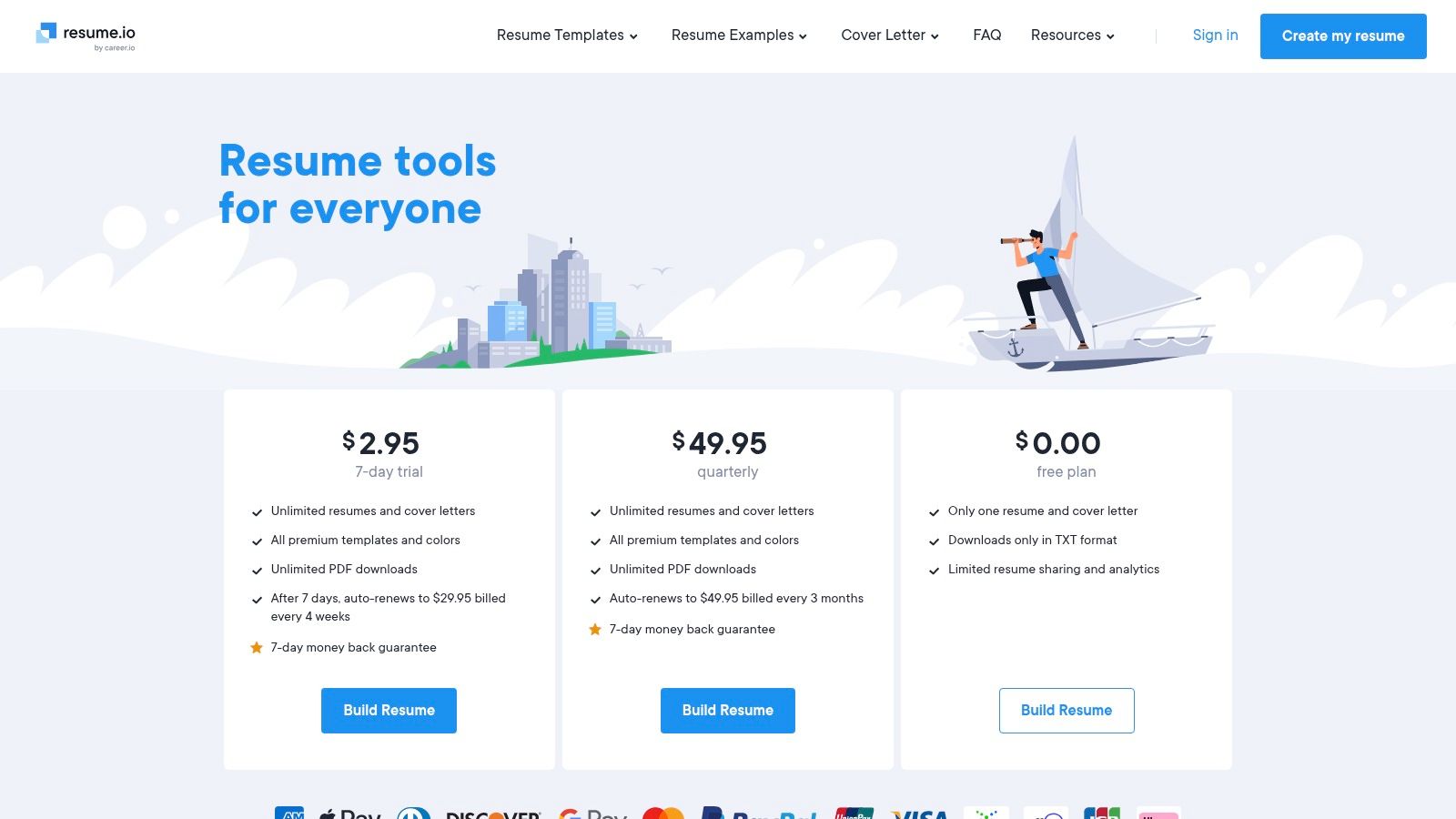
This platform has a fast, structured builder and professional examples. You can browse a large library of real resume samples for ideas. The platform also includes features like resume sharing links and analytics. These help you track who views your document. These are premium features. The user interface is clean and easy to use.
Key Features and Usage Tips
Resume.io is known for its recruiter-approved designs. They are modern, clean, and professional. The builder’s guided process helps prevent common formatting mistakes. It ensures all essential sections are included. The platform also offers a low-cost, 7-day trial. This gives you full access to premium templates and PDF downloads.
- Best For: Job seekers who want a guided building process and professional, modern templates.
- Pro Tip: Use the free plan to draft and finalize all your content. You can then copy the text into another tool. Or, you can opt for the short-term trial to download your favorite template as a PDF.
Pros:
- Fast and intuitive builder that simplifies the resume creation process.
- Library of sample resumes provides excellent inspiration for free.
- Professionally designed and recruiter-tested templates.
Cons:
- Most high-quality PDF downloads require a paid plan or trial.
- Subscription can auto-renew, so users must be mindful to cancel if they don't want to continue.
You can explore the plans and features at the Resume.io website.
9. Template.net
Template.net offers a vast library of resume templates. They are compatible with Google Docs, Microsoft Word, and Apple Pages. Its large collection covers almost every industry and role. This makes it a strong choice for those who want variety. The platform provides both free and premium options. Users can find high-quality designs without spending money.
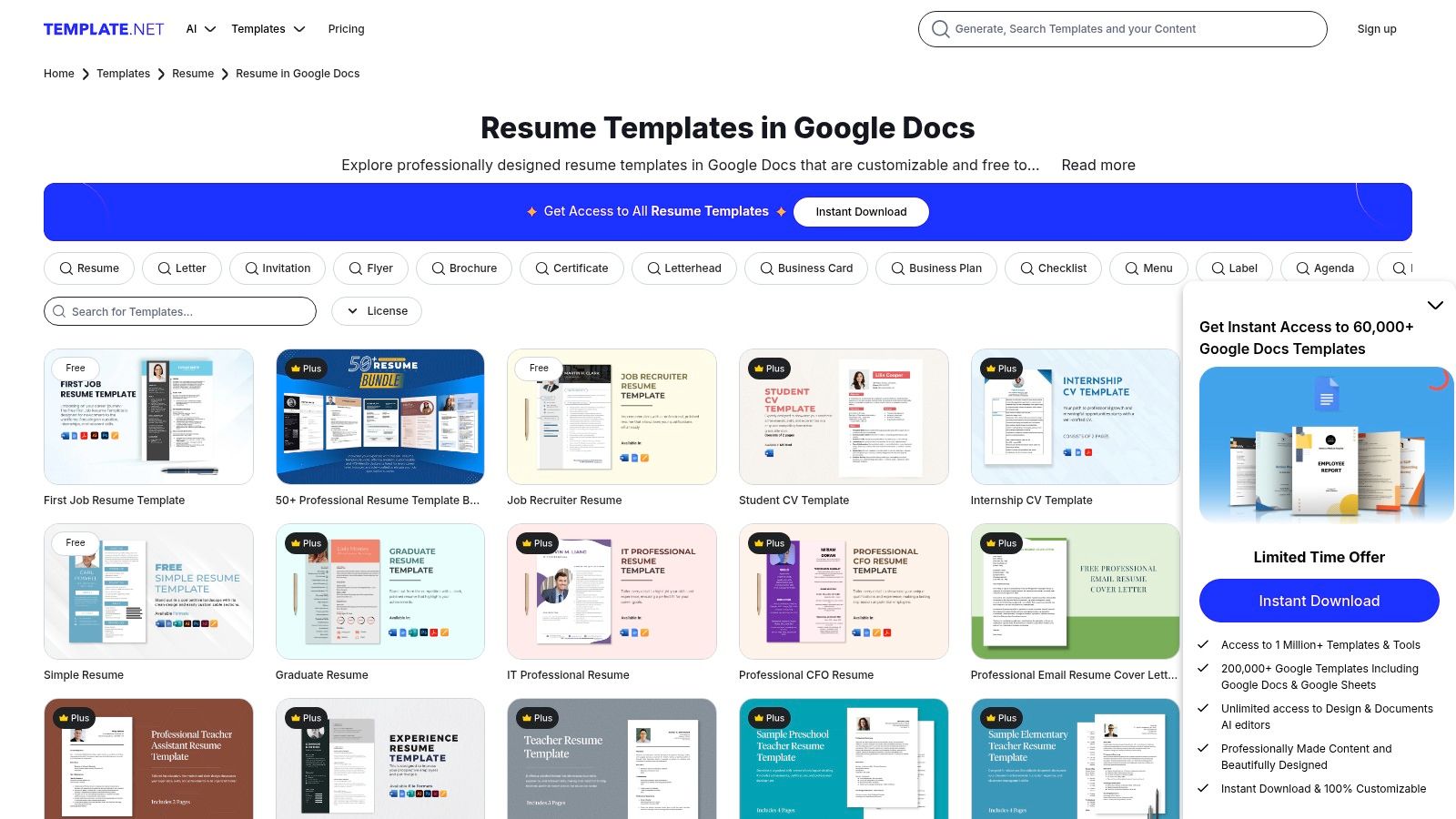
This platform has a powerful filtering system. It also integrates directly with Google Docs. You can easily sort templates by file type and license. This helps you quickly find free options for your editor. For many Google Docs templates, a single click opens the document in your account. This makes the editing process much faster.
Key Features and Usage Tips
Template.net is useful for finding a complete application package. Many of its resume templates come with matching cover letter designs. This ensures a consistent and professional look across all your job application documents.
- Best For: Job seekers who want a wide selection of industry-specific templates and prefer working in Google Docs or Word.
- Pro Tip: Use the "Free" filter under the license category to avoid browsing premium templates. Always double-check the license before downloading.
Pros:
- Large and diverse library with many industry-specific designs.
- Excellent filters for file type (Google Docs, Word) and license.
- One-click "Open in Google Docs" feature for incredible convenience.
Cons:
- Free and paid templates are mixed, requiring careful filtering.
- Some free designs can be generic or very similar to each other.
Find your next resume design on the Template.net website.
10. Overleaf
Overleaf is a collaborative, browser-based LaTeX editor. It offers a sophisticated collection of free resume and CV templates. It is an ideal choice for academics, researchers, and technical professionals. They require precise control over their document’s appearance. The platform uses LaTeX, a high-quality typesetting system. This ensures your resume has a polished, professional, and clean look.
Overleaf is unique because of its power and precision. Unlike visual editors, you edit the source code of your resume. This gives you total control over spacing, fonts, and layout. Many of its popular templates are based on the well-regarded "Awesome-CV." With a single click, you can open a template in the Overleaf editor. You can start customizing the content. Then, you can compile a perfect PDF to download.
Key Features and Usage Tips
Overleaf is great for creating multi-page academic or technical CVs. The platform is good at handling complex structures. These include publication lists, conference presentations, and detailed project descriptions. It does this without breaking the format. This makes it a top choice for anyone in a field where detailed documents are needed.
- Best For: Academics, engineers, scientists, and anyone needing a multi-page CV with perfect typographic quality.
- Pro Tip: Start with a popular template like "Awesome-CV" or "Deedy-Resume." These often have clear instructions in the source code comments. This makes them easier for beginners to use.
Pros:
- Produces exceptionally professional and clean-looking documents.
- Excellent for handling long, complex CVs with many sections.
- Version control is built-in, allowing you to track changes.
Cons:
- Requires learning basic LaTeX, which has a steep learning curve for new users.
- Some ATS systems may have difficulty parsing PDFs generated from complex LaTeX code.
You can access these templates directly at the Overleaf gallery.
11. LaTeXTemplates.com
LaTeXTemplates.com offers a collection of free resume templates. They are for academics, engineers, and technical professionals. They are built for precision and elegance. LaTeX is a document system known for its high-quality typesetting. This makes it a favorite in scientific and academic fields. This site is a hub for proven templates like ModernCV and Awesome-CV. It provides everything needed to create a polished document.
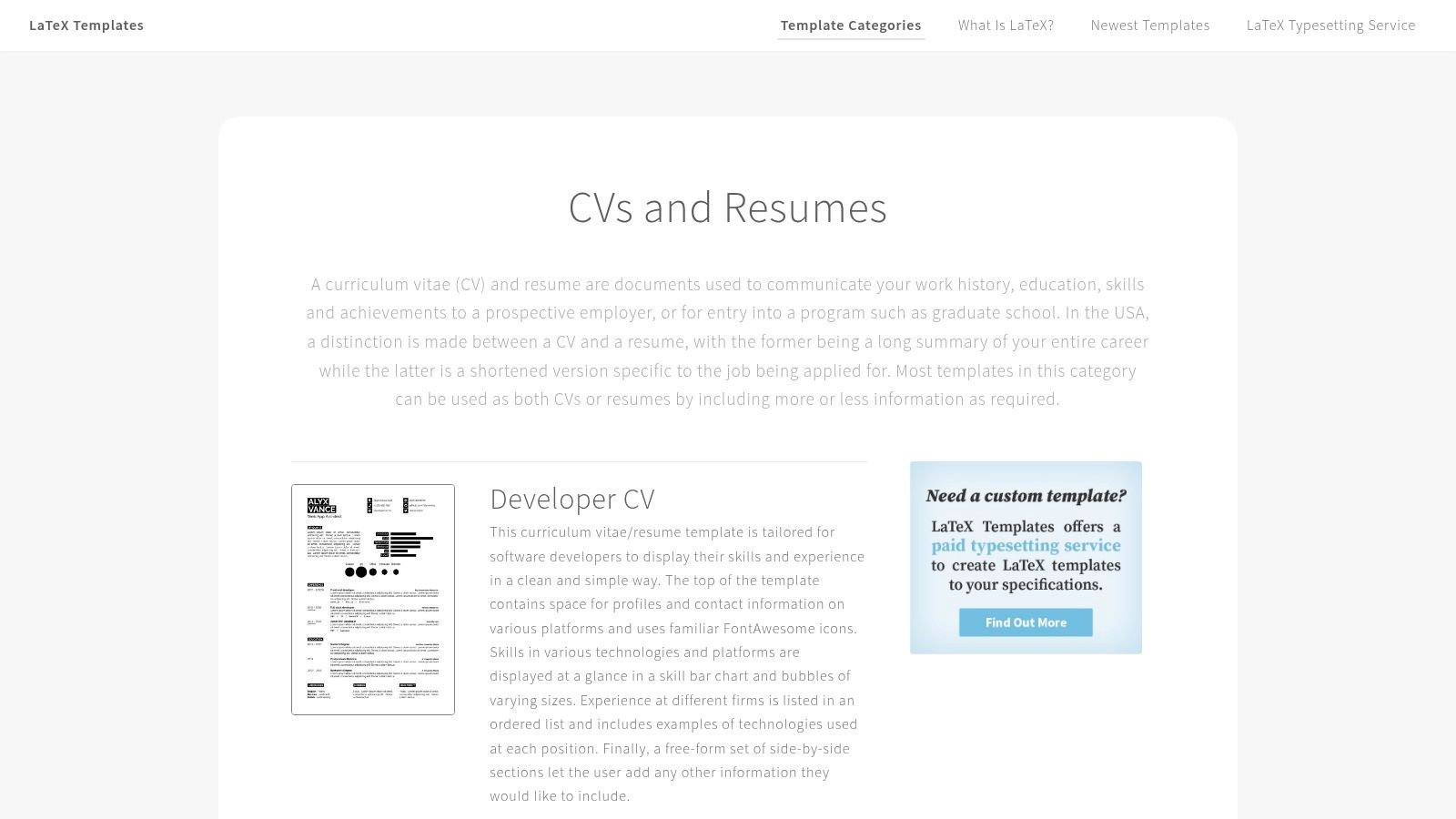
This platform has detailed documentation and user support. Each template includes clear instructions on how to compile it. It also lists required fonts and packages. Many templates have a one-click "Open in Overleaf" link. This lets users start editing immediately in a cloud-based LaTeX editor. You do not need a complex setup on your computer. This helps people who are new to LaTeX but want its high quality.
Key Features and Usage Tips
LaTeXTemplates.com focuses on quality over quantity. The templates are chosen for their clean structure and professional look. This makes them ideal for roles where attention to detail is important. These designs are inherently ATS-friendly. Their text-based nature and logical structure help with this.
- Best For: Academics, researchers, software engineers, and technical professionals who need a highly professional resume.
- Pro Tip: Use the "Open in Overleaf" option if you are new to LaTeX. It provides an all-in-one environment for editing and compiling your resume without installing software.
Pros:
- Produces exceptionally high-quality, professional-looking documents.
- Templates are completely free and often come with clear licensing.
- Excellent documentation and direct links to the Overleaf online editor.
Cons:
- Requires a basic understanding of LaTeX, which has a steep learning curve.
- Customizing layouts can be more complex than in a standard word processor.
You can browse the collection of resume and CV templates at the LaTeXTemplates.com website.
12. Etsy (marketplace listings for resume templates)
Etsy is a surprising but rich resource for unique resume templates. It is a large marketplace for independent creators. It hosts thousands of digital resume designs. You often cannot find these anywhere else. Most templates are paid. But many sellers offer low-cost bundles, run frequent sales, or provide freebies. This makes it a budget-friendly option for creative jobs.
Etsy stands out for its variety and creativity. You can find templates for almost any file format. These include Word, Google Docs, and Canva. They are often bundled with matching cover letters and reference pages. The ability to filter by price and file type helps. Seller reviews help you check the quality. You can find a design that reflects your personal brand.
Key Features and Usage Tips
Etsy is good for finding niche-specific designs. These include templates for graphic designers, academics, or healthcare professionals. They go beyond standard corporate layouts. Always check the listing details carefully. See what files are included and what software is needed for editing.
- Best For: Job seekers in creative fields or anyone looking for a highly stylized, unique resume design.
- Pro Tip: Use search terms like "free resume template" or "resume sale" to find promotions. Many sellers offer huge value packs with dozens of templates for just a few dollars.
Pros:
- Massive variety of unique and creative styles from independent designers.
- Many listings include valuable extras like matching cover letters and icons.
- Seller reviews provide social proof and help gauge the quality of the templates.
Cons:
- “Free” is rare and usually means very low-cost or a promotional item; careful reading is required.
- Quality can vary significantly between sellers, and some designs may be too visual for ATS.
You can browse for templates on the Etsy marketplace.
Top 12 Free Resume Templates Comparison
| Product | Core features | User experience / Quality (★) | Value & Price (💰) | Target audience (👥) | Unique selling point (✨) |
|---|---|---|---|---|---|
| GainRep – Free Resume Builder 🏆 | Polished templates; built-in endorsements; AI Auto‑Apply; career discussions | ★★★★☆ — modern, integrated tools | 💰 Free — unlimited PDF exports, no paywall | 👥 Job-seekers wanting an all‑in‑one career tool | ✨ Endorsements on resume + AI Auto‑Apply for tailored applications |
| Microsoft Create (Word templates) | Dozens of Word templates; ATS category; MS365 integration | ★★★★ — reliable, Word‑native output | 💰 Free (requires Word/MS365 for best UX) | 👥 Offline/Word users; traditional professions | ✨ Trusted Microsoft templates with ATS options |
| Google Docs Template Gallery | Built‑in clean templates; real‑time collaboration; auto‑save | ★★★★ — collaborative, simple | 💰 Free — browser‑based | 👥 Remote teams, quick edits, students | ✨ Real‑time collaboration & commenting |
| Canva | Drag‑and‑drop editor; hundreds of templates; AI assists | ★★★★ — design‑forward, easy to use | 💰 Freemium — many free templates, Pro assets paid | 👥 Creative/marketing applicants | ✨ Highly visual templates + icons and design elements |
| Adobe Express | Modern/minimal templates; AI font/layout suggestions; exports | ★★★★ — polished Adobe quality | 💰 Freemium — some premium assets | 👥 Designers wanting Adobe polish | ✨ Adobe‑quality layouts and cover‑letter matches |
| Hloom | Large Word/Docs template library; format guidance | ★★★ — straightforward, recruiter‑friendly | 💰 Mostly free (ad‑supported) | 👥 Recruiter‑focused, ATS‑oriented users | ✨ Clear format guidance and labeled templates |
| Novorésumé | Role/seniority templates; guided editing; content tips | ★★★★ — recruiter‑friendly, structured | 💰 Freemium — some templates/features paid | 👥 Applicants tailoring resumes to roles | ✨ Recruiter‑tested layouts and role guidance |
| Resume.io | 30+ recruiter templates; sharing links & analytics | ★★★ — fast builder, guided sections | 💰 Free limited; paid for full PDF/downloads | 👥 Users who want sharing/analytics | ✨ Resume sharing + analytics features |
| Template.net | Large cross‑format library; filters for file type/license | ★★★ — broad selection | 💰 Mix free / Pro — verify license | 👥 Industry‑specific & printable resume needs | ✨ Filterable by format & license; cover letter sets |
| Overleaf | Many LaTeX CV templates; precise typesetting; PDF export | ★★★★ — high typographic control (techy) | 💰 Free tier; paid for private features | 👥 Academics, researchers, technical roles | ✨ LaTeX-level typographic precision and reproducibility |
| LaTeXTemplates.com | Curated LaTeX templates with docs & compile notes | ★★★★ — field‑tested templates | 💰 Free downloads | 👥 LaTeX users & academics | ✨ Detailed compilation notes + curated high‑quality layouts |
| Etsy (marketplace templates) | Thousands of seller templates across formats | ★★★ — quality varies by seller | 💰 Paid (often low‑cost bundles; some free promos) | 👥 Niche styles, budget shoppers, custom sellers | ✨ Huge variety + seller reviews and custom files |
Turn Your New Resume into Job Interviews
Choosing the right template is a critical first step. But it is just the beginning. The goal is not just to have a beautiful document. The goal is to get interviews. You have explored many options. These range from the powerful features of GainRep to the creative freedom of Canva. Now, it is time to put that template to work.
From Template to Tailored Application
The best resume is never a one-size-fits-all document. Your chosen template is the canvas. The content you add sells your skills. Before you send your resume, you must tailor it for the job you want.
- Analyze the Job Description: Look at the job posting for keywords. These are related to skills, duties, and qualifications. Your resume should use this same language. If the company asks for "project management experience," make sure that phrase is in your resume.
- Prioritize Relevance: Reorder your bullet points under each job. Highlight the achievements that are most relevant to the new role. Put the most important information at the top where it is easy to see.
- Quantify Your Achievements: Do not just say you "improved sales." Say you "Increased quarterly sales by 15% through a targeted social media campaign." Numbers provide clear proof of your value.
Choosing the Right Tool for Your Journey
We have covered many of the best free resume templates. Your final choice depends on your needs and technical comfort.
- For Speed and Simplicity: If you want a polished resume quickly, tools like GainRep, Novorésumé, and Resume.io are excellent. Their builders guide you through the process. They ensure you include all needed sections without worrying about formatting.
- For Maximum Customization: If you have a strong design sense, Canva and Adobe Express offer great creative freedom. These are perfect for jobs in creative industries. A visually unique resume can be a big advantage.
- For Traditional and Academic Roles: Microsoft Word, Google Docs, and LaTeX templates (from sources like Overleaf) provide classic, ATS-friendly layouts. These are reliable choices for corporate, legal, and academic fields. In these areas, substance is more important than style.
Beyond the Resume: A Complete Application Strategy
Your resume is the main part of your job application. But it often comes with other documents. These can be a cover letter or a portfolio. To present a professional package, you need a consistent story across all materials. For more support, you can explore other resources like free application writing templates. This ensures every part of your application is strong.
The final step is the application process itself. Manually submitting applications is a tiring task. To speed up your job search, consider using technology. The GainRep platform helps you build a great resume at https://www.gainrep.com/resumes. It also offers an AI-powered auto-apply tool. This system can find relevant job openings and submit your tailored resume for you. This saves you hundreds of hours. You can learn more about making your job hunt easier at https://www.gainrep.com/ai-auto-apply.
You now have the knowledge and tools to create a resume that opens doors. Select the template that fits your career goals. Customize it with your achievements. Then, apply strategically. Your next great opportunity is waiting.
Ready to build a resume that gets results? Gainrep offers a free, intuitive builder with modern templates and unique features like verified endorsements to help you stand out. Create your professional resume in minutes and take the next step in your career journey.
