

Your resume is the first thing a hiring manager sees. A strong resume gets their attention. It can lead to an interview. A weak one is quickly ignored. An online tool can help you build a professional document. It will show off your skills and experience well. The goal is to create a resume that impresses recruiters. It also needs to pass through screening software called Applicant Tracking Systems (ATS).
This guide will help you find the best resume builder online. We have reviewed and ranked 12 top platforms. You will find a detailed look at each tool. This includes key features, template quality, and price. We will explain who each builder is best for. This applies if you are a recent graduate, a career changer, or a freelancer.
Each review has screenshots for a clear preview. It also has direct links to get you started. We look at everything from AI writing help to design options. This gives you a complete picture. For those interested in advanced AI tools for their career, visit the Parakeet AI platform. Our goal is to offer a simple comparison. This way, you can pick the perfect builder, create a great resume, and move forward in your career.
1. Gainrep
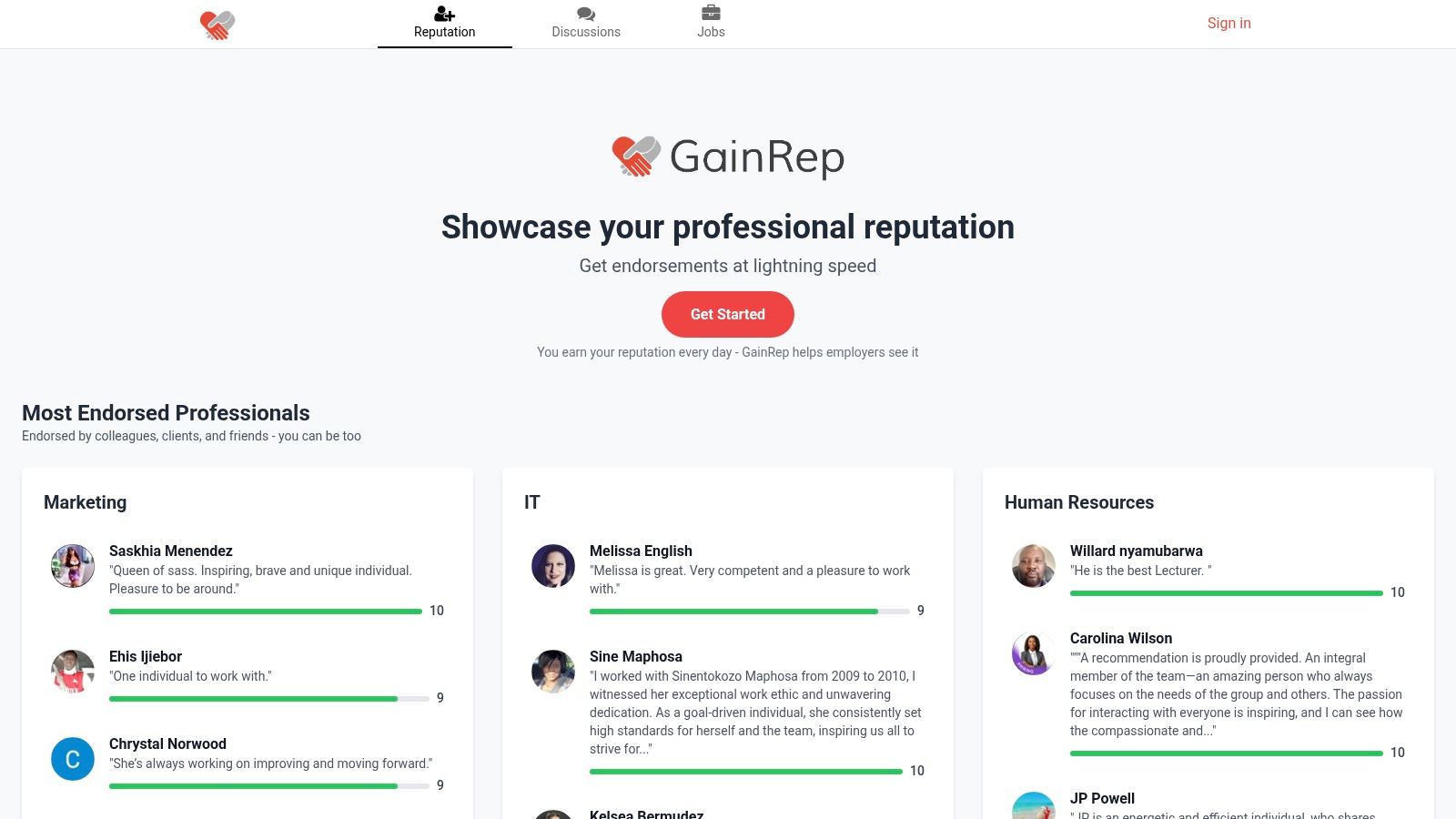
Gainrep is more than just a resume builder. It is a complete career platform. It combines reputation management with job application tools. This makes it a great choice for finding the best resume builder online. The platform focuses on "social proof." It lets you build a credible profile with endorsements from others. You can do this before you even apply for jobs.
This system helps you create a polished resume. You can gather real testimonials. Then, its AI finds and applies for jobs for you. This connected process makes Gainrep a top solution. It helps job seekers streamline their search and stand out.
Key Features and Strengths
Gainrep's strength is its complete approach. It connects building your reputation, creating your resume, and getting interviews.
- Integrated Endorsement System: You can ask for and show endorsements from colleagues. These testimonials provide strong social proof. They add credibility that a normal resume does not have.
- Professional Resume Builder: The platform has a built-in tool with professional templates. These help you create a modern, effective resume. You can easily craft your document at Gainrep Resumes.
- AI Auto-Apply Engine: This feature is a game-changer. The AI looks for jobs that fit your resume. It then automatically sends tailored applications. It even creates AI-written cover letters, which saves you a lot of time. Find out more about this feature at Gainrep AI Auto-Apply.
- Community Discussions: Get real advice on your job search. Learn about interview tips and salary negotiation from other professionals.
Ideal Use Cases
Gainrep is very useful for certain professionals.
- Freelancers and Consultants: Show client testimonials and endorsements to build trust. This helps you win new projects.
- Career Changers: Use endorsements from past jobs to show your skills are transferable. This builds credibility in a new industry.
- Students and Early-Career Professionals: Build a strong professional reputation early on. This works even with little work experience.
Practical Considerations
The core services are easy to access. But the full price for premium features is not clear on the website. The value of endorsements also depends on getting recommendations from your network.
Website: https://www.gainrep.com
2. Zety
Zety is a popular and fast online resume builder. It is known for its professional, template-based approach. It helps users create polished resumes and matching cover letters quickly. The platform guides you step-by-step. It offers pre-written content and AI suggestions for job descriptions. This makes it a great choice for people who need a quality document fast.
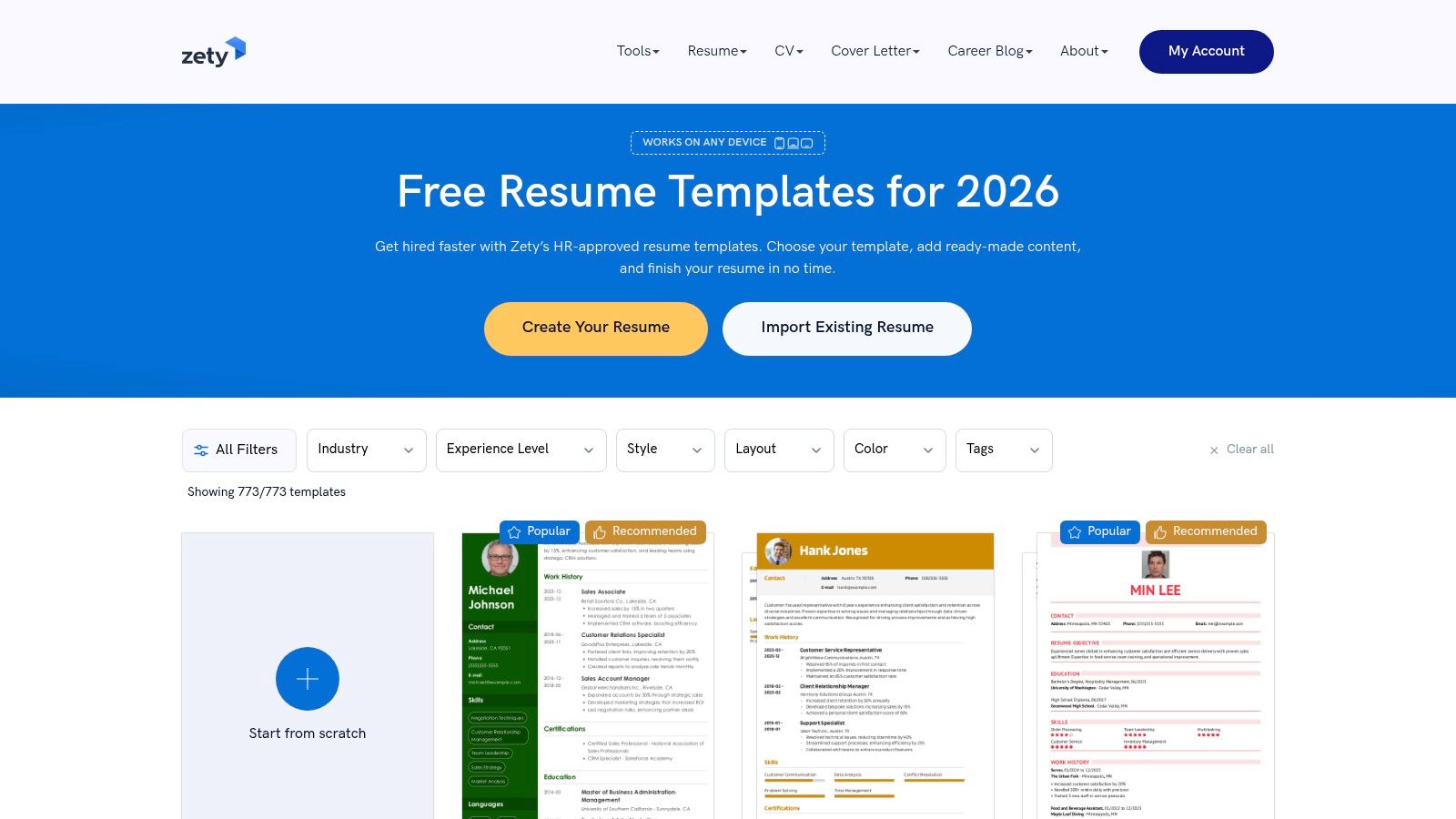
The user interface is clean and simple. This makes the process easy. Zety's main strength is its library of templates. You can also generate a cover letter that matches your resume design. This consistency looks very professional to employers. You can build a resume and download a TXT file for free. But getting formats like PDF and Word requires a subscription.
Key Features & Pricing
- Best For: Job seekers who need a fast, professional resume with a matching cover letter.
- Key Features: Over 18 templates, matching cover letter generator, AI content suggestions, and a resume checker.
- Pricing: You can create your resume for free. Downloading in PDF or Word requires a paid plan. Options include a 14-day trial for $2.70. This trial renews to a monthly plan if you do not cancel. An annual plan offers better value.
Pros:
- Very fast and easy to use.
- Excellent variety of modern and professional templates.
- Matching cover letter tool creates a cohesive application.
Cons:
- Key download features (PDF, Word) are behind a paywall.
- The trial plan automatically renews to a more expensive monthly plan.
Website: https://zety.com
3. ResumeGenius
ResumeGenius is a helpful career resource. It combines a guided resume-building process with AI tools. It is a good choice for first-time resume writers. The platform walks you through each section with clear instructions. It provides GPT-4 powered help for writing summaries and skills sections. This ensures you highlight your qualifications well.
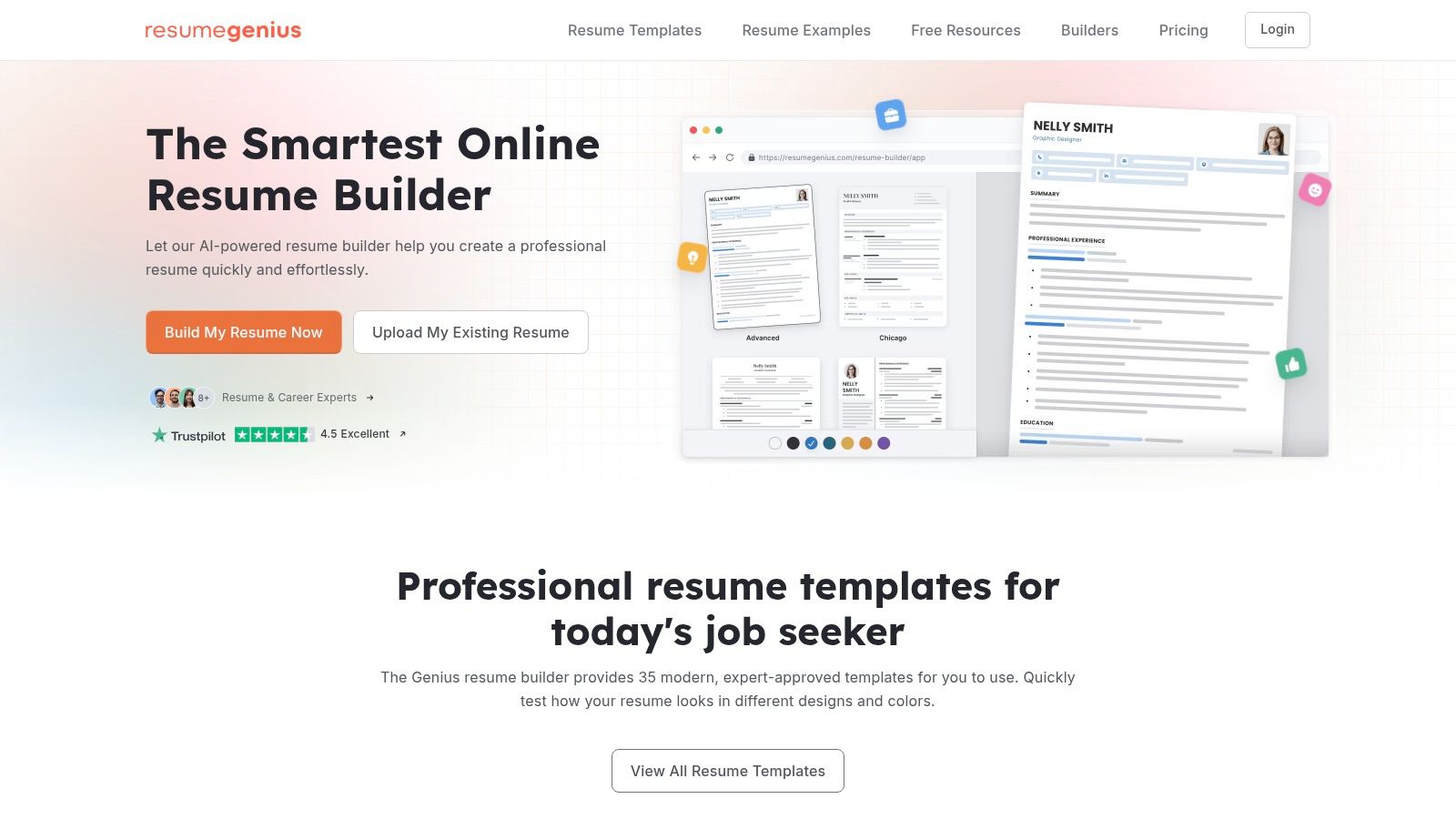
The interface is simple to use. This makes it one of the best online resume builder options for those who want support. ResumeGenius also offers a matching cover letter creator. It has a resume checker for feedback. It gives access to a U.S. job board. This integrated approach helps you manage your job search in one place. You can create a resume and download a TXT file for free. A subscription is needed for PDF or Word downloads.
Key Features & Pricing
- Best For: First-time job seekers and people who want a guided process with AI help.
- Key Features: Guided resume builder, AI summary generator, resume checker, U.S. job board, and matching cover letter tool.
- Pricing: Building and downloading as a TXT file is free. PDF/Word downloads require a paid plan. This often starts with a 14-day trial that renews to a monthly plan. A 14-day money-back guarantee is offered.
Pros:
- The guided process is great for beginners.
- Strong AI helpers for writing difficult sections.
- Good selection of templates for Word and Google Docs.
Cons:
- Downloading in professional formats (PDF, Word) costs money.
- The trial plan automatically becomes a more expensive subscription if not canceled.
Website: https://resumegenius.com
4. Resume.io
Resume.io is a simple online resume builder. It is designed for speed and ease of use. It has a clean interface and professional templates. These templates are optimized for applicant tracking systems (ATS). The platform guides users through each section. It gives helpful tips and pre-written phrases to make writing easier. This is a great tool for job seekers who want a polished resume quickly.
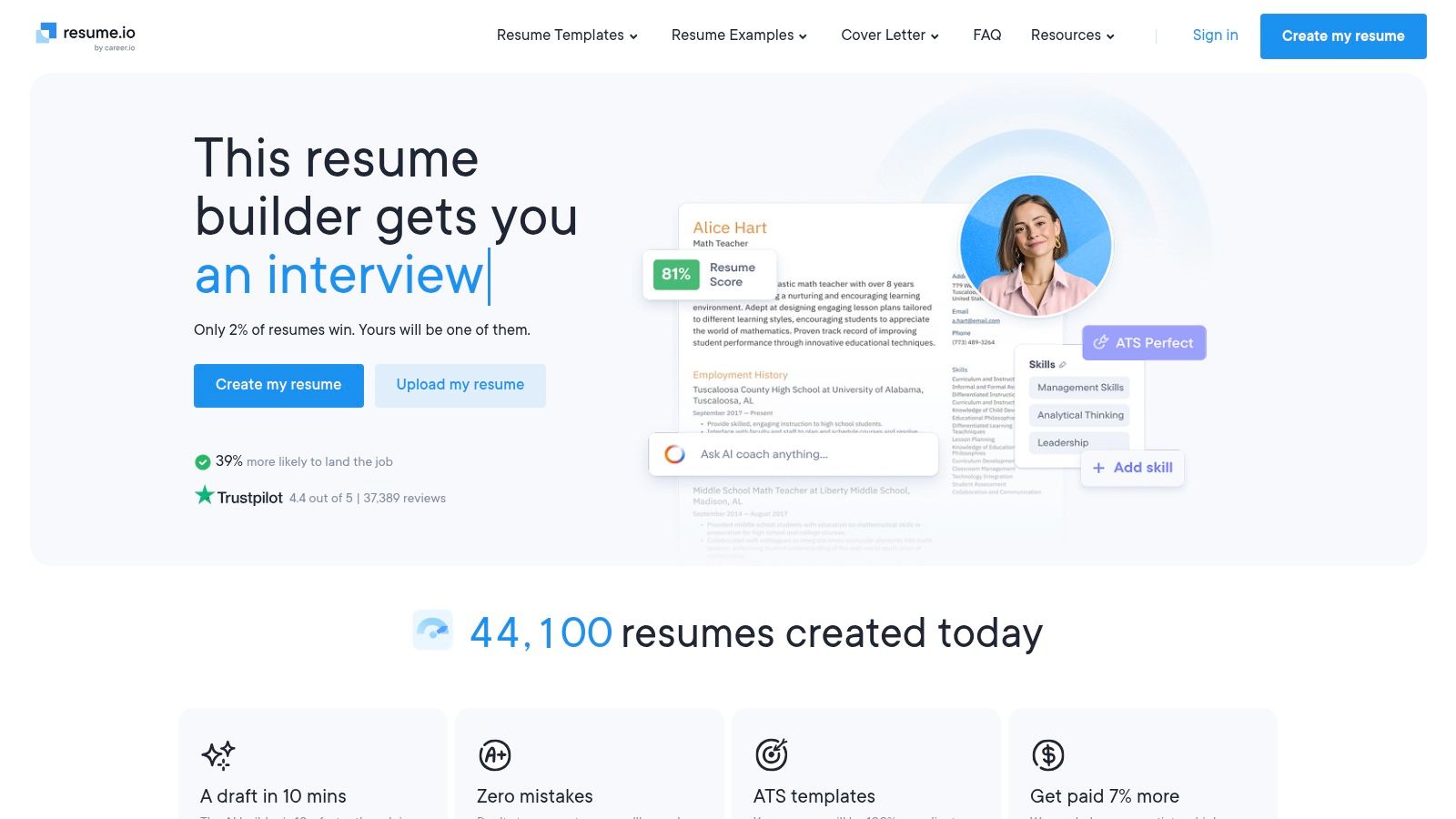
The builder makes it easy to switch between templates. You can see how your content looks in different designs. You can create a resume and download it as a TXT file for free. Premium features require a paid subscription. These include PDF/Word downloads, unlimited resumes, and a matching cover letter creator. Resume.io also offers a job tracker and interview prep resources on its premium plans.
Key Features & Pricing
- Best For: People who need a fast, ATS-friendly resume and like a clean user experience.
- Key Features: ATS-friendly templates, job tracker, interview prep tools, and unlimited resumes on paid plans.
- Pricing: A free plan allows one resume and a TXT download. Full access is available with a 7-day trial for a small fee. This renews to a monthly subscription. Annual plans offer better long-term value.
Pros:
- Very fast and simple interface.
- Strong library of professional templates.
- Offers a money-back guarantee on its plans.
Cons:
- Requires a paid plan to download resumes in PDF or Word formats.
- Trial and subscription plans automatically renew if not canceled.
Website: https://resume.io
5. Novorésumé
Novorésumé is a user-friendly online resume builder. It focuses on ATS-friendly designs. It offers a one-time payment model instead of subscriptions. This appeals to users who prefer a single cost. The platform guides you through the creation process. It gives real-time feedback on content and layout. This ensures that even creative designs work with applicant tracking systems.
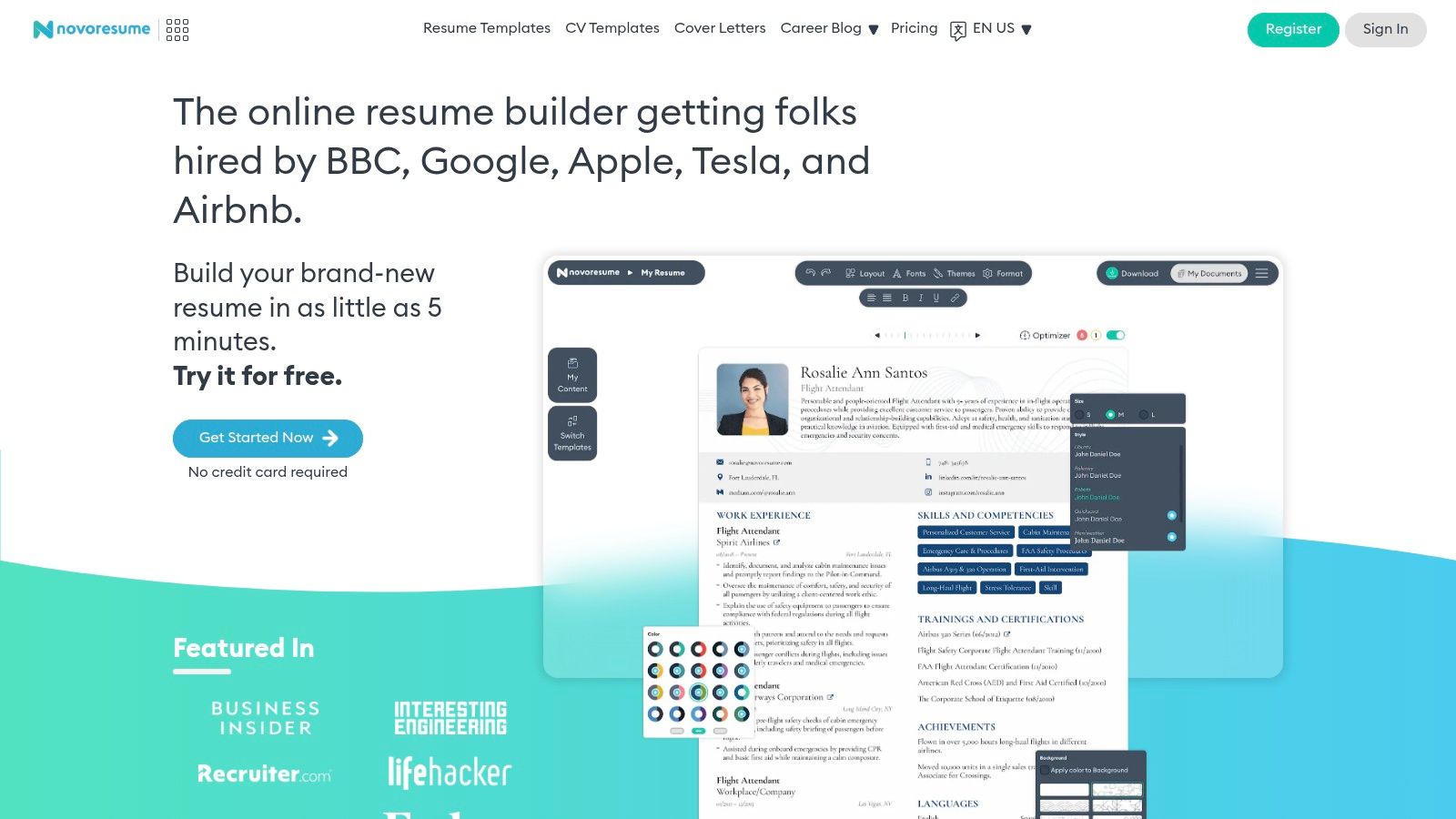
The builder is easy to use. It provides helpful examples as you fill in each section. Novorésumé’s big advantage is its clear pricing. You pay once for premium access without worrying about auto-renewal. The free version works for a simple, one-page document. Upgrading unlocks more customization, multi-page CVs, and a matching cover letter creator. This makes it a strong contender for the best online resume builder for those who value design and predictable costs.
Key Features & Pricing
- Best For: Job seekers who want a well-designed, ATS-friendly resume and prefer a one-time payment.
- Key Features: One-time payment options, content optimizer, matching cover letter templates, and support for multi-page CVs.
- Pricing: A free basic plan is available for a single-page resume. Premium access is offered via one-time payments for 1, 3, or 12 months. It includes a 14-day money-back guarantee.
Pros:
- Clear, non-subscription pricing model avoids surprise renewals.
- Good balance of creative design and ATS compatibility.
- Offers a 14-day refund window for premium plans.
Cons:
- The free plan is very limited, allowing only one page.
- Resumes can only be exported in PDF format.
Website: https://novoresume.com
6. Kickresume
Kickresume is a resume builder with many features. It is designed for the modern job seeker. It offers more than a simple document creator. It includes an AI writer, an Applicant Tracking System (ATS) checker, and website templates. This makes it a great choice for users who will update their resume often. It also offers mobile access for edits on the go.
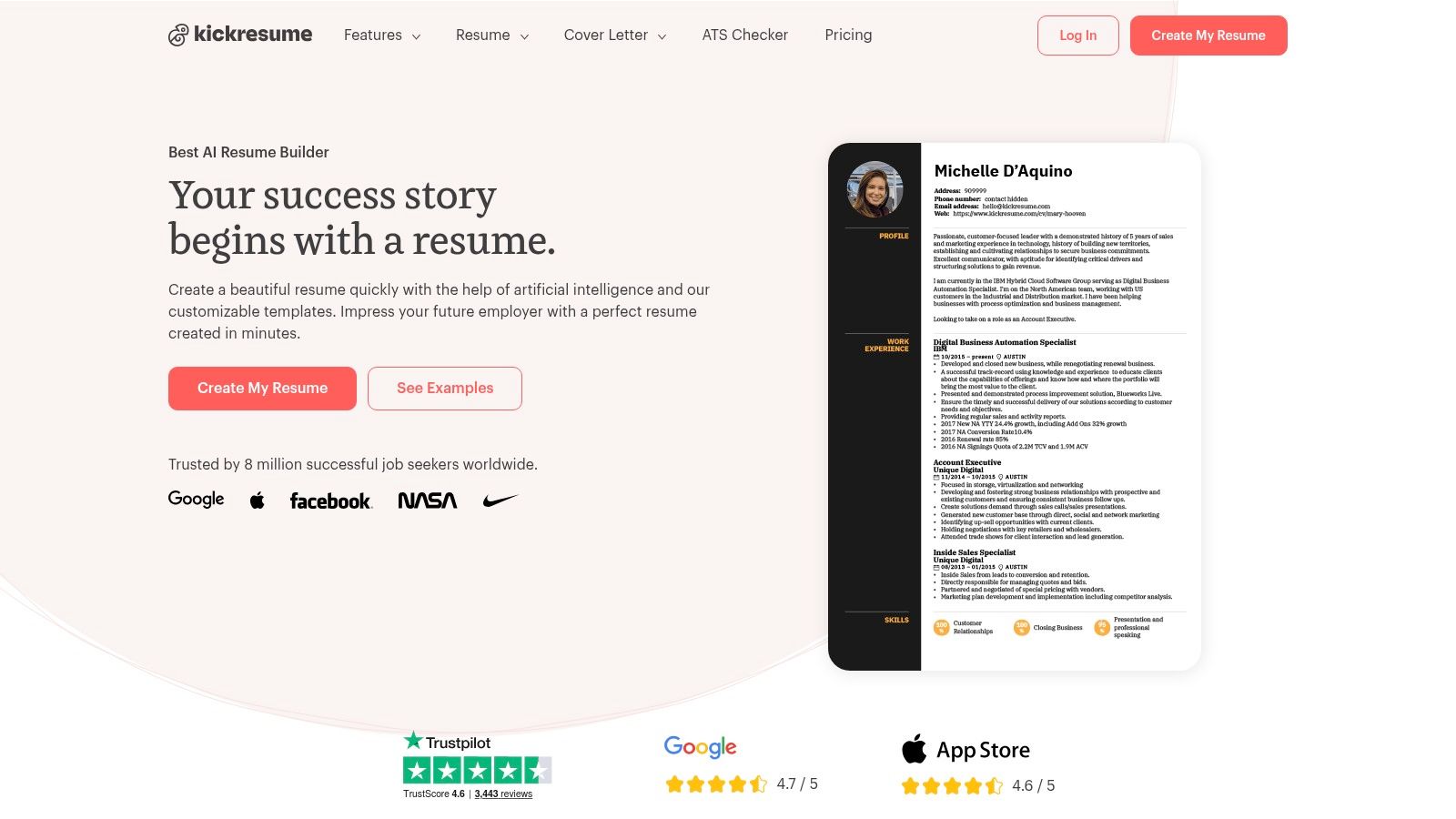
The platform has a generous free plan. It is more functional than many others. You can import data directly from LinkedIn or a PDF. This speeds up the creation process. With mobile apps for both iOS and Android, Kickresume lets you edit your materials anytime. This mix of powerful features and accessibility makes it one of the best online resume builder options.
Key Features & Pricing
- Best For: Students, professionals needing mobile access, and those wanting a complete career toolkit.
- Key Features: Over 40 templates, AI writer and ATS checker, personal website templates, LinkedIn/PDF import, and mobile apps.
- Pricing: A strong free plan allows unlimited downloads of resumes with basic templates. The Premium plan unlocks all templates, full customization, and the website builder. It is offered via monthly or annual subscriptions. Students often get special discounts.
Pros:
- Generous free plan with unlimited downloads using free templates.
- Excellent variety of modern templates and mobile editing apps.
- Includes useful tools like an ATS checker and AI writer.
Cons:
- Full customization requires a premium subscription.
- It is a subscription model with no pay-per-download option.
Website: https://www.kickresume.com
7. VisualCV
VisualCV connects traditional resumes with a modern online presence. This platform creates standard resumes. It also builds shareable, interactive online versions. These work like a personal career website. Users can create a custom URL and track who views their profile. You can also keep a "Career Journal" to log achievements. This makes it a great choice for professionals who want a dynamic career portfolio.
The interface is clean and easy to use. It allows for simple editing and customization. VisualCV encourages a broader view of your career. It lets you present your story in both a formal document and a live web page. A free version is available to create a basic resume. But most powerful features are for paid subscribers. This includes unlimited PDF downloads and advanced analytics.
Key Features & Pricing
- Best For: Professionals and freelancers who want both a downloadable PDF and a live, shareable online resume.
- Key Features: Over 30 templates, creates both PDF and web-based resumes, custom shareable links, career journal, and resume analytics.
- Pricing: A free account is available to create one resume. Paid plans unlock unlimited resumes, all templates, and PDF/Word exports. Pro plans start around $24 per month, with discounts for quarterly or annual billing. A 30-day money-back guarantee is included.
Pros:
- Excellent for creating and sharing live, online resume pages.
- Clear pricing with a generous refund policy.
- The free tier is useful for testing the platform's main functions.
Cons:
- Most essential export features require a paid subscription.
- Lacks some of the advanced AI writing suggestions found in other builders.
Website: https://www.visualcv.com
8. Canva
Canva is a powerful graphic design platform. It also works as a flexible resume builder. It is not a dedicated resume tool. Its strength is its creative freedom and huge library of templates. It is a perfect choice for people in creative fields like design or marketing. A visually branded resume can make a big impact. The drag-and-drop editor is easy to use for anyone.
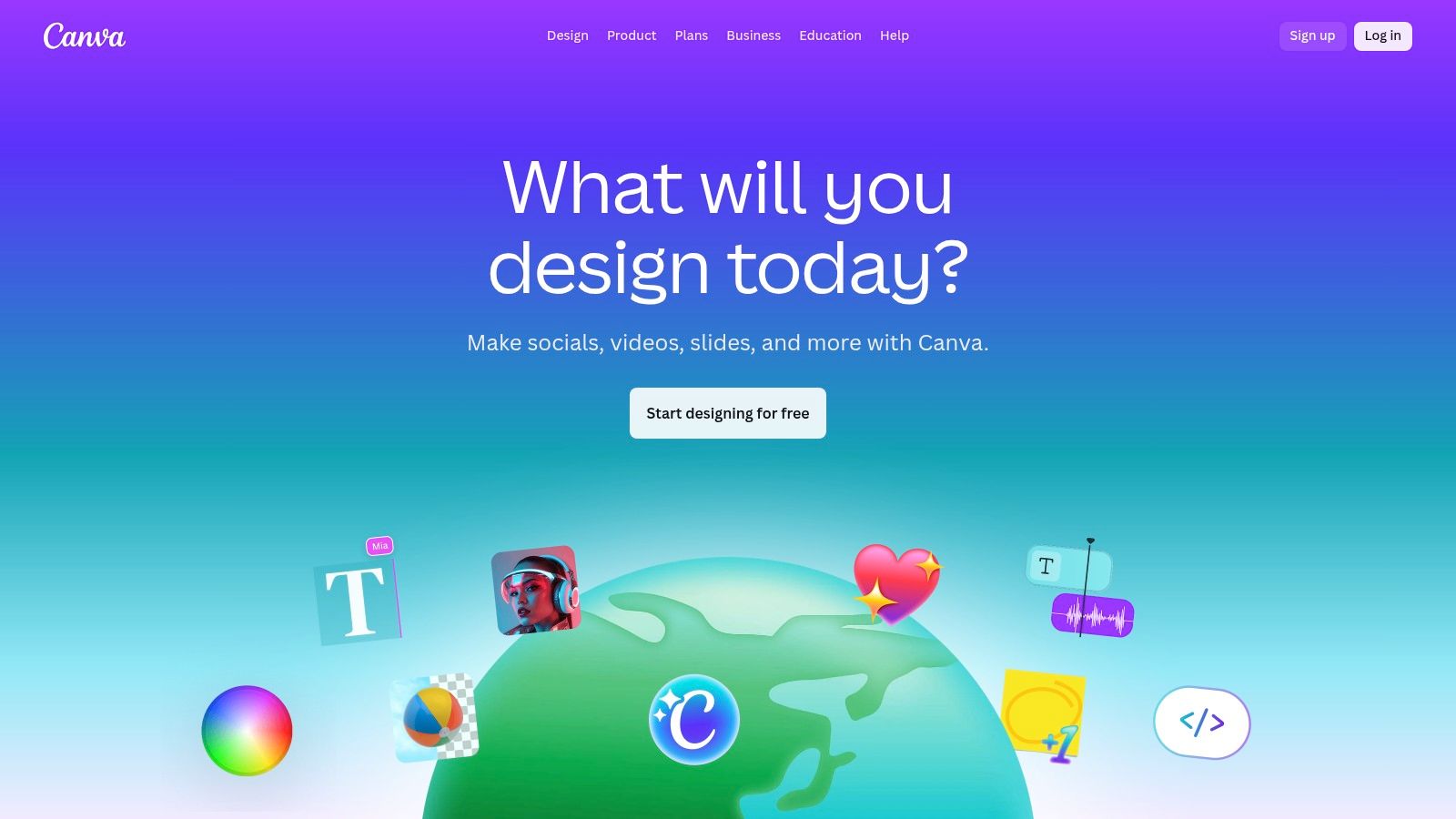
Canva offers a strong free plan. It is more than enough for creating and downloading a quality resume. You can access thousands of free templates, fonts, and graphics. For those needing premium assets or AI tools, Canva Pro is available. It is important to know that some complex Canva designs might not be optimized for Applicant Tracking Systems (ATS). Sticking to cleaner, single-column layouts is a good idea.
Key Features & Pricing
- Best For: Creative professionals and anyone wanting complete design control over their resume.
- Key Features: Huge library of templates, drag-and-drop editor, AI text and image tools, and multiple download formats (PDF, PNG, JPG).
- Pricing: A very good free plan is available. Canva Pro offers access to premium templates and advanced features.
Pros:
- Unmatched design flexibility and user-friendly interface.
- A massive variety of templates for visual customization.
- Excellent free plan that supports high-quality resume creation.
Cons:
- Complex, multi-column designs may not be ATS-friendly.
- It is not a dedicated resume tool, so it lacks content suggestions or resume scoring.
Website: https://www.canva.com
9. Teal
Teal is more than a resume builder. It is a complete job-search workspace. It combines a resume builder with tools like a job tracker and keyword analysis. This is ideal for users managing multiple applications. The platform's main strength is helping you tailor your resume for each job. It does this by matching keywords from the job description. This targeted approach improves your chances of passing through ATS.
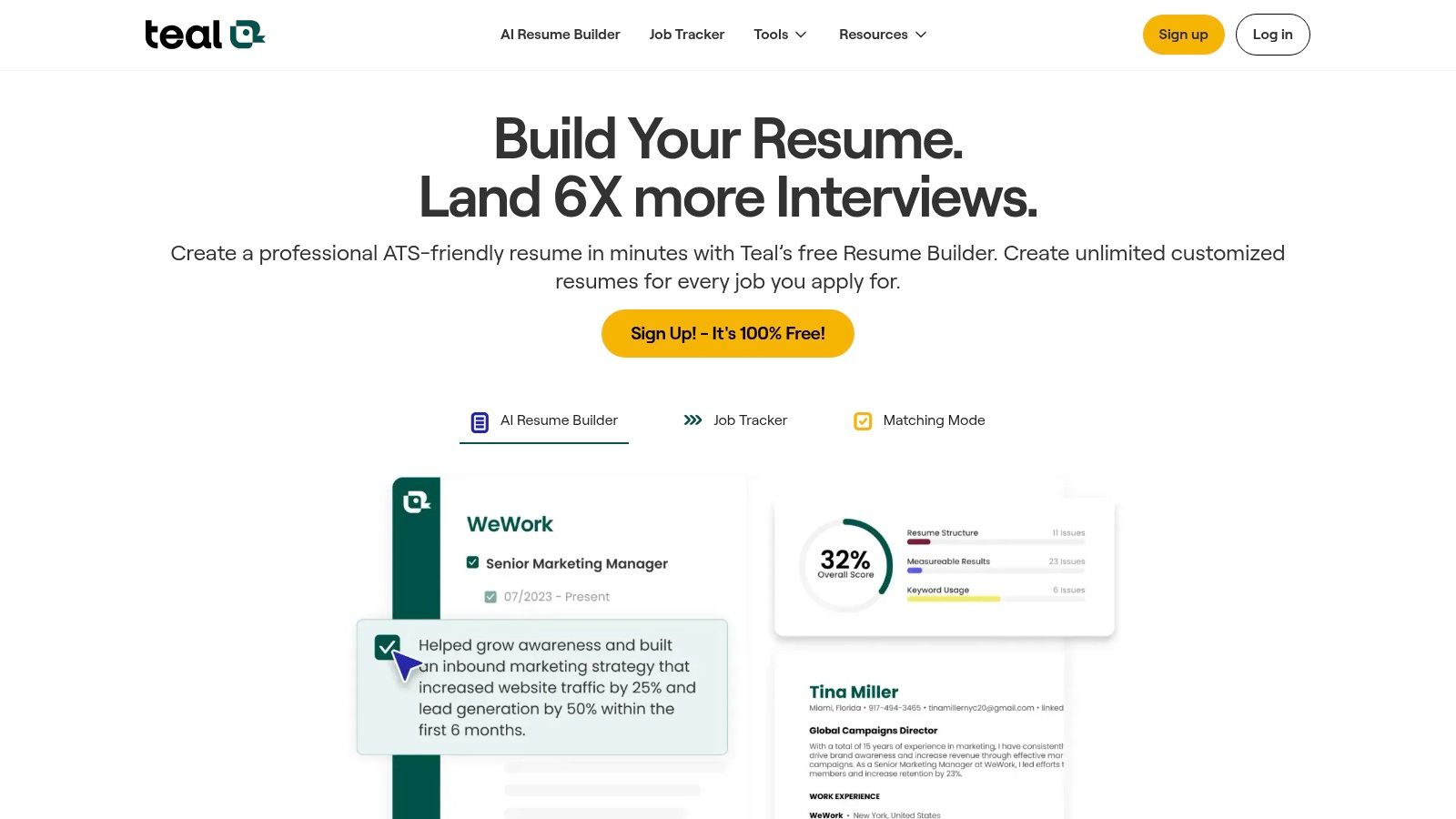
The platform has a Chrome extension to easily save jobs. These go directly into your job tracker. From there, you can analyze job descriptions and optimize your resume. It offers AI-powered suggestions for bullet points and summaries. The interface has a slightly higher learning curve. But its all-in-one function offers great value for serious job seekers.
Key Features & Pricing
- Best For: Proactive job seekers who need to manage and tailor multiple job applications.
- Key Features: AI-powered resume writing, keyword matching analysis, built-in job tracker with a Chrome extension.
- Pricing: A strong free tier is available. The premium plan, Teal+, is offered weekly ($9/week) or monthly. It has a clear "cancel anytime" policy.
Pros:
- Excellent for managing many applications and tailoring resumes for each.
- The free tier provides very useful functions.
- Flexible upgrade options with clear cancellation policies.
Cons:
- It has a higher learning curve compared to simpler builders.
- The weekly billing option can become expensive if used long-term.
Website: https://www.tealhq.com
10. Jobscan
Jobscan has a different approach than most online resume builders. It focuses on optimizing your resume for Applicant Tracking Systems (ATS). Its main goal is to help your application get past the first automated screen. This gets it to a human recruiter. The platform has a powerful analysis tool. It compares your resume against a job description. It provides a "match rate" and suggestions for improvement. This is a key resource for job seekers applying to large companies that use ATS.
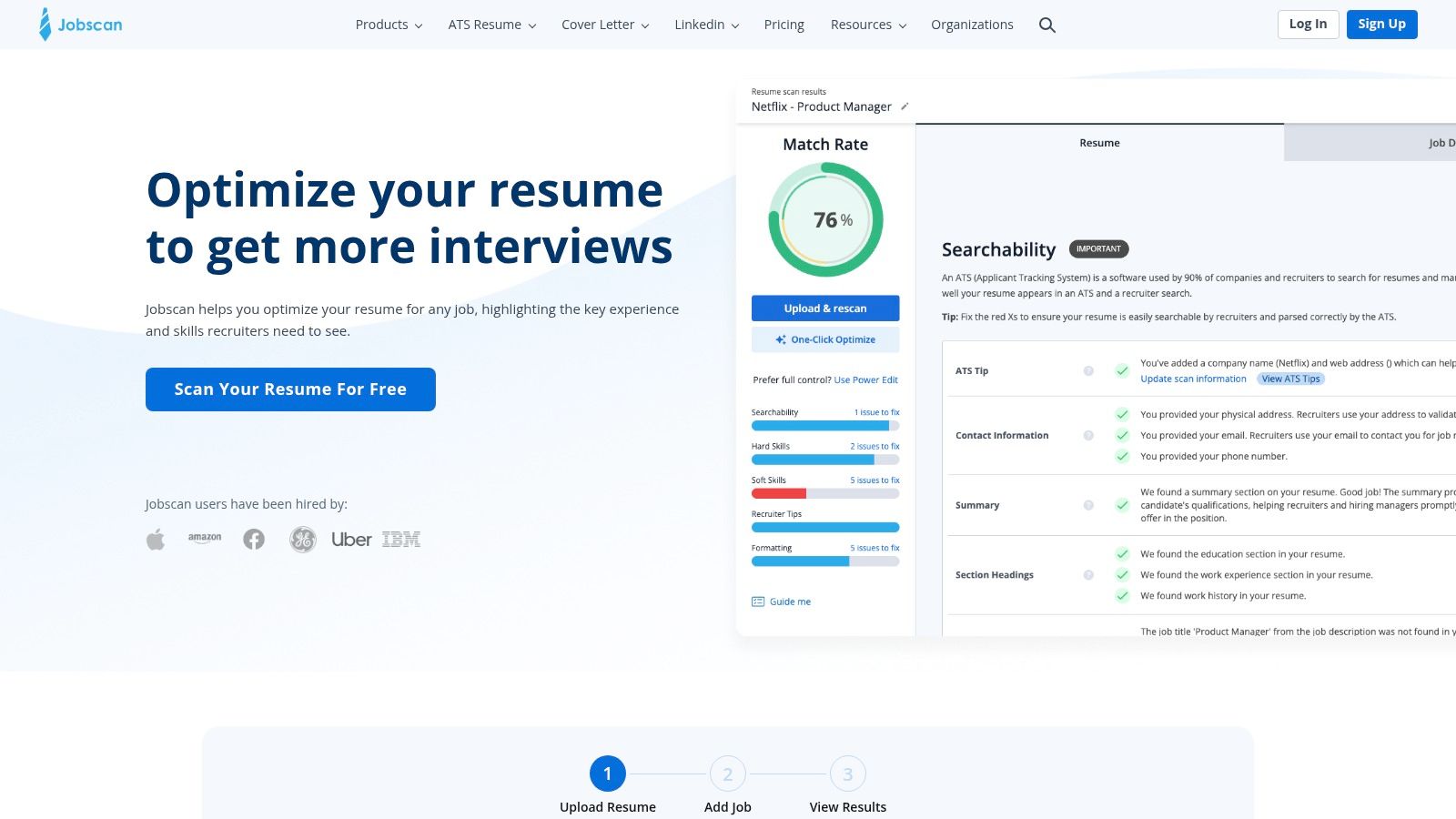
Its builder is more functional than fancy. It produces clean, ATS-friendly resumes. The real power is in its scanning and keyword suggestion features. By pasting a job description, Jobscan finds the important keywords you are missing. This allows you to tailor your document precisely. Many of its best features require a subscription. But Jobscan offers a good free plan. It includes a basic builder and a limited number of scans.
Key Features & Pricing
- Best For: Job seekers who want to tailor their resumes for specific jobs and optimize them for ATS.
- Key Features: Resume vs. job description match rate scanner, ATS and keyword suggestions, free builder with ATS-optimized templates.
- Pricing: A free plan is available. It offers a resume builder and a few scans per month. Premium plans start around $49.95 per month. They provide more scans and in-depth analysis.
Pros:
- Excellent for tailoring resumes to beat Applicant Tracking Systems.
- The free plan includes a functional builder and unlimited downloads.
- Provides strong educational content on keyword optimization.
Cons:
- Advanced optimization and more scans require a premium plan.
- The interface focuses on optimization analytics over creative design.
Website: https://www.jobscan.co
11. LiveCareer
LiveCareer is a well-known resume builder. It guides users through a structured, step-by-step process. It makes resume creation simple with clear prompts and helpful suggestions. This makes it a reliable choice for those who like a guided workflow. The platform offers a variety of professional templates. It also includes a matching cover letter builder. This ensures your application materials are consistent.
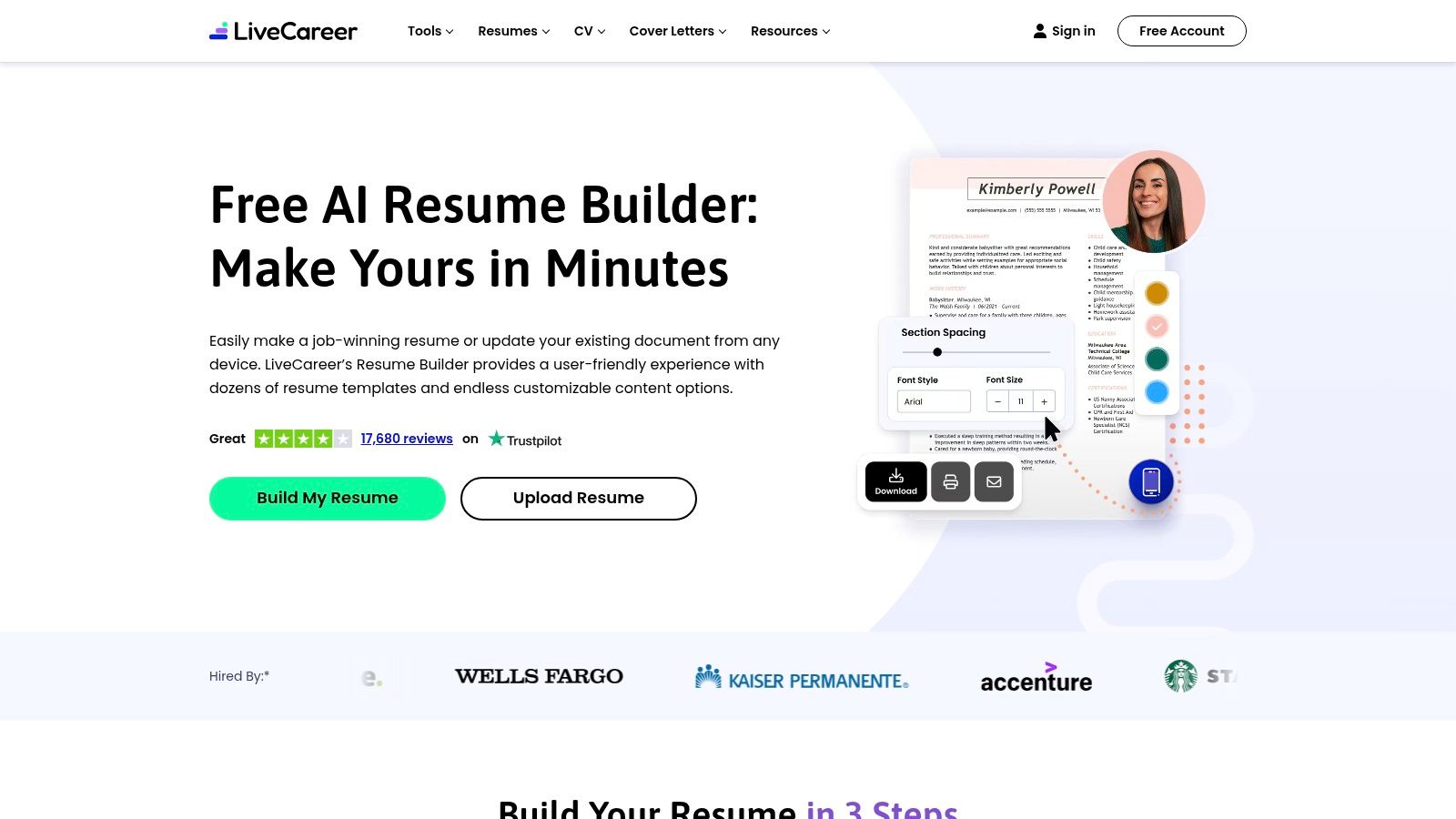
The builder's strength is its simple approach and large library of advice. LiveCareer is useful because it lets users download a basic TXT version of their resume for free. This is great for quickly copying your information into online forms. To unlock formats like PDF or Word, a subscription is necessary. It is a solid contender for the best resume builder online due to its history and complete toolset.
Key Features & Pricing
- Best For: Job seekers who want a guided process with a free plain-text download option.
- Key Features: Step-by-step resume and cover letter builders, large template library, free TXT download, and AI-writing suggestions.
- Pricing: You can create and download a TXT file for free. A 14-day trial for full access (around $2.95) renews to a monthly subscription if not canceled. Annual plans are also available.
Pros:
- Very easy to start with a free TXT version.
- Many resources, including templates and career advice.
- The guided workflow is helpful for new resume writers.
Cons:
- Professional document formats (PDF, DOCX) are behind a paywall.
- Users should watch subscription terms to avoid unwanted charges.
Website: https://www.livecareer.com
12. Microsoft Create (Word) – Resume Templates
Microsoft Create offers a large library of free resume templates for Microsoft Word. This is for those who prefer a hands-on approach. This platform is not a guided builder. It is a collection of professionally designed, ATS-friendly templates. It is a perfect choice for users comfortable with Word. They can manually craft their resume without a subscription. You just find a design you like and download it to edit.
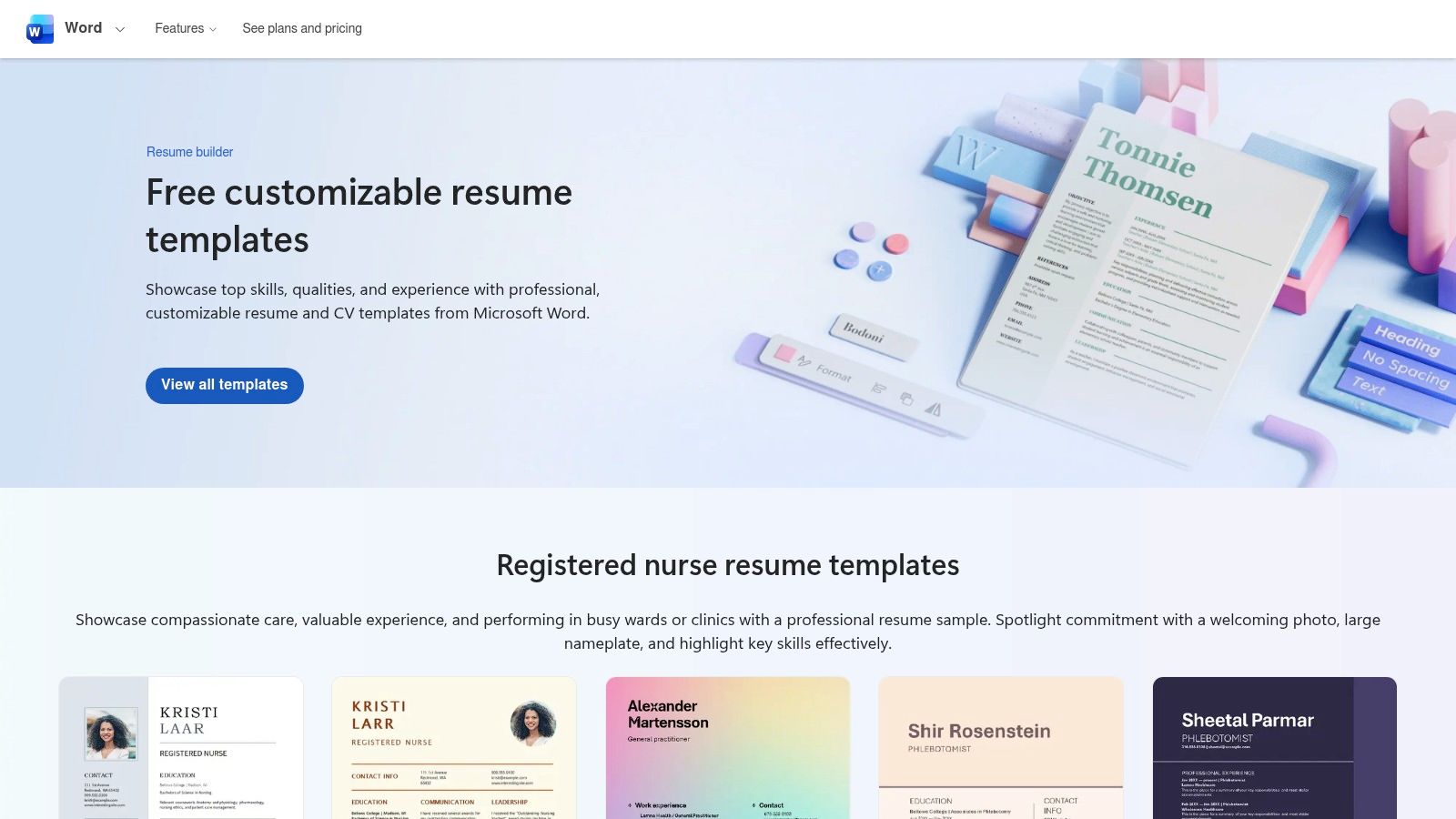
The main advantage here is complete creative freedom. There are no paywalls. You can change every font, margin, and color. You can save unlimited versions on your computer. Many templates also come with matching cover letter designs. This ensures a consistent application. It lacks the AI content suggestions of a dedicated resume builder. But it provides a solid foundation for anyone willing to do the manual work.
Key Features & Pricing
- Best For: Individuals who know Microsoft Word and want complete control over formatting without a subscription.
- Key Features: Large library of modern and ATS-ready templates, full editing in Word, free matching cover letter templates.
- Pricing: Completely free. All templates can be downloaded and used without any charge. You only need access to Microsoft Word.
Pros:
- Templates and use of the platform are entirely free.
- Offers complete control over every part of the document's design.
- Templates are widely compatible and generally ATS-safe.
Cons:
- It is not a guided wizard; it requires manual editing skills.
- It lacks built-in AI writing help or content suggestions.
Website: https://create.microsoft.com/en-us/templates/resumes
Top 12 Online Resume Builders — Features & Pricing
| Product | Core features (✨) | UX / Quality (★) | Price / Value (💰) | Target (👥) | Unique selling points (🏆) |
|---|---|---|---|---|---|
| Gainrep 🏆 | ✨ Endorsements feed, Community Q&A, Resume builder, AI Auto-Apply | ★★★★☆ Integrated, social-proof driven | 💰 Free-friendly; premium details not public | 👥 Job seekers, freelancers, students, early-career pros | 🏆 ✨ Social-proof first + AI Auto-Apply for tailored applications |
| Zety | ✨ Template-driven builder, AI phrasing, cover letters | ★★★★ Fast polished output | 💰 Trial/annual; most exports paid | 👥 Job seekers wanting quick professional resumes | ✨ Strong templates & AI phrasing; export paywall |
| ResumeGenius | ✨ Step-by-step builder, GPT-4 summaries, resume checker | ★★★★ Guided for first-timers | 💰 Trial/paid exports; 14-day refund | 👥 First-time builders, US job seekers | ✨ GPT-4 summaries + job board access |
| Resume.io | ✨ Clean builder, ATS-friendly templates, job tracker | ★★★★ Speedy & simple | 💰 Free TXT; paid unlocks unlimited exports | 👥 Users needing fast ATS-safe resumes | ✨ Very quick build + interview prep tools |
| Novorésumé | ✨ ATS-safe designs, advanced customization, one-time access | ★★★★ Design-forward & ATS-safe | 💰 One-time premium options; free basic | 👥 Users avoiding subscriptions, designers | ✨ Non-subscription pricing + strong design control |
| Kickresume | ✨ AI writer, ATS checker, mobile apps, personal site templates | ★★★★ Generous free plan & mobile | 💰 Free tier; subscription for full features | 👥 Students, long-term iterators, mobile users | ✨ Mobile editing + personal website + LinkedIn import |
| VisualCV | ✨ Shareable live resumes, career journal, templates | ★★★☆ Good web presence tools | 💰 Free preview; Pro for PDFs & links | 👥 Professionals wanting a web CV + share links | ✨ Live resume pages + achievement tracking |
| Canva | ✨ Drag-and-drop design, huge template library, AI tools | ★★★★ Excellent design flexibility | 💰 Free; Pro for premium assets | 👥 Creatives, marketers, brand-focused applicants | ✨ Massive visual templates & branding control |
| Teal | ✨ Resume builder, keyword match, AI bullets, job tracker | ★★★★ Powerful for volume tailoring | 💰 Free tier; paid upgrades (weekly option) | 👥 Power-applicants, recruiters, frequent applicants | ✨ Job tracker + keyword optimization workflow |
| Jobscan | ✨ ATS-optimized templates, match-rate scans, keyword suggestions | ★★★★☆ Best for ATS optimization | 💰 Free basic builder; premium for scans/AI | 👥 Applicants focused on ATS/keyword fit | ✨ Deep match scanning + educational resources |
| LiveCareer | ✨ Step-by-step resume & cover letter builders, advice library | ★★★☆ Guided but paywalled exports | 💰 Free TXT; paid for DOCX/PDF/JPG | 👥 Beginners who want prompts & templates | ✨ Long-established guided workflow |
| Microsoft Create (Word) | ✨ ATS-ready Word templates, full formatting control | ★★★☆ Widely compatible; manual editing | 💰 Free templates; no subscription | 👥 Users preferring manual control in Word | ✨ Official free ATS-safe templates; full formatting control |
Go From Building Your Resume to Landing Interviews
Choosing the best online resume builder is a personal choice. The right tool depends on your career goals and industry. We have looked at a dozen options. They range from design platforms like Canva to ATS-checkers like Jobscan. Your choice is the first step in your job search.
A great resume gets you an interview. But it is not the final step. The real goal is to connect your resume with the right jobs. This means moving from creation to application. A powerful resume that no one sees is not useful.
How to Choose Your Ideal Resume Builder
To make the right choice, think about what matters most to you. Your answer will point you to the perfect platform from our list.
Consider these key factors:
- For the Creative Professional: If you are in a design-heavy field, platforms like VisualCV or Canva offer the visual flexibility you need. Their templates are modern and allow for lots of customization.
- For Beating the Bots: If you want to get past Applicant Tracking Systems (ATS), tools like Jobscan and Zety are very helpful. They focus on keyword optimization and formatting that helps a human see your resume.
- For an All-in-One Solution: If you want to streamline your job search, an integrated platform is best. A tool like Gainrep helps you create a professional resume. It also uses AI to find and apply for jobs for you. You can create a polished resume at
https://www.gainrep.com/resumesand then put it to work. - For Simplicity and Speed: If you just need a clean, professional resume, options like Resume.io or Novorésumé have simple interfaces. They provide solid templates to get the job done quickly.
Beyond the Resume: Your Professional Identity
Once your resume is done, it is the foundation of your professional identity. Your online presence must support the story your resume tells. Hiring managers often look beyond your application. They want a fuller picture of who you are.
After perfecting your resume, the next step is to boost your online presence. Learn how to build a strong personal brand on LinkedIn. This helps attract recruiters and network in your industry. A strong online brand makes your resume even better.
The main goal is to go from a polished document to a secured interview. The best online resume builder for you produces a great resume. It also helps you take the next step. Don't just build a document. Build a bridge to your next career opportunity. Explore tools that combine creation with application, like Gainrep's AI Auto-Apply at https://www.gainrep.com/ai-auto-apply. This can turn your job search from a manual task into a success story.
Ready to stop just building resumes and start landing interviews? Gainrep offers an all-in-one platform where you can craft a professional, ATS-friendly resume and then immediately use our AI to automatically apply to jobs that match your profile. Take control of your job search and let technology handle the heavy lifting by visiting Gainrep today.
